
Overall: 4.4/5
The 21:9 canvas creates a wide, cinematic view and extra horizontal working space. Not every game or console output fills it cleanly.
Pros: brightness, value for money
Cons: port selection, built-in speakers

Overall: 4.4/5
The 21:9 canvas creates a wide, cinematic view and extra horizontal working space. Not every game or console output fills it cleanly.
Pros: brightness, value for money
Cons: port selection, built-in speakers

Overall: 4.3/5
Selectable 27-inch and 24.5-inch viewing formats broaden the ways to use the 16:9 screen for faster competitive play.
Pros: black levels, sharpness
Cons: value for money, brightness

Overall: 4.4/5
The wide screen offers useful extra horizontal space and strong immersion in compatible content, though ordinary 16:9 material does not fill the whole panel.
Pros: refresh rate, Text fringing
Cons: Resolution, GPU demands

Overall: 4.1/5
The 21:9 format expands game views and workspace substantially; standard 16:9 inputs need side borders rather than full-screen stretching.
Pros: Resolution, overall satisfaction
Cons: value for money, Image scaling

Overall: 4.2/5
Smaller simulated 27-inch and 24.5-inch modes give players a more focused gaming area without replacing the screen. They are particularly appealing for shooters on a large 32-inch panel.
Pros: overall satisfaction, black levels
Cons: value for money, stand adjustability

Overall: 4.4/5
The unusual 3:2 shape is the monitor’s defining strength. It may feel odd briefly, but programmers, traders, writers, and creative users repeatedly preferred its extra vertical room.
Pros: productivity versatility, aspect ratio
Cons: value for money, competitive gaming suitability

Overall: 4.3/5
Its 21:9 layout makes supported games feel more expansive and gives desktop applications generous side-by-side space. Standard 16:9 material does not always use the full width.
Pros: overall satisfaction, Text fringing
Cons: brightness, Edge dimming behavior

Overall: 3.9/5
The familiar 16:9 screen fills conventional PC and console games without the unwanted black bars of ultrawide formats.
Pros: brightness, color gamut
Cons: AI scene optimization, value for money
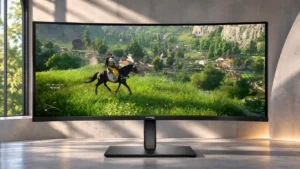
Overall: 4.4/5
The ultrawide aspect ratio excels for immersive compatible games and side-by-side work. The tradeoff is that not every game handles 21:9 equally well.
Pros: refresh rate, color accuracy
Cons: console gaming compatibility, DisplayPort connectivity

Overall: 4.5/5
The 21:9 view opens up peripheral game scenery and more desktop space. Alternative aspect ratios can help focus competitive play, but consoles require manual switching.
Pros: color gamut, contrast
Cons: value for money, Resolution
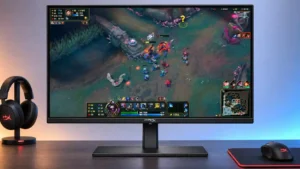
Overall: 4.1/5
The traditional widescreen format works well for competitive games, though it offers less lateral immersion than ultrawide screens.
Pros: black levels, overall picture quality
Cons: brightness, Gaming feature selection

Overall: 4.4/5
Selectable screen-size modes and a forced 4:3 option give competitive players extra flexibility. The feature is useful for shrinking the active image without changing monitors.
Pros: brightness, reflection handling
Cons: cable management

Overall: 4.3/5
The tall ultrawide shape preserves more vertical room than super-ultrawides, which editors and multitaskers value. Some users still prefer standard 16:9 or wider 32:9 layouts, and the extreme width can...
Pros: productivity versatility, overall satisfaction
Cons: value for money, response time