
Overall: 3.9/5
The 16:10 shape creates a little more vertical room for rows, pages and tools than older 16:9 portable screens.
Pros: brightness, portability and weight
Cons: value for money, port selection

Overall: 3.9/5
The 16:10 shape creates a little more vertical room for rows, pages and tools than older 16:9 portable screens.
Pros: brightness, portability and weight
Cons: value for money, port selection

Overall: 4.2/5
The selectable 27-inch and 24.5-inch simulated image sizes add flexibility when full 32-inch coverage feels excessive.
Pros: overall satisfaction, black levels
Cons: reflection handling, Color brightness

Overall: 4.1/5
The familiar 16:9 canvas works comfortably with mainstream creative applications and side-by-side windows rather than demanding ultrawide-specific layouts.
Pros: value for money, Resolution
Cons: HDR performance, refresh rate

Overall: 4.1/5
The standard 16:9 layout avoids awkward game-format compatibility and keeps the full action in view.
Pros: overall satisfaction, value for money
Cons: reflection handling, screen uniformity
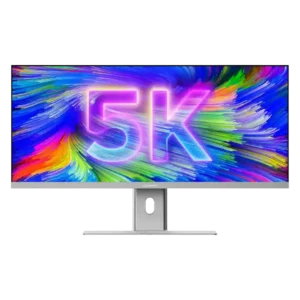
Overall: 4.3/5
The 21:9 format is exceptionally effective for side-by-side apps, long timelines, and anamorphic footage without letterboxing. Reviewers repeatedly saw it as a cleaner alternative to two or even three displays.
Pros: productivity versatility, aspect ratio
Cons: built-in speakers, competitive gaming suitability

Overall: 4.1/5
The taller 21:9 layout offers more useful vertical room than many 32:9 alternatives without sacrificing much horizontal immersion. It is especially appealing for games and work that benefit from height...
Pros: Resolution, overall satisfaction
Cons: value for money, GPU demands

Overall: 4.1/5
The standard 16:9 format appeals to those who prefer a conventional display over 21:9 ultrawide, although adapting from an ultrawide takes a little time.
Pros: value for money, overall satisfaction
Cons: HDR performance, Headphone output quality

Overall: 4.2/5
The 21:9 shape makes side-by-side productivity convenient and ultrawide-supported games immersive; standard video can leave empty side areas.
Pros: overall satisfaction, screen size
Cons: stand adjustability, Photo editing

Overall: 4.1/5
Tactical Switch can quickly move from 16:9 to 4:3 or 5:4 and a 24-inch view, which is especially useful for competitive shooters.
Pros: motion clarity, PC gaming compatibility
Cons: color accuracy, software support

Overall: 4.3/5
The familiar 16:9 layout was described as an easy, comfortable transition from typical gaming monitors.
Pros: overall satisfaction, competitive gaming suitability
Cons: value for money, screen size

Overall: 4.2/5
The standard 16:9 shape fills modern console games without the side bars common on ultrawide screens.
Pros: brightness, HDR performance
Cons: speaker quality, built-in speakers

Overall: 3.7/5
The expansive 21:9 view adds space and immersion, though unsupported games and applications can show black bars.
Pros: ultrawide gaming experience, black levels
Cons: HDR performance, viewing angles

Overall: 4.2/5
The 21:9 canvas makes supported games more cinematic and adds horizontal workspace; some competitive titles require a narrower mode.
Pros: refresh rate, HDR performance
Cons: reflection handling, Text fringing

Overall: 4.4/5
Selectable 4:3 and simulated 24.5-inch views give competitive players more control over their preferred playing field.
Pros: sharpness, overall satisfaction
Cons: value for money, VRR flicker

Overall: 3.8/5
The standard 16:9 format suits everyday software and video, though it cannot provide the horizontal space of an ultrawide.
Pros: value for money, Resolution
Cons: port selection, HDR performance
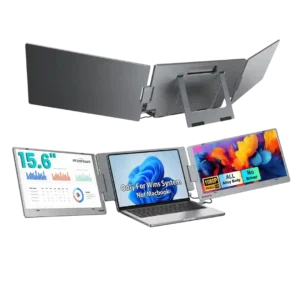
Overall: 4.2/5
Aspect-ratio control has one mixed customer assessment. The adjustment is said to need work, though the reviewer also says it can be worked around.
Pros: overall satisfaction, portability and weight
Cons: reliability over time