#1

Overall: 4.4/5
The 21:9 canvas is excellent for wide timelines, side-by-side windows, and supported ultrawide entertainment without feeling as extreme as a super-ultrawide.
Pros: overall picture quality, color accuracy
Cons: value for money, built-in speakers
#2
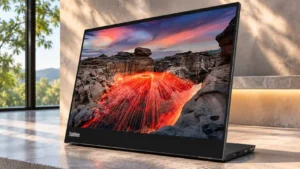
Overall: 3.9/5
The taller 16:10 screen shows extra spreadsheet rows, document text, and app content. It suits work better than the usual 16:9 video shape.
Pros: overall picture quality, Stylus usability
Cons: port selection, refresh rate
#3

Overall: 3.7/5
The 32:9 layout provides an expansive, bezel-free field of view that is especially rewarding in compatible games and wide desktop workspaces.
Pros: value for money, black levels
Cons: refresh rate, portability and weight
#4

Overall: 4.0/5
The familiar 16:9 proportions work naturally with the 27-inch QHD size and fit the preferred desktop layout.
Pros: refresh rate, competitive gaming suitability
Cons: value for money, brightness
#5

Overall: 3.8/5
The conventional 16:9 screen is a comfortable fit for desktop and PC gaming, without the width or special layout of an ultrawide.
Pros: value for money, Resolution
Cons: HDR performance, port selection
#6

Overall: 3.1/5
The standard 16:9 shape fits console signals, typical videos and common desktop applications without unusual aspect-ratio compromises.
Pros: PC gaming compatibility, overall picture quality
Cons: overall satisfaction, Smart TV platform
#7

Overall: 4.0/5
The 21:9 ultrawide format is excellent for keeping several apps visible at once. One owner notes that some websites can look awkward when stretched across the full width.
Pros: overall satisfaction, productivity versatility
Cons: value for money, reliability over time
#8
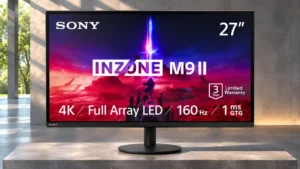
Overall: 3.9/5
Traditional 16:9 framing suits PS5 and most PC games, while the smaller workspace can feel restrictive for ultrawide-style multitasking.
Pros: color gamut, stand adjustability
Cons: value for money, Bass reproduction
#9

Overall: 3.6/5
The standard 16:9 shape works naturally with consoles and most games. Ultrawide fans may miss the extra horizontal field of view.
Pros: overall satisfaction, brightness
Cons: Dolby Vision support, VRR flicker
