
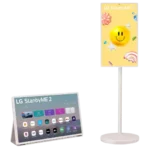
LG StanByMe 2 Feature Scores
Explore all 76 feature scores for LG StanByMe 2, organized into pros and cons.
Scores by Feature
Summary
76 reviewed features-
Very positive 4.5-5.014 (18%)
-
Positive 3.5-4.420 (26%)
-
Neutral 2.5-3.415 (20%)
-
Negative 1.5-2.418 (24%)
-
Very negative below 1.59 (12%)
Pros
Sort
-
Mobility is the StanByMe 2’s clearest strength: reviewers repeatedly praise the rolling stand, detachable screen, and ability to work in kitchens, bedrooms, patios, offices, and events. A few note that weight, carpet, or awkward handling can reduce that flexibility.
-
The magnetic remote is one of the most universally praised details. Reviewers repeatedly like being able to snap it onto the screen or folio so it is easy to find.
-
Overall sentiment is strongly positive, driven by customers who use the StanByMe 2 daily and love how naturally it moves through the home. The negative tail is meaningful, though, with software frustration, value concerns, and hardware failures producing several very low ratings.
-
Most buyers who discuss construction think the StanByMe 2 feels solid and well built, especially the stand. One office-focused customer strongly disagreed, criticizing the plastic-heavy materials as cheaper than expected.
-
Setup is usually straightforward, with many customers assembling the stand quickly and finding operation easy. A minority found the instructions, sign-ups, or folio conversion more cumbersome than expected.
-
AirPlay is usually a strong convenience feature for mirroring phones and Macs, and several users found it smooth or seamless. A monitor-focused buyer was disappointed that AirPlay was limited to 1080p.
-
The rolling stand is generally a strength, with sturdy construction, quiet or smooth wheels, and easy movement on hard floors. Carpet, limited adjustment range, and occasional mechanical play are the main drawbacks.
-
The jump to 1440p is widely viewed as a meaningful improvement over earlier models and looks crisp at 27 inches. It still falls short of 4K for viewers who prioritize maximum sharpness or use it as a demanding computer monitor.
-
The matte finish is usually a practical win, with reviewers praising its ability to reduce reflections and improve visibility in bright rooms. The tradeoff is a slightly less vibrant, less glossy-looking image.
-
LG’s five-year update commitment is a meaningful longevity advantage and was praised by several reviewers. The main counterpoint is one critic who felt the shipped webOS version was already outdated.
-
Customers who specifically discussed remote operation said it works very well. There were no scored complaints about response speed from the physical remote itself.
-
Picture quality is generally considered good for casual viewing, with several customers calling it excellent. Experts are more measured, pointing to the QHD matte LCD’s limited contrast and premium-TV gap, while a few buyers found the screen distinctly disappointing.
-
The look is divisive: many customers call it sleek, clean, sophisticated, and easy to fit into a room, while experts criticize the chunky body and thick bezels. A few buyers also dislike cheaper-feeling materials or practical cover details.
-
Color reproduction drew positive comments, with reviewers describing images as vibrant and punchy. One customer likewise praised LG’s familiar vivid color presentation.
-
Most comments describe the weighted stand as sturdy and resistant to tipping. One serious outlier reported that the stand fell with a slight knock, so stability is not universally trusted.
-
Reviewers who discussed brightness found it more than adequate for normal indoor use. The screen is less convincing around strong daylight or windows, where glare and reduced perceived brightness can become noticeable.
-
Battery life generally lands around the promised four-hour range and is enough for a movie or several episodes, especially in low-power modes. Reviewers also note faster drain at higher brightness, limited unplugged work time, and standby drain.
-
The customized webOS interface earned praise for omitting the on-screen ads and promotions found on some regular LG TV interfaces. That cleaner home screen was a welcome change.
-
Bluetooth pairing contributes to the StanByMe 2’s easy wireless setup for devices and audio. The broader Bluetooth experience is useful, though separate speaker-routing complaints show it is not flawless.
-
Wireless casting is a practical strength, helping phones and laptops feed content to the screen without extra hardware. Reviewers generally found this useful for the product’s flexible-room concept.
-
Chromecast is part of an easy wireless streaming setup and helps compensate for gaps in webOS apps. It broadens what can be shown from phones and other devices.
-
Screen mirroring worked especially well in the detailed expert test, including moving browser windows onto the StanByMe 2 as smoothly as with a dedicated monitor.
-
One customer specifically praised how easily their streaming services synchronized with the TV. Broader reviews confirm the major services are generally covered, though the wider app catalog is less complete.
-
Hands-free commands worked reliably in the review that tested them, including from across the room. Voice recognition did not require unusually close positioning.
-
The ability to hang the detached screen on a wall adds useful placement flexibility. One customer specifically loved using it as wall art as well as a TV.
-
Cloud gaming is a useful extra, with reviewers noting support for services such as Xbox Cloud Gaming and GeForce Now. It broadens the screen’s casual-gaming appeal without turning it into a high-performance gaming display.
-
Dialogue clarity is a strength in the reviews that address it. Voices remain clear enough for everyday viewing even when the overall speaker system lacks deeper bass.
-
HDR can look better than expected for this kind of portable LCD, with clear highlights and pleasing color in brighter material. The limited contrast and backlight precision still keep it below stronger cinematic TVs.
-
Lower-resolution input can still look respectable: an 800p Steam Deck feed was judged decent on the 27-inch screen. That makes casual handheld-console use more forgiving.
-
With brighter, colorful content, the StanByMe 2 can produce a natural-looking image with convincing textures. Its accuracy is less assured in demanding dark scenes where the LCD backlight becomes more obvious.
-
Lower-resolution content can still look respectable on the 27-inch QHD panel. An 800p Steam Deck feed was judged decent rather than obviously poor.
-
Bluetooth is useful for headphones and external speakers, but the experience is not uniformly seamless. One reviewer praised headphone use while another had repeated routing problems with LG’s companion speaker.
-
Glare experiences are mixed: one customer reported no issue at all, while an expert found the screen could catch glare near windows. Placement and room lighting appear to matter.
-
Smart-home integration is mixed. One review described Google, Alexa, HomeKit, and LG connectivity as seamless, while a customer had frustrating ThinQ connection issues on iPhone.
Cons
Sort
-
Reliability feedback is sharply negative among the reviews that mention failures. Reported problems include charging failures, dead-on-arrival units, and defective touchscreens, sometimes across replacement units.
-
App behavior is a major weak spot, especially inconsistent touchscreen support, browser failures, and software glitching. Reviewers often fall back to the physical remote or an external streaming device.
-
After-sales support is a serious concern in the few reviews that needed repairs. Customers describe slow parts, confusing replacement or refund processes, and difficulty finding service options.
-
App selection is one of the most repeated complaints. Major streaming services are usually present, but reviewers repeatedly miss apps available on Roku, Android, Google TV, or other platforms.
-
Software speed is a consistent concern, ranging from occasional sluggishness to repeated lag, buffering, and clunky navigation. Even positive reviewers tend to describe performance as merely adequate rather than premium.
-
Thick bezels are one of the more visible design complaints. Reviewers say they make the 27-inch display look chunkier and more dated than a premium modern screen.
-
The single HDMI input is a clear limitation for users who want multiple wired sources. Reviewers who rely on external streamers, computers, or game systems can run out of ports quickly.
-
Price is the product’s most persistent tradeoff: experts repeatedly call it expensive compared with larger or better-looking TVs, and many negative buyers say it is not worth the premium. Enthusiastic owners counter that the mobility and everyday usefulness make it worth the splurge.
-
Maximum volume is a recurring audio limitation: several customers wanted more output or found the sound less clear when pushed. Noisy settings such as a running bath can easily overwhelm it.
-
One dissatisfied buyer found the screen very difficult to see in sunlight. That makes bright outdoor or sunlit-room viewing a potential concern.
-
The only direct input-lag complaint was severe, with one customer calling HDMI responsiveness awful for gaming. Buyers focused on low-latency play should be cautious.
-
One monitor-focused customer found motion visibly choppy, indicating weak motion clarity for that use case. Broader review discussion was limited.
-
Motion handling received one sharp complaint from a monitor-focused buyer who described the image as choppy. There was not enough broader discussion to establish a wider pattern.
-
Privacy drew one very negative customer comment that characterized LG ThinQ as spyware. There is not enough additional discussion to know whether that concern is widespread.
-
One buyer found the base very large and difficult to store. The broad footprint may matter in especially tight rooms.
-
One customer expected more traditional TV-style reception and was frustrated by needing a cable-box-style solution and losing usefulness outdoors. Buyers should understand its smart-display-first design before purchasing.
-
Account setup can be needlessly confusing, especially around LG ThinQ, multiple users, and sign-up steps. Reviewers would prefer a simpler onboarding and sharing process.
-
Multiple reviewers were disappointed by the lack of a 3.5 mm headphone jack. Bluetooth works for private listening, but wired-headphone users lose a simple connection option.
-
The viewing angles were criticized by multiple expert reviewers as weak or below expectations. Off-axis use can therefore be less satisfying than the portable concept might suggest.
-
Wi-Fi drew two different concerns: one reviewer struggled through several connection attempts, while another criticized LG for using Wi-Fi 5 instead of a newer standard. Neither called wireless networking a strength.
-
webOS is highly polarizing here. Some reviewers find the customized interface slick and touch-friendly, while others call it dated, restrictive, or the product’s biggest weakness.
-
Black levels are a consistent weakness in expert testing, tending toward dark gray or charcoal rather than inky black. That limits the screen’s cinematic impact in darker material.
-
Light spill is noticeable because the edge-lit system illuminates broader portions of the panel. Dark scenes therefore lack the tight highlight control of better backlight systems.
-
There are useful picture presets, but the lack of Filmmaker Mode and Dolby Vision Filmmaker modes disappointed an expert reviewer. Enthusiasts get less calibration-oriented flexibility than on LG’s higher-end TVs.
-
The edge-lit LCD struggles with precise contrast, especially when bright and dark areas share the frame. This is one reason reviewers do not see it as a substitute for a stronger OLED or Mini-LED main TV.
-
The QHD LCD and edge-lit backlight are practical for a portable screen but limit the picture ceiling. Reviewers repeatedly contrast its panel behavior with more cinematic OLED or Mini-LED displays.
-
Backlight precision is weak, with larger areas of the screen lighting up when they ideally should remain dark. That hurts contrast control in demanding scenes.
-
Pixel response is slower than a regular gaming monitor according to one expert. It is acceptable for casual play but not a strength for fast competitive gaming.
-
Picture presets are not uniformly neutral; one expert found Cinema introduced too much yellow. Careful preset selection is needed for the most natural balance.
-
AI Sound Pro can make the presentation feel wider, but opinions are mixed because some reviewers found the result hollow or overprocessed. Standard or Cinema modes may sound more balanced.
-
The built-in system is short on low-end weight, especially for movies and effects-heavy scenes. An optional external speaker can add much more richness and bass.
-
The added USB-C connectivity is a second-generation improvement that one reviewer explicitly praised. Another buyer still wanted better external USB options, so the port setup will not satisfy every workstation use.
-
Color is lively overall, but very bright saturated tones can look paler than they do on higher-contrast TVs. The limitation is most obvious in intense HDR effects.
-
Darker content exposes the panel’s weak blacks and coarse backlight control. The screen remains usable, but it is not an ideal choice for cinematic dark-room viewing.
-
eARC gives the StanByMe 2 a straightforward path to better external sound. The practical tradeoff is that a wired soundbar connection undermines the product’s otherwise portable setup.
-
Gaming is considered suitable for casual play, including handheld-console use, but not for fast competitive titles. The display is better treated as a flexible entertainment screen than a dedicated gaming monitor.
-
LG’s processing features can refine the picture, but the measured benefit is limited by the underlying edge-lit LCD. Dynamic Tone Mapping in particular was described as modest in practice.
-
The 1440p IPS panel is considered serviceable rather than premium. Its strengths are practicality and viewing flexibility, not the deeper blacks or richer contrast associated with higher-end panel types.
-
Dynamic Tone Mapping Pro is present, but its real-world effect was judged modest. The edge-lit panel limits how much the processing can improve contrast-heavy HDR scenes.
-
QHD resolution can make text clear enough for a useful secondary display, and some reviewers found it excellent for work. Others found pixel density or wireless 1080p limits too weak for serious monitor use.
-
Built-in sound is usually described as adequate to good for casual TV, YouTube, and bedroom use. Several reviewers still prefer an external Bluetooth speaker or headphones for fuller movie sound, and a few customers found the speakers weak.
-
The touchscreen hardware often feels responsive, but the experience varies dramatically by app and unit. Many users praise smooth touch navigation, while others report app-specific lag, missing touch support, or outright touch failures.