
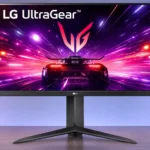
LG 24GS65F-B Feature Scores
Explore all 65 feature scores for LG 24GS65F-B, organized into pros and cons.
Scores by Feature
Summary
65 reviewed features-
Very positive 4.5-5.010 (15%)
-
Positive 3.5-4.427 (42%)
-
Neutral 2.5-3.413 (20%)
-
Negative 1.5-2.415 (23%)
Pros
Sort
-
FreeSync and G-SYNC compatibility keep gameplay smooth when frame rates vary. Testing also found little visible flicker during adaptive refresh.
-
Height adjustment, tilt, and portrait rotation are exceptional conveniences for an inexpensive gaming monitor. The stand gives much more flexibility than tilt-only rivals.
-
A 180Hz refresh rate makes camera movement, aiming, and scrolling noticeably smoother than ordinary 60Hz screens. Faster 240Hz and 280Hz alternatives exist.
-
Low-to-moderate input lag makes control responses feel quick, particularly in PC games. It performs well for the price without leading the fastest segment.
-
Variable-refresh testing found almost no noticeable flicker, even when frame rates changed markedly.
-
RGB controls and an ICC profile can correct the oversaturated factory image to a much more accurate SDR picture. Getting there requires adjustment.
-
1080p PC gaming is the sweet spot: a high refresh rate, variable sync, and responsive controls provide a solid experience at modest cost.
-
Pixel response remains consistent across refresh rates, and a moderate overdrive setting performs well. Some motion blur remains, and the maximum setting creates visible artifacts.
-
The matte surface does a good job dispersing indoor lighting and reflections, although a very bright window can still defeat the display.
-
Simple controls, automated input changes, and desktop adjustment software make the monitor straightforward to use day to day.
-
The IPS image holds up well when viewed from an angle. That helps when the screen is rotated or used off-center.
-
Support for both major graphics-card VRR ecosystems makes synchronization flexible. Its stable operation reduces tearing even as frame rates fluctuate.
-
The panel is bright enough for most indoor desks, with one test finding stronger-than-average SDR output. Direct sunlight can still overpower it.
-
Fast refresh, low input lag, and usable motion tuning make this a capable affordable esports screen. Higher-refresh rivals are better for the most demanding competitive players.
-
Its 180Hz IPS panel and adjustable stand make a convincing inexpensive package. Value becomes less compelling when its price approaches faster competitors.
-
Thin bezels and restrained black styling keep the display unobtrusive on a desk. The rear-facing port arrangement also appeals to one hands-on tester.
-
The small screen works well on a compact study or gaming desk, with adjustable positioning adding practical flexibility.
-
Reader Mode and flicker-reduction options add comfort-oriented choices for long gaming and study sessions.
-
Assembly is simple: attach the stand, connect power, and plug in a video cable. There is little setup friction.
-
Black Stabilizer makes opponents in shadows easier to see without an overly aggressive effect. The tradeoff is grayer blacks and weaker contrast.
-
The menu is easy to navigate, and shortcut access makes preferred settings convenient. Getting a useful SDR preset takes only a few adjustments.
-
A standard 100×100mm VESA mount makes the monitor easy to pair with an arm or wall bracket.
-
Several game presets and overlays are available, but the default Game 1 mode is generally the safest for faithful colors. FPS-oriented modes can sacrifice accuracy for brighter shadows.
-
DisplayPort can deliver the full 1080p high-refresh signal and is the preferred connection for a gaming PC.
-
The IPS panel offers pleasing viewing angles and responsive gaming, although its native contrast is modest.
-
Color and brightness remain fairly even across the panel, with only small corner variations in one detailed test.
-
The substantial stand base holds the panel firmly in place despite its adjustable height and orientation.
-
1080p takes less GPU power and video bandwidth than 1440p, which helps reach high refresh rates. The full benefit still requires sufficiently high game frame rates.
-
The included HDMI and DisplayPort cables can simplify initial setup, though package listings differ by retailer.
-
An energy-saving function is a useful modest convenience for keeping everyday consumption in check.
-
The compact 24-inch class fits gaming and study desks without demanding the room of a larger display.
-
Desktop control software allows picture adjustments without reaching for the monitor buttons, a useful everyday convenience.
-
A conventional RGB subpixel layout delivers clean, readable text rather than the fringing associated with some unusual panel layouts.
-
A stand cable clip helps tidy wires, although the external power adapter adds another brick to manage.
-
Factory gamma is inconsistent in one detailed test; selecting the recommended mode and calibrating can bring SDR tracking nearer the standard.
-
A gaming PC and a second HDMI device can coexist on the two video inputs. That basic compatibility is offset by the lack of modern docking ports.
-
HDR brightness can be changed manually, but adjustment cannot overcome the panel’s modest HDR range.
Cons
Sort
-
HDR support adds little real impact: modest brightness, poor blacks, and no local dimming prevent dramatic highlights. SDR is the better-looking mode.
-
No backlight strobing option is provided, so it cannot use that technique to sharpen fast motion. Faster alternatives offer it.
-
There is no USB hub, so keyboard, mouse, and other peripherals need connections elsewhere. Rivals offer more convenience here.
-
HDR brightness barely rises over SDR, so highlights never gain the punch expected of true HDR.
-
There is no useful local dimming to boost contrast or create strong HDR highlights. That leaves dark HDR scenes looking flat.
-
Native IPS contrast is weak, leaving dark scenes washed out. Black Stabilizer can reveal targets but further reduces image depth.
-
One HDMI, one DisplayPort, and a headphone jack cover basic gaming. Missing USB-C and USB ports reduce versatility.
-
Black levels lack depth, and IPS glow is noticeable in darkness. Raising shadow detail with the game controls can make blacks look even grayer.
-
The monitor can accept common 1080p console signals, including 120Hz, but lacks some console-oriented VRR and ALLM behavior. It is a better choice for PC-only than console-only gaming.
-
One tested panel showed obvious backlight bleed and pronounced IPS glow, especially in dark scenes. Individual units may vary.
-
The absence of USB-C input also rules out power delivery, leaving laptop charging to a separate adapter.
-
Basic SDR gaming looks serviceable, but weak contrast and disappointing HDR prevent the picture from feeling premium.
-
No built-in speakers means audio requires headphones or external speakers.
-
The absence of HDMI 2.1 bandwidth limits its usefulness for buyers seeking premium console connections.
-
HDR tone mapping brightens portions of the image but fails to stay faithful to the intended luminance.
-
An external power brick adds cable clutter compared with a neatly integrated power supply.
-
A detailed tester found the overall package less impressive than expected: its responsiveness is appealing, but picture quality and omissions prevent it standing out.
-
Single-player games are playable, but dark or cinematic scenes lack the deep blacks and contrast needed for dramatic atmosphere.
-
The Fast overdrive setting offers the most sensible balance of speed and visual quality. Faster may measure quicker but produces obvious overshoot and distracting halos.
-
Factory color is contentious: instrumented tests found oversaturation and poor accuracy without an sRGB clamp, while another account described natural-looking colors. Calibration dramatically improves the result.
-
Pixel density is serviceable for Full HD at 24 inches, though fine details look noticeably less defined than on QHD or 4K.
-
Full HD looks reasonably crisp on a 23.8-inch screen and is easy to drive at high frame rates. It cannot match 1440p for dense text or detailed desktop work.
-
Text and images are acceptably clean at normal 24-inch viewing distance. Higher-resolution monitors provide finer detail and more working space.
-
Color coverage is satisfactory for games and routine SDR work but limited for demanding Adobe RGB and DCI-P3 editing. Unrestricted color output can also appear oversaturated.
-
Ghost trails are minor in sensible Normal and Fast modes. The most aggressive setting introduces inverse ghosting that makes motion look worse.
-
Casual photos look acceptable, but oversaturation, basic resolution, and restricted color gamut limit precise editing.
-
A crosshair, frame-rate counter, and Black Stabilizer are useful gaming extras, although the overall feature selection remains basic.
-
Fast-moving games look fluid at 180Hz, but fine motion detail is not as clean as on stronger esports displays. Motion blur and overdrive artifacts limit the best-case image.
Use Cases
Best for
Sort
-
A flexible stand, compact screen, and smooth gaming refresh suit a student who switches between coursework and games.
-
Budget-focused buyers get an enjoyable 180Hz PC-gaming display with unusually flexible ergonomics. Its value depends on keeping the price below more capable alternatives.
-
Casual gamers get fluid 1080p play, adaptive synchronization, and an accessible price without needing premium extras.
-
Portrait rotation works well for reading, coding, and chat windows, especially when used as a secondary display.
-
Compact size, stable IPS angles, and portrait rotation make it a useful secondary monitor for code or documents.
-
The adjustable, rotatable stand and consistent off-axis image are practical assets for a dual-monitor workstation.
-
A high-refresh gaming panel plus an ergonomic stand makes sense for light work between play sessions. Screen space and color fidelity are the tradeoffs.
-
Racing games benefit from the smooth 180Hz motion and responsive IPS image when driven by a suitably fast PC.
-
Off-center viewers benefit from stable IPS viewing angles, so colors remain reasonably consistent across seats.
Conditional or not ideal for
Sort
-
Single-cable laptop dockingNo USB-C video and charging connection means this cannot serve as a one-cable laptop dock.
-
HDR gamingHDR gaming lacks bright highlights and convincing blacks. SDR is the preferred mode for both PC and console play.
-
USB-C laptop dockingUSB-C laptop users need another connection plan: there is no direct USB-C input, hub, or charging support.
-
Color-critical workAccuracy-critical work is hampered by oversaturated defaults and insufficient wide-gamut coverage. Even with calibration, this is not a professional color display.
-
Print photo editingLimited wide-gamut coverage makes print-oriented photo editing a weak fit, particularly where Adobe RGB accuracy matters.
-
Dark-room viewingIPS glow, visible backlight bleed on one unit, and shallow black levels make dark-room viewing less satisfying.
-
Video editingCasual video editing is possible, but limited wide-gamut coverage and modest resolution make serious color work a poor match.
-
Desktop productivityWeb browsing and basic office tasks work well on the clean 24-inch image. Heavy multitasking, spreadsheets, and dense text benefit from higher resolution.
-
Bright-room viewingMatte glare control makes typical daylight or room lighting manageable. Direct sun can be too intense for the available brightness.
-
Programming and codingPortrait rotation can help with long code files, but the 1080p workspace is cramped for complex IDE layouts.