
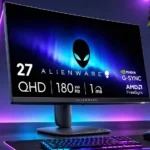
Dell Alienware AW2725DM Feature Scores
Explore all 75 feature scores for Dell Alienware AW2725DM, organized into pros and cons.
Scores by Feature
Summary
75 reviewed features-
Very positive 4.5-5.031 (41%)
-
Positive 3.5-4.422 (29%)
-
Neutral 2.5-3.411 (15%)
-
Negative 1.5-2.49 (12%)
-
Very negative below 1.52 (3%)
Pros
Sort
-
The 180Hz refresh rate makes gameplay visibly smoother than 60Hz and is a central draw for this value-focused monitor.
-
Height, tilt, swivel and pivot adjustments earn some of the strongest and most consistent praise across the reviews.
-
Most hands-on tests praise fluid 180Hz motion and quick transitions, although VRR can make moving objects look blurrier.
-
Overall impressions favor this as an affordable, well-rounded gaming screen, with purchase enthusiasm depending on discount pricing and HDR expectations.
-
Repeatedly recommended at sale prices around $190–$220, it offers unusually attractive gaming specs; value weakens as the price rises.
-
The 2560×1440 resolution is repeatedly praised for sharper graphics and text than 1080p, while remaining practical for gaming hardware.
-
Its IPS image stays consistent off-axis and is favored for side viewing and shared-screen play.
-
The joystick-driven menus are consistently praised for clear navigation and easy access to common settings.
-
QHD sharpness and vibrant SDR colors impress, while black depth and HDR contrast lag behind stronger display technologies.
-
Fast pixel response gives competitive games pleasing clarity, with overdrive settings still requiring sensible tuning.
-
Tool-free stand assembly and straightforward controls make getting started unusually simple.
-
The stand is repeatedly praised as solid and secure, including when adjusted on smaller desks.
-
Clear text, textures and fine game objects are repeatedly praised over older 1080p setups.
-
Its modest stand base saves valuable desk surface without sacrificing major adjustments.
-
PS5 testing shows enjoyable 1440p/120Hz support and 4K/60Hz signal acceptance, but not true 4K/120Hz output.
-
Support for NVIDIA G-SYNC, AMD FreeSync and common adaptive-sync standards makes the monitor flexible across gaming PCs.
-
The distinctive indigo curves and sleek bezels win frequent compliments, but some prefer black or miss the illuminated Alienware logo.
-
180Hz motion and quick response make shooters a strong fit, though VRR blur and faster 320Hz alternatives temper top-tier esports appeal.
-
FPS, sports and customized game profiles give players quick ways to tailor visibility and color; sports mode particularly impressed one owner.
-
At roughly 108–109 ppi, text and game textures look crisp without forcing the heavier processing requirements of 4K.
-
Included video, USB and power cabling makes the monitor easier to set up without extra purchases.
-
Most hands-on opinions praise sturdy construction and an ergonomic stand; one found the plastics a little generic.
-
QHD at up to 180Hz is an appealing PC gaming balance; use DisplayPort for the full refresh capability.
-
Modern consoles work well at 1440p and up to 120Hz, but full 4K/120Hz bandwidth and some audio passthrough features are unavailable.
-
Two USB-A ports handle basic accessories or device charging; their usefulness is undercut by varying opinions about placement.
-
DisplayPort is the preferred route to full 1440p at 180Hz; one reviewer wishes the port were a newer version.
-
Selectable crosshairs and visibility aids add handy targeting options, especially for games such as Fortnite.
-
Thin top and side borders help the monitor look clean and contemporary.
-
The 27-inch size is widely seen as a good match for QHD and feels like a meaningful improvement over smaller older panels.
-
Variable refresh avoids tearing and works seamlessly for some, but testing also found extra blur when VRR was turned on.
-
Several owners love the color presentation, but factory white-balance concerns and recommended ICC calibration make precision accuracy less certain.
-
QHD delivers better detail than 1080p with less strain than 4K, but older GPUs may struggle to sustain 180 fps.
-
Wide-gamut colors make games vivid, though unmanaged sRGB content may become oversaturated.
-
Colorful AAA games still look appealing, although lackluster HDR and shallow blacks stop it from being a cinematic showcase.
-
A Mac Studio user found it an excellent additional display, especially with adjustable height for matching nearby screens.
-
One unboxing praised the monitor for being exceptionally well packed.
-
Indigo styling and smooth curves look premium to several owners, though budget plastics make the finish less convincing to others.
-
A Dell ICC profile and available color controls provide a useful starting point, although best accuracy may require calibration.
-
Extreme mode worked particularly well for one tester, but another cautions that aggressive settings can cause overshoot at fluctuating frame rates.
-
Menus and overlays offer plenty of useful game settings, although another assessment sees the extras as relatively basic.
-
Rich, bright colors make visually driven games attractive in normal use.
-
Custom game profiles and adjustable color values help players keep preferred looks without readjusting every session.
-
A second connected source was detected automatically and prompted a convenient switch in one hands-on test.
-
Low measured input lag supports responsive play in fast games.
-
The power supply being housed inside the screen is appreciated for simplifying the desk setup.
-
Some hands-on testing found dark scenes detailed and convincing from an angle, despite other complaints about overall black depth.
-
A stand cut-out tidies cables effectively, although front-bottom USB placement can expose wires and not everyone loves the routing.
-
Broad color support contributes to an appealing, vivid picture, especially alongside the monitor’s wide-gamut IPS panel.
-
Eco-oriented protective packaging received a favorable mention during unboxing.
-
A warm preset reduces harsh blue tones and was described as easier on the eyes.
-
It can accept a 4K/60Hz console feed and display it on the native QHD panel, which adds flexibility but not true 4K resolution.
-
VESA mounting offers an alternative to the included stand, and attachment was described as straightforward.
-
Fast IPS keeps costs down and offers useful viewing angles, but sacrifices OLED-like blacks and HDR impact.
Cons
Sort
-
The local-dimming implementation produces distracting halos and cannot be switched off in HDR, making it one of the clearest drawbacks.
-
HDR is the recurring compromise: limited IPS contrast, modest brightness and awkward local dimming outweigh occasional praise for vibrant color.
-
The IPS panel cannot match the deep blacks of stronger VA, Mini-LED or OLED alternatives.
-
The missing 3.5mm output complicates console or external-audio arrangements that rely on the monitor as an audio source.
-
USB-C charging is absent, frustrating users who want to power a laptop or small device directly through a modern USB-C port.
-
The HDMI 2.1 naming does not bring full FRL bandwidth: QHD tops out at 144Hz over HDMI, with DisplayPort required for 180Hz.
-
HDR bright objects can develop distracting halos, making the limited local-dimming system a major weakness.
-
Without eARC, connecting a soundbar through the monitor is not a practical option for some console setups.
-
There is no integrated KVM, which limits convenience for shared keyboard-and-mouse setups across multiple computers.
-
An owner reported severe corner IPS glow on an initial unit and a dramatically cleaner replacement, highlighting inconsistent samples.
-
There are no speakers. Some welcome avoiding weak budget audio, while others find the omission inconvenient for console or video playback.
-
The missing glowing Alienware emblem disappoints buyers who wanted the brand’s signature RGB appearance.
-
The typical IPS contrast limits dark-scene depth and HDR. One owner nevertheless saw an improvement over a much older TN screen.
-
Highlights are sometimes mildly brighter than in SDR, but small bright details can look muted and haloed.
-
HDR operation locks out some brightness, preset and Dark Stabilizer controls, limiting customization.
-
Basic motion is clean, but VRR can add blur and the most aggressive overdrive may produce bright inverse trails.
-
Useful HDMI, DisplayPort and USB-A connections cover basic PC gaming, but absent USB-C and audio ports narrow its flexibility.
-
Some owners love reaching ports from underneath the front edge; others find the ports awkward or dislike visible dangling cables.
-
Backlight bleed varies strikingly by unit: one tester saw almost none, while an owner replaced a unit with severe corner glow.
-
Its approximately 400-nit brightness is usable and sometimes praised, but does not create standout HDR impact or lead in bright rooms.
-
The anti-glare surface helps in ordinary light, but some testing still found distracting reflections near bright windows.
-
Sample-to-sample consistency is a concern: one review praised nearly uniform lighting, but a buyer needed a replacement for severe corner glow.
Use Cases
Best for
Sort
-
Valorant, Counter-Strike and Battlefield play particularly well with high refresh and quick motion, aided by FPS presets.
-
Owners moving to QHD notice crisper detail while still enjoying attainable high frame rates on suitable hardware.
-
A compact base leaves room for peripherals, and the stable, flexible stand works well on smaller desks.
-
Smooth motion, strong color and affordability make conventional SDR gaming the clearest reason to buy this monitor.
-
Apex Legends benefits from the smooth high-refresh motion; players looking for fast-paced action are especially well served.
-
At discounted prices around $190–$220, the combination of QHD, 180Hz and an adjustable stand feels like a bargain; higher prices reduce its appeal.
-
Slower, colorful games and Minecraft look clear and enjoyable, even though HDR spectacle is limited.
-
The sharp QHD panel and ergonomic stand make browsing, writing and routine work comfortable alongside gaming.
-
Clear text, useful color and flexible positioning let it serve everyday work and gaming, provided no single-cable laptop dock is required.
-
Mario Kart World was judged spectacular on the display, making this a strong choice for the tested Switch 2 setup.
-
Forza Horizon 5 was highlighted as an example of fast racing that stays clear with very little blur.
-
A gaming-and-streaming setup owner was very satisfied with the screen’s colors and smooth gameplay.
-
One Mac Studio user praised it as the perfect additional display for a three-screen editing workspace.
-
Moving from a standard 60Hz or 120Hz display produces a substantial perceived smoothness improvement.
-
IPS viewing angles keep the image consistent for players seated to the side, a welcome advantage for shared-screen play.
-
The broad IPS viewing angles preserve a consistent image when several people look at the panel together.
-
A creator found the QHD screen a useful addition to an editing workstation, although it is not positioned as a color-grading specialist.
-
HDR video samples can look vibrant, but inconsistent streaming-service formats and modest real HDR quality limit the payoff.
-
The stand can rotate to portrait, a useful option for alternate layouts, though screen clearance needs attention.
-
Nonprofessional editing and content projects are workable thanks to clear text and QHD detail, but demanding color or HDR workflows need more.
Conditional or not ideal for
Sort
-
HDR gamingMost assessments discourage HDR-focused gaming because of weak contrast and distracting dimming, despite a few positive impressions of added color.
-
Single-cable laptop dockingA laptop cannot get video, USB peripherals and charging through one USB-C connection here; a more docking-oriented monitor suits that task better.
-
Color-critical workThis is not a dependable out-of-box choice for precision color production: factory accuracy and calibration limitations need attention.
-
HDR color gradingLow contrast, poor local dimming and imperfect color precision make serious HDR mastering a poor fit.
-
USB-C laptop dockingWith no USB-C video or power delivery, the monitor cannot serve as a direct one-cable laptop dock.
-
Dark-room viewingIPS blacks can appear gray, while sample-dependent corner glow has been particularly disruptive in dim settings.
-
Upgrading from AW2724DMExisting AW2724DM owners have little incentive to switch, especially since VRR motion clarity can be worse on the newer model.
-
Multi-computer workflowsIt can accept multiple video sources, but the absence of KVM and USB-C docking makes managing several computers less seamless.
-
Bright-room viewingThe matte screen helps somewhat, but stronger reflections and lower comparative brightness make very sunny rooms less ideal.
-
Multi-console setupsThe display works well with current consoles at QHD, yet absent eARC and full-bandwidth HDMI reduce its usefulness in elaborate entertainment setups.