
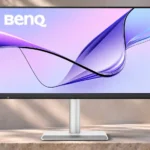
BenQ MA270S Feature Scores
Explore all 80 feature scores for BenQ MA270S, organized into pros and cons.
Scores by Feature
Summary
80 reviewed features-
Very positive 4.5-5.056 (70%)
-
Positive 3.5-4.46 (8%)
-
Neutral 2.5-3.47 (9%)
-
Negative 1.5-2.43 (4%)
-
Very negative below 1.58 (10%)
Pros
Sort
-
MacBook-like color matching and generally strong accuracy make the screen appealing for editing. One comparative test still favored Apple on accuracy.
-
Mac-oriented reviewers are strongly positive about the crisp display and day-to-day convenience, with gaming and media extras receiving more reservations.
-
The included stand offers generous height, tilt, swivel, and portrait rotation. Reviewers repeatedly appreciate not paying extra for that flexibility.
-
The Nano Gloss surface gives text and colors a particularly clear, rich appearance. Its reflective nature is the main tradeoff.
-
A generous mix of Thunderbolt, USB-C, USB-A, and HDMI makes this more flexible than many minimalist Mac displays.
-
Brightness and volume syncing, suitable color modes, and macOS-friendly scaling make the monitor feel unusually native beside a MacBook.
-
The clear 5K image and rich colors draw broad praise for productivity and creative tasks. It cannot match the deepest blacks or punchiest HDR of advanced mini-LED displays.
-
Text and fine image details look unusually crisp, with the glossy surface reinforcing their clarity. One filmmaker noticed artificial-looking sharpening in movies.
-
Display Pilot 2 receives praise for its convenient menu-bar controls and easy changes to brightness, volume, and color modes.
-
The monitor is straightforward to live with, especially once its software and keyboard controls are configured.
-
Thunderbolt 4 makes the monitor a capable single-cable workstation hub, though it lacks the extra bandwidth of newer Thunderbolt 5 displays.
-
BenQ’s Mac-tuned profile closely resembles MacBook colors, reducing the visual jump when moving content between screens.
-
Contrast is notably strong for an IPS monitor, producing convincing depth in normal lighting. Dark-room black levels still lag behind OLED and mini-LED alternatives.
-
The 27-inch 5K panel delivers exceptionally fine detail and Retina-friendly scaling, especially on macOS. The extra pixels are most noticeable in text and high-resolution creative work.
-
Thin bezels, silver styling, and a restrained look fit naturally into a Mac-oriented workspace. A few details, including the plastic housing and front sensor, are less elegant.
-
Sharing a keyboard and mouse across two computers is a standout productivity convenience; some workflows also support transferring text and files.
-
It is expensive compared with ordinary 4K screens but substantially undercuts similarly equipped Apple 5K options, especially with an adjustable stand included.
-
The housing and stand generally feel sturdy and carefully put together, despite using more plastic than Apple’s all-metal alternative.
-
The native 5K resolution makes macOS text and interface elements look properly sized without the compromises some reviewers noticed on 27-inch 4K screens.
-
Changing volume from the Mac keyboard is a convenient touch that makes the monitor behave more like a built-in display.
-
The high-power Thunderbolt connection can carry the display signal while charging a laptop, reducing the need for separate power and video cables.
-
Colors appear lively and saturated without routinely looking artificial, helping both photos and everyday content stand out.
-
The stand clicks together quickly, and a single compatible cable can get a Mac workstation running with little effort.
-
Slim borders help the monitor look modern, although some find the lower bezel and visible sensor less appealing.
-
SDR brightness is generally sufficient for home and office work, even under normal room lighting. It is still less bright than some premium competitors.
-
Color presets and software controls make switching display modes straightforward, with useful macOS integration for creative workflows.
-
The stand feels firm during adjustment, with reports of smooth movement and little wobble.
-
The integrated USB hub can replace some desktop adapters and keeps frequently used peripherals connected through the monitor.
-
Connecting a compatible second screen through the monitor helps tidy multi-display desks, subject to the computer’s external-display limits.
-
The supplied cable clip and practical port placement help keep the rear of the setup tidy.
-
Photographers benefit from fine detail, strong color reproduction, and precise-looking gradients in high-resolution images.
-
The companion software generally works well and adds practical Mac-style settings rather than serving as a superficial extra.
-
Colors and contrast hold up well away from the center, making the screen comfortable to view from different desk positions.
-
A clean finish and solid construction create an upscale impression, although the plastic body is less luxurious than an aluminum Studio Display.
-
A padded strip on the base provides a useful scratch-resistant resting place for a phone, laptop, or small accessories.
-
Connected devices can stay charged while the display is off or in standby, a small but welcome benefit for docked laptops.
-
The MA270S works especially naturally with Macs but has also proved useful with Windows laptops, consoles, and multiple input types.
-
Bundled cables and useful setup pieces mean fewer extra purchases and a simpler first-day installation.
-
Well-spaced, accessible connections reduce cable fiddling, with useful ports close to the bottom edge.
-
The ambient-light sensor can keep screen brightness in step with the surrounding room, adding convenience to long Mac desktop sessions.
-
FocuSync can link monitor settings to Mac Focus modes; users who try it appreciate the more automatic workday changes.
-
Wide P3 and sRGB coverage supports colorful photos, design projects, and other creative work, with several reviewers praising the results.
-
Eye-care modes and adaptive settings are welcomed for lengthy sessions, with some reviewers reporting comfortable extended viewing.
-
The glossy panel can make blacks appear rich, but testers also report that black areas take on a gray cast in darker rooms.
-
The packing is secure, and an inventive cardboard element can be turned into a small laptop stand.
-
MacBooks connected through several video-input types without glitches in one test, and another multi-device setup worked without signal or compatibility issues.
-
The 10-bit color capability is welcomed for smoother transitions and more nuanced creative imagery.
-
Side-by-side computer views pair well with the KVM functions for cross-platform multitasking and transfer tasks.
-
At around 218 pixels per inch, the display gives macOS the crisp, natural proportions associated with Retina screens.
-
The detailed, colorful panel is fine for occasional single-player titles, but motion remains slower than dedicated gaming displays.
-
Custom macOS presets and direct calibration options offer room to fine-tune the picture when out-of-box matching is not enough.
-
The wide base offers a place to arrange accessories, but it takes more desk area than the slimmer Apple stand.
-
Default multimedia looks clean, with minimal gradient noise and smooth transitions reported in the tested image modes.
-
The HDMI connections make it easier to add a console or other computer alongside a Mac, even if the screen is not tuned for high-speed gaming.
-
The 27-inch size pairs naturally with 5K resolution, giving a comfortable desktop canvas without sacrificing text definition.
-
One owner-style review found the display reasonably uniform, without an obvious pattern drawing attention during use.
-
Support for a standard monitor arm adds flexibility beyond the already adjustable bundled stand.
-
HDMI inputs work for console connections and visually rich games, though high-frame-rate gaming is not its specialty.
-
A readily reachable analog audio jack makes wired headphones or external speakers simpler to connect.
-
The IPS panel benefits from detailed, colorful output and broad viewing angles, though it cannot recreate OLED-level darkness.
-
A gaming PC can connect and high-resolution games look attractive, but the display lacks the speed of a dedicated gaming monitor.
-
Highlight handling is inconsistent across impressions: one test reported clipping, while another found its sampled content retained detail.
Cons
Sort
-
The missing integrated webcam is a noticeable drawback for frequent calls, though MacBook users can rely on their laptop camera.
-
Movement is notably less crisp than on faster gaming displays, with a tester reporting visible smear during rapid action.
-
The 70Hz panel feels only a little smoother than 60Hz; it is a clear compromise for anyone accustomed to 120Hz or faster screens.
-
Audio is adequate for basic calls and videos but generally thin or quiet compared with dedicated speakers and Apple’s six-speaker setup.
-
The relatively low refresh rate and slow response make the MA270S unsuitable for serious competitive play.
-
With no local-dimming system, deep blacks and HDR highlights lack the separation delivered by more advanced backlit displays.
-
Slow pixel transitions are a drawback for fast-moving material, particularly when compared with dedicated gaming monitors.
-
Fast-moving objects can smear across the screen, making this a poor choice for demanding motion-heavy games.
-
There is a report of the display taking roughly twenty seconds to wake, which interrupts an otherwise polished desktop experience.
-
One extended user noticed a long wake-up delay compared with the near-instant response of an Apple display.
-
HDR can add some vibrancy and highlight depth, but its limited brightness and lack of local dimming keep it far from a true high-impact HDR display.
-
One reviewer found stock difficult to locate at the time, meaning prospective buyers might need to check multiple sellers.
-
At least one review noticed visible gray backlight glow in dark areas, although another saw little corner diffusion.
-
Low-end response is limited; some users find the sound thin despite a few favorable comments about basic tonal balance.
-
The speakers are serviceable for everyday audio, with uneven impressions of their fidelity and loudness.
-
The minimal physical controls handle basic changes, but more advanced settings often require the companion software.
-
Experience depends heavily on room lighting: some reviewers barely noticed reflections, while others warned that windows and dark images expose the glossy surface.
-
Some scenes reveal pleasing highlight detail, while other tests find that bright HDR areas can clip or lack punch.
Use Cases
Best for
Sort
-
The 5K scaling, Mac-friendly color matching, and integrated controls make the display especially attractive for Apple-centric workstations.
-
The Thunderbolt/USB-C connections make a MacBook-friendly dock-and-display setup convenient and clean.
-
Fine text, flexible connections, and useful multitasking features make daily desk work one of its strongest uses.
-
The adjustable stand, flexible inputs, and cable routing keep a complex desk arrangement comfortable and tidy.
-
MacBook-like consistency and favorable accuracy make color-sensitive work a strength, though specialist calibration documentation may still be preferable.
-
The KVM, multiple inputs, and screen sharing features are especially useful for people switching between Mac and Windows machines.
-
A compatible laptop can send video and data while receiving power through one cable, reducing desk clutter.
-
Wide color coverage and refined detail make visual design a good fit, particularly where MacBook consistency matters.
-
Moving from a lower-resolution display brings a notable jump in detail and text clarity, particularly with macOS.
-
Video editors praise the sharp workspace and Mac-to-monitor color consistency, which can help with cross-device checks.
-
Thunderbolt chaining and suitable rotation options help build a tidy, expansive desk with fewer host cables.
-
The stand rotates for vertical reading and document workflows, a flexibility several reviewers found immediately useful.
-
This is a meaningful saving over Apple’s 5K displays, but its price is still high for shoppers who only want a larger basic screen.
-
The sharp panel and consistent color rendition support demanding creative tasks, especially alongside a Mac.
-
Videos can look crisp and vivid, though one reviewer noticed an oversharpened effect in movies.
-
A reviewer remained enthusiastic after several months of desk use, although truly long-term durability has not been established.
-
Mac Focus integration can reduce manual mode changes when switching between work and off-hours.
Conditional or not ideal for
Sort
-
Dark-room viewingThe glossy panel can look rich, yet black levels turn gray and backlight glow becomes more noticeable in dark scenes.
-
Video conferencingAudio is acceptable for calls, although the absent webcam makes conferencing less convenient for desktop Macs.
-
Music listeningThe internal speakers can handle background audio but are a poor substitute for headphones or dedicated speakers.
-
Remote workA strong Mac desktop screen, but people on video calls all day need to account for the absent webcam.
-
HDR gamingSome games gain extra color and brightness, but limited HDR contrast and slow motion make specialist gaming screens more compelling.
-
Bright-room viewingSDR brightness is broadly usable under office lighting, but the reflective coating may become distracting near windows.
-
Dedicated PC monitor useWindows users can enjoy the clear 5K picture and connectivity, though the Mac-specific extras may be less compelling for the price.
-
Casual gamingStory-focused and occasional gaming can look colorful and detailed, but motion is less smooth than on gaming-first alternatives.