#1

Overall: 3.8/5
The separate wireless input box makes a sleek, almost cable-free screen possible. The television still requires power, and some soundbar installations bring cables back into the room.
Pros: glare resistance, overall satisfaction
Cons: input lag, value for money
#2

Overall: 3.9/5
Cable channels and clips in the stand help tidy connections and keep the installation organized.
Pros: peak brightness, overall satisfaction
Cons: value for money, shadow detail
#3

Overall: 4.2/5
Clips attached to the feet help keep power and video wires organized behind the set.
Pros: value for money, color accuracy
Cons: HDR brightness, reflection handling
#4

Overall: 3.6/5
Basic clips behind the panel provide a neat, convenient place to secure loose cables.
Pros: black levels, picture quality
Cons: HDR performance, blooming control
#5

Overall: 4.0/5
The One Connect box routes inputs and power through a single display cable, creating a much cleaner installation.
Pros: reflection handling, overall satisfaction
Cons: Dolby Vision support, bass performance
#6

Overall: 3.8/5
Back-panel grooves and cable-routing channels help keep visible wires under control.
Pros: overall satisfaction, picture quality
Cons: value for money, local dimming performance
#7

Overall: 3.8/5
A separate wireless input hub leaves fewer visible A/V cords, but the remaining TV power lead may need a recessed outlet.
Pros: Wireless One Connect compatibility, art display mode
Cons: value for money, input lag
#8
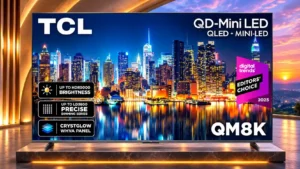
Overall: 4.0/5
Rear channels help organize cables, though recessed connections can be awkward once the TV sits close to a wall.
Pros: peak brightness, picture quality
Cons: HDMI 2.1 port count, reflection handling
#9

Overall: 4.1/5
Smaller pedestal models provide tidy routing options; the 100-inch feet offer only basic clips.
Pros: peak brightness, HDR brightness
Cons: sound quality, viewing angles
#10

Overall: 4.0/5
The stand’s built-in cable management is a small but welcome practical touch.
Pros: overall satisfaction, picture quality
Cons: reliability, build quality
#11

Overall: 3.7/5
Rear clips and channels in the stand feet help keep visible wires organized.
Pros: picture quality, maximum volume
Cons: sound quality, bass performance
#12
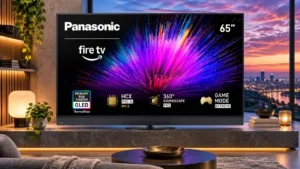
Overall: 4.3/5
A built-in channel helps conceal cables routed down the central stand.
Pros: picture quality, color accuracy
Cons: bass performance, HDMI 2.1 port count
#13

Overall: 3.0/5
Grooves and a clip at the back help route and hide cables, a useful detail for a neat tabletop installation.
Pros: color gamut, smart TV platform
Cons: value for money, overall satisfaction
#14

Overall: 4.0/5
Cable routing is neat on some smaller versions, but the 98-inch rear offers little built-in cable management beyond a tie wrap.
Pros: picture quality, black levels
Cons: HDR brightness, value for money
#15

Overall: 3.9/5
Included clips or gaps help tidy cables on some versions, although rear cable routing is not universally praised.
Pros: value for money, overall satisfaction
Cons: Dolby Vision support, sound quality
#16

Overall: 4.2/5
Rear tracks and clips can help keep wires tidy, but the lack of a separate One Connect box leaves more cables at the screen.
Pros: high-refresh-rate gaming, gaming performance
Cons: value for money, bass performance
#17

Overall: 3.9/5
A rear cover and cable clips hide basic connections neatly, although routing space is limited with many devices.
Pros: peak brightness, value for money
Cons: reflection handling, glare resistance
#18

Overall: 4.2/5
Channels behind the screen and through the stand help hide cables, although recessed sockets can complicate access after wall mounting.
Pros: picture quality, glare resistance
Cons: value for money, bass performance
#19

Overall: 4.0/5
An integrated rear cable clip helps keep connections tidy, but the stand itself offers no equivalent routing.
Pros: overall satisfaction, picture quality
Cons: size options, value for money
#20

Overall: 3.9/5
Cable routing is not ideal because the power lead sits away from the other connections, making a clean installation less convenient.
Pros: gaming performance, peak brightness
Cons: HDMI 2.1 support, HDMI 2.1 port count
#21
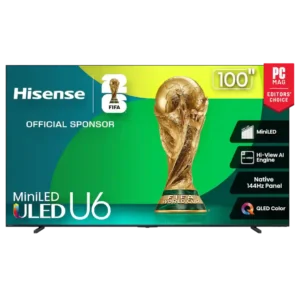
Overall: 4.2/5
Cable management is weak. Side-facing connections can leave cables visibly sticking out, which works against a clean, minimal installation.
Pros: overall satisfaction, value for money
Cons: smart TV platform, blooming control
#22

Overall: 3.8/5
Rear cable grooves are either missing or unreliable for thicker cables, leaving some wires difficult to secure.
Pros: picture quality, 4K at 144 Hz support
Cons: sound quality, value for money
#23
Overall: 3.9/5
The rear connection area offers no dedicated cable-management help, making a clean installation harder.
Pros: overall satisfaction, picture quality
Cons: Weight and handling, black levels
#24

Overall: 3.9/5
No dedicated cable-routing hardware is provided, leaving tidy installation to the owner.
Pros: gaming performance, overall satisfaction
Cons: sound quality, value for money
#25
Overall: 3.0/5
No built-in cable-routing aids are provided, leaving exposed wires harder to organize.
Pros: viewing angles, smart TV platform
Cons: overall satisfaction, refresh rate
#26

Overall: 3.0/5
No cable-routing features are provided to tidy wires behind the panel.
Pros: picture quality, smart TV platform
Cons: value for money, refresh rate
#27

Overall: 3.3/5
There is little help for tidying cables behind the set, particularly when several external devices are connected.
Pros: color accuracy, upscaling quality
Cons: picture quality, sound quality
#28

Overall: 3.4/5
There is no integrated cable-routing system, so wires need to be organized separately.
Pros: picture quality, value for money
Cons: viewing angles, HDR performance
