
Overall: 4.2/5
Backlight bleed is generally minor and fairly uniform; dark scenes avoid the distracting bright edge patches common on lesser LCDs.
Pros: overall satisfaction, screen size
Cons: stand adjustability, Photo editing

Overall: 4.2/5
Backlight bleed is generally minor and fairly uniform; dark scenes avoid the distracting bright edge patches common on lesser LCDs.
Pros: overall satisfaction, screen size
Cons: stand adjustability, Photo editing

Overall: 4.1/5
Because every OLED pixel controls its own light, conventional backlight bleed is effectively absent and dark scenes remain clean.
Pros: motion clarity, PC gaming compatibility
Cons: color accuracy, software support

Overall: 4.3/5
OLED’s self-emissive pixels eliminate the backlight-bleed look seen on LCDs, producing pitch-black edges and dark scenes.
Pros: overall satisfaction, competitive gaming suitability
Cons: value for money, screen size

Overall: 3.5/5
One owner found little obvious light bleed or uneven darkness even in dim scenes.
Pros: HDR performance, overall satisfaction
Cons: local dimming performance, Blooming control

Overall: 4.1/5
The tested screen showed no noticeable backlight bleed, helping the image look clean and consistent.
Pros: value for money, overall satisfaction
Cons: HDR performance, Headphone output quality

Overall: 4.2/5
One test sample showed pleasingly even illumination without conspicuous edge bleed, a benefit for work and letterboxed films.
Pros: value for money, Resolution
Cons: port selection, competitive gaming suitability

Overall: 4.2/5
Self-emissive OLED pixels avoid the bleed and cloudy patches associated with conventional LCD backlights.
Pros: overall picture quality, overall satisfaction
Cons: port selection, brightness

Overall: 3.7/5
At least one owner observed no light bleed, although independent testing found some brightness nonuniformity.
Pros: value for money, Resolution
Cons: stand adjustability, viewing angles

Overall: 4.2/5
The self-emissive OLED panel avoids the corner bleed and glow that can spoil dark scenes on LCDs.
Pros: HDR performance, DisplayPort connectivity
Cons: value for money, brightness

Overall: 4.2/5
Pixel-level OLED lighting avoids the unwanted edge glow seen on some LCDs. Dark areas stay convincingly dark.
Pros: reflection handling, color gamut
Cons: value for money, brightness
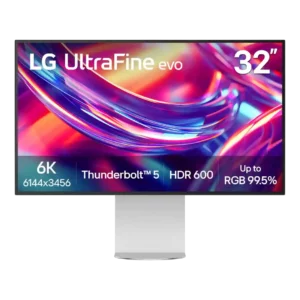
Overall: 3.9/5
IPS Black reduces the usual glow and bleed effectively on the better-tested units. Reviewers still found small bright areas, but they were often unobtrusive in normal use.
Pros: port selection, overall satisfaction
Cons: value for money, cable management

Overall: 3.9/5
Dark-screen bleed is barely perceptible in ordinary viewing, though complicated local-dimming patterns can trigger stray illumination.
Pros: HDR performance, black levels
Cons: viewing angles, response time

Overall: 3.8/5
One detailed test unit showed only minor clouding and bleed, although sample variation remains a consideration.
Pros: value for money, Resolution
Cons: port selection, HDR performance

Overall: 3.7/5
Individual tested units show little noticeable corner glow or bleed, though the appearance changes when local dimming is off.
Pros: overall satisfaction, PC gaming compatibility
Cons: color accuracy, local dimming performance

Overall: 4.2/5
Some units show barely visible bleed in ordinary use, while darker test scenes reveal glow and unevenness. It is much less consistent than the attractive IPS Black contrast initially suggests.
Pros: port selection, USB hub functionality
Cons: competitive gaming suitability, motion clarity

Overall: 3.7/5
A little leakage can appear at the edges or off-axis, although it was not considered distracting in normal centered use.
Pros: ultrawide gaming experience, black levels
Cons: HDR performance, viewing angles

Overall: 4.0/5
Backlight bleed varies strikingly by unit: one tester saw almost none, while an owner replaced a unit with severe corner glow.
Pros: overall satisfaction, refresh rate
Cons: HDR performance, HDMI 2.1 support

Overall: 4.1/5
Some units reveal glow near the edges, although another assessment found little obvious edge bleed. Panel-to-panel behavior is worth checking after purchase.
Pros: value for money, Resolution
Cons: HDR performance, refresh rate

Overall: 3.6/5
Some IPS glow is visible in dark scenes and at oblique angles. It remains manageable in ordinary viewing, though dark-room users may notice it.
Pros: refresh rate, Dual-mode versatility
Cons: motion clarity, black levels

Overall: 4.2/5
IPS glow and visible backlight bleed remain drawbacks despite the improved IPS Black panel, especially against dark backgrounds.
Pros: port selection, overall satisfaction
Cons: value for money, competitive gaming suitability

Overall: 4.1/5
The IPS panel can show visible glow and bleed in dark scenes, making black areas look less even than on OLED displays.
Pros: Pixel density, Resolution
Cons: GPU demands, HDR performance