Best for button customization
SteelSeries Rival 5
4.9 attribute score
Highest scored product for this attribute based on supporting review evidence.

Highest scored product for this attribute based on supporting review evidence.
Balances the attribute score, supporting reviews, and overall product strength.
Has the broadest review evidence for this attribute.
Strongest overall product among items with scored evidence for this attribute.
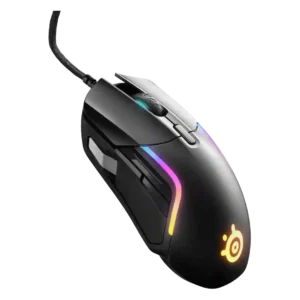
Button customization was a strength, with reviewers praising remapping, media controls, and broad function assignment through software.
Pros: value for money, software usability
Cons: side button quality, onboard memory
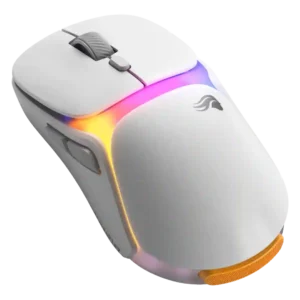
Button customization earned strong praise for easy DPI, binding, and dock adjustment options.
Pros: charging convenience, shape comfort
Cons: value for money, weight

Button customization was one of the most consistently praised features, with reviewers emphasizing Easy-Shift, broad remapping, and extensive command options.
Pros: value for money, button customization
Cons: fingertip grip comfort, portability

The adjustable side keypad and button mapping were repeatedly praised as practical, comfort-improving, and easy to tailor, though one reviewer found the adjustability less impactful.
Pros: button customization, MMO gaming suitability
Cons: FPS gaming suitability

Button customization was one of the strongest themes, with reviewers praising remapping, flexible profiles, and broad control options.
Pros: side button quality, MMO gaming suitability
Cons: value for money, claw grip comfort

Button customization was viewed positively, especially through Razer Synapse remapping and broad command assignment.
Pros: weight, value for money
Cons: click noise, AI Prompt Master

Customization was one of the clearest strengths, with swappable plates and extensive button options praised across nearly every review.
Pros: button customization, scroll wheel quality
Cons: weight, value for money

Button customization is one of the standout strengths, especially adjustable actuation, haptic strength, and individual left/right click tuning.
Pros: switch feel, click latency
Cons: value for money, glide smoothness

Button customization was rated well because Gear Link exposes broad assignment controls and reviewers found the interface comprehensive.
Pros: glide smoothness, weight
Cons: handedness options

Customization drew positive comments for granular controls and strong software-hardware integration, though it still depends heavily on G Hub.
Pros: switch feel, polling rate
Cons: value for money, side button quality

Button customization was a clear strength, with reviewers praising flexible keybinds and dock controls.
Pros: charging convenience, software usability
Cons: RGB features, value for money
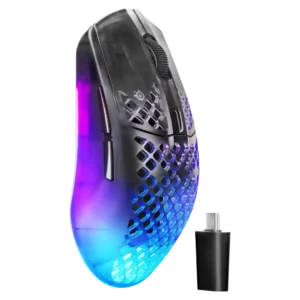
Button customization was praised through GG software, free configuration, remapping options, and practical use of side buttons in daily workflows.
Pros: software usability, polling rate
Cons: palm grip comfort, fingertip grip comfort

Customization was a major strength, with extensive remapping, HyperShift, and button control through Synapse.
Pros: scroll wheel quality, battery life
Cons: value for money, weight
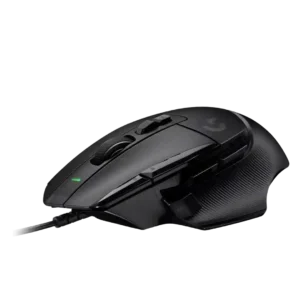
Button customization was widely praised for reach improvements, remapping, removable thumb control, and overall functionality, with one reviewer noting fat-finger risk.
Pros: button customization, switch feel
Cons: RGB features, weight tuning

Button customization was a major strength across reviews, especially hot-swappable switches, second-layer inputs, and broad button reassignment.
Pros: button responsiveness, shape comfort
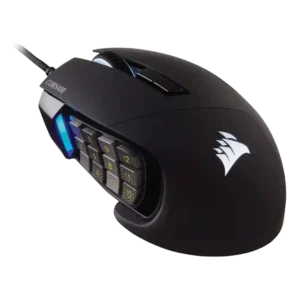
The sliding keypad and customization options were repeatedly praised for adapting the 12-button grid to different hands and workflows.
Pros: value for money, side button quality
Cons: FPS gaming suitability, weight

Button customization was a clear strength, with Synapse remapping, profiles, and extra functions repeatedly praised as useful.
Pros: value for money, battery life
Cons: weight, balance and weight distribution

Button customization was consistently praised, especially Easy-Shift and profile-based control, though one review wanted more useful default secondary functions.
Pros: battery life, software usability
Cons: weight, FPS gaming suitability

Button customization was consistently praised for flexible remapping and personalized layouts.
Pros: battery life, glide smoothness
Cons: side button quality, value for money

Button customization is a strength, with reviewers highlighting unusually good customization for the price, gameplay versatility, and broad control in software.
Pros: Accuracy and tracking precision, shape comfort
Cons: long-session comfort

Button customization was a major strength, with reviewers liking the broad remapping options and flexible software control.
Pros: battery life, weight
Cons: side button quality, value for money

Button customization was praised where reviewers discussed comprehensive software control and full configurability.
Pros: battery life, software usability
Cons: click noise, fingertip grip comfort
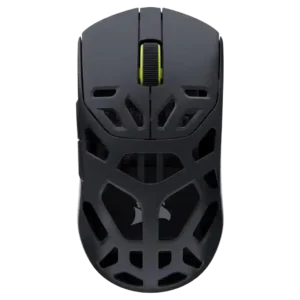
Button customization was praised across reviews because remapping, assignments, and profile-specific controls were easy to access.
Pros: shape comfort, sensor performance
Cons: value for money, side button quality

Button customization was praised for easy programming and broad finetuning options.
Pros: shape comfort, value for money
Cons: handedness options

Button customization was a major strength, with reviewers mapping many commands, although one productivity-focused review found deeper sequences limited.
Pros: MMO gaming suitability, 2.4GHz connectivity
Cons: charging convenience, value for money
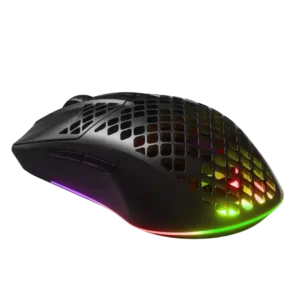
Button and sensitivity customization were praised as deep, useful, and easy to tune.
Pros: value for money, battery life
Cons: glide smoothness, side button quality

Button customization was praised through Synapse and Hypershift options, especially for users willing to configure the mouse.
Pros: battery life, scroll wheel quality
Cons: value for money, click noise
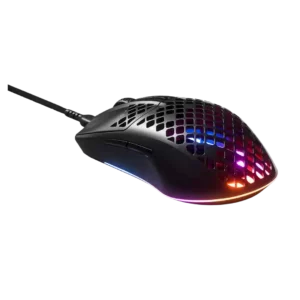
Button customization was considered valuable through SteelSeries Engine configuration flexibility.
Pros: glide smoothness, RGB features
Cons: build quality, cable flexibility
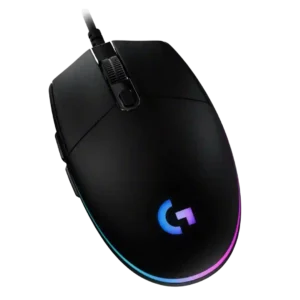
Button customization through G Hub is consistently praised as easy, flexible, and broad, covering remaps, commands, profiles, lighting, and per-app behavior.
Pros: value for money, RGB features
Cons: palm grip comfort, click noise

Button customization was a clear strength, with reviewers praising remapping, physical DPI-shift adjustability, and flexible control setups.
Pros: RGB features, weight
Cons: value for money, scroll wheel quality

Customization was a clear strength, with remapping, HyperShift, macros, and workflow personalization praised across several reviews.
Pros: ergonomic design, scroll wheel quality
Cons: AI Prompt Master, click noise

Button customization was consistently treated as flexible and easy through Synapse or Synapse Web.
Pros: value for money, weight
Cons: click noise, RGB features
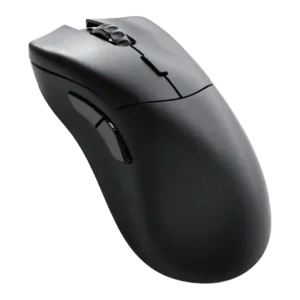
Customization drew strong praise because Glorious Core made remapping and performance settings easy, with many options available.
Pros: value for money, glide smoothness
Cons: battery life, polling rate

Button customization was a clear strength, with several reviewers noting easy remapping and broad control options.
Pros: battery life, weight
Cons: click noise, left and right click quality

Button customization was widely praised for remapping, Easy-Shift, and macros, though a few reviewers found the Easy-Shift layout cumbersome or fiddly.
Pros: RGB features, battery life
Cons: value for money, scroll wheel quality

Customization is one of the strongest themes, with reviewers praising deep button, DPI, RGB, gesture, and profile control despite software friction.
Pros: tilt gesture controls, MMO gaming suitability
Cons: battery life, software usability

Button customization was strong across reviews thanks to removable, swappable, remappable, and software-assignable controls.
Pros: shape comfort, programmable buttons
Cons: value for money, side button quality
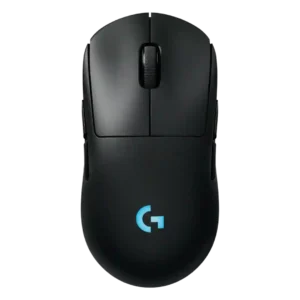
Button customization is a major advantage, with reviewers praising the easy magnetic swaps, remapping flexibility, and G Hub input options.
Pros: battery life, handedness options
Cons: value for money, polling rate

Customization was praised when reviewers focused on deep performance tuning and highly configurable buttons, but criticized when the physical button layout felt too sparse.
Pros: weight, grip texture
Cons: software usability, profile switching

Button remapping and customization were praised through Synapse, though one first-impression review was less enthusiastic overall.
Pros: value for money, shape comfort
Cons: onboard memory, side button quality
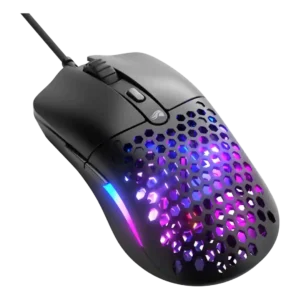
Button customization was reviewed positively through Glorious Core, with simple effective programming and free reconfiguration of mouse buttons.
Pros: value for money, weight
Cons: cable flexibility
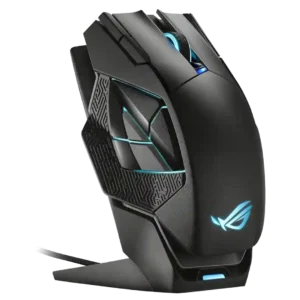
Customization earned strong praise for flexible remapping and useful productivity or gaming assignments, though some layouts required training.
Pros: charging convenience, RGB features
Cons: side button quality, weight

Button customization was a consistent strength thanks to removable side buttons and software remapping options.
Pros: value for money, battery life
Cons: cable flexibility, RGB features

Button customization through Synapse was seen as useful and accessible, including remapping and DPI-related controls.
Pros: value for money, grip texture
Cons: weight, charging convenience

Button customization was considered useful and easy in Swarm II, though one review called the limited remappable options a constraint.
Pros: weight, battery life
Cons: polling rate, RGB features

Button customization was viewed positively through G Hub remapping and macro assignment, though some praise was tied to the software experience rather than the hardware alone.
Pros: shape comfort, battery life
Cons: value for money, DPI range
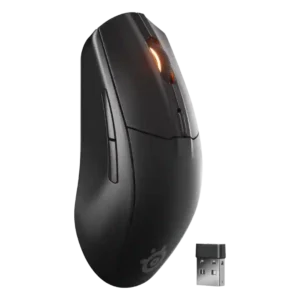
Reviewers liked the ability to remap buttons and adjust controls in SteelSeries GG, although Bluetooth mode and profile switching added some limitations.
Pros: battery life, value for money
Cons: weight, RGB features

Button customization was a major strength, with extensive remapping and joystick mode flexibility, despite software caveats.
Pros: glide smoothness, scroll wheel quality
Cons: analog joystick usability, shape comfort
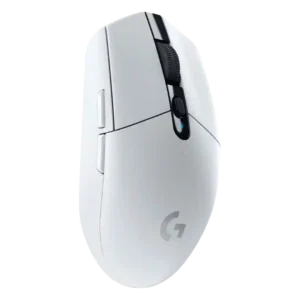
Button customization was widely liked because the six buttons and DPI controls can be remapped easily in Logitech software.
Pros: value for money, weight
Cons: charging convenience, palm grip comfort

Button customization is generally praised because reviewers found remapping and settings easy, though the broader software presentation is not always polished.
Pros: left and right click quality, build quality
Cons: macro support, palm grip comfort