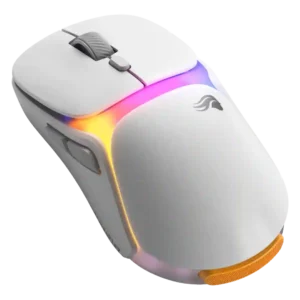
Button customization earned strong praise for easy DPI, binding, and dock adjustment options.
Pros: charging convenience, shape comfort
Cons: value for money, weight

Button customization earned strong praise for easy DPI, binding, and dock adjustment options.
Pros: charging convenience, shape comfort
Cons: value for money, weight

The adjustable side keypad and button mapping were repeatedly praised as practical, comfort-improving, and easy to tailor, though one reviewer found the adjustability less impactful.
Pros: button customization, MMO gaming suitability
Cons: FPS gaming suitability

Button customization was viewed positively, especially through Razer Synapse remapping and broad command assignment.
Pros: weight, value for money
Cons: click noise, AI Prompt Master

Button customization was rated well because Gear Link exposes broad assignment controls and reviewers found the interface comprehensive.
Pros: glide smoothness, weight
Cons: handedness options

Button customization was a clear strength, with reviewers praising flexible keybinds and dock controls.
Pros: charging convenience, software usability
Cons: RGB features, value for money

Button customization was a major strength across reviews, especially hot-swappable switches, second-layer inputs, and broad button reassignment.
Pros: button responsiveness, shape comfort

Button customization was praised through Synapse and Hypershift options, especially for users willing to configure the mouse.
Pros: battery life, scroll wheel quality
Cons: value for money, click noise

Customization was a clear strength, with remapping, HyperShift, macros, and workflow personalization praised across several reviews.
Pros: ergonomic design, scroll wheel quality
Cons: AI Prompt Master, click noise

Button customization was a clear strength, with several reviewers noting easy remapping and broad control options.
Pros: battery life, weight
Cons: click noise, left and right click quality
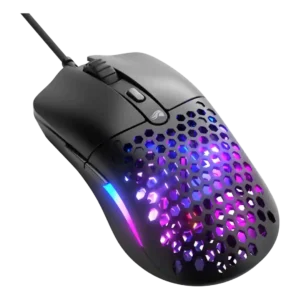
Button customization was reviewed positively through Glorious Core, with simple effective programming and free reconfiguration of mouse buttons.
Pros: value for money, weight
Cons: cable flexibility
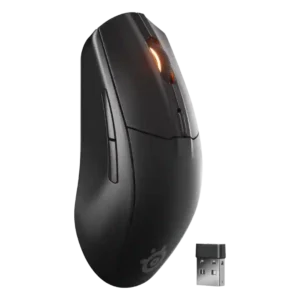
Reviewers liked the ability to remap buttons and adjust controls in SteelSeries GG, although Bluetooth mode and profile switching added some limitations.
Pros: battery life, value for money
Cons: weight, RGB features
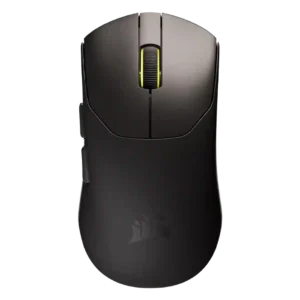
Button customization was viewed positively when discussed, with remapping and button mapping available through Web Hub, though the five-button layout limits what can be customized.
Pros: build quality, weight
Cons: software usability, battery life
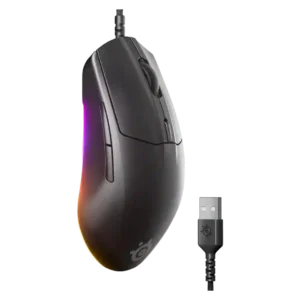
Button customization was seen as giving useful flexibility and control over play style through software adjustments.
Pros: cable flexibility, value for money
Cons: premium feel

Button customization was useful and often easy, though reviewers also noted limited software depth and missing multi-layer rebinding.
Pros: weight, battery life
Cons: value for money
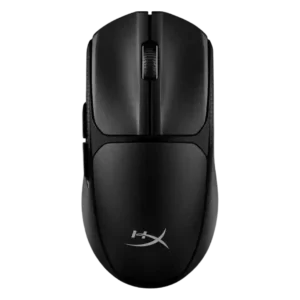
Button customization was useful for some reviewers, but one reviewer felt the customization pitch was too limited to matter.
Pros: switch feel, weight
Cons: RGB features, handedness options