Best for grip texture
Corsair Scimitar Elite Wireless SE
4.8 attribute score
Highest scored product for this attribute based on supporting review evidence.

Highest scored product for this attribute based on supporting review evidence.
Balances the attribute score, supporting reviews, and overall product strength.
Has the broadest review evidence for this attribute.
Strongest overall product among items with scored evidence for this attribute.

Grip texture was widely praised, especially the rubberized right-side surface and tactile side-button rows that help finger placement.
Pros: button customization, MMO gaming suitability
Cons: FPS gaming suitability

Grip texture was praised for secure control without abrasion, though some reviewers relied on included grip tape or noted surface marks.
Pros: battery life, scroll wheel quality
Cons: value for money, click noise

Grip texture was consistently praised: reviewers liked the side dots, no-slip grip, and comfortable micro-dot handling.
Pros: value for money, ergonomic design
Cons: RGB features, portability
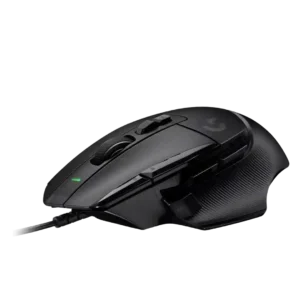
Grip texture was consistently praised, especially the rubber and textured side grips that improved control and comfort.
Pros: button customization, switch feel
Cons: RGB features, weight tuning

Grip texture was consistently praised for control, fingerprint resistance, and rubberized side support.
Pros: scroll wheel quality, battery life
Cons: value for money, weight

Grip texture was consistently praised for side traction and control without needing grip tape.
Pros: value for money, shape comfort
Cons: scroll wheel quality, left and right click quality

Grip texture and coating received strong praise for feeling matte, grippy, and secure, with one concern about long-term shine.
Pros: value for money, weight
Cons: click noise, RGB features

Grip texture is a standout positive, with many reviewers praising the coating’s grip, though fingerprints, grime, and sweat marks are recurring tradeoffs.
Pros: left and right click quality, build quality
Cons: macro support, palm grip comfort

Grip texture was consistently praised where reviewed, with grippy matte panels and side patterns that actually helped control.
Pros: button responsiveness, shape comfort

Grip texture was praised for keeping the thumb and hand secure during rapid side-button use.
Pros: MMO gaming suitability, 2.4GHz connectivity
Cons: charging convenience, value for money
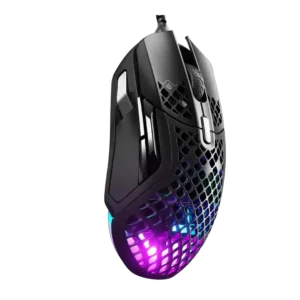
Grip texture had limited positive evidence, with one reviewer saying the textured, contoured surface suited the hand.
Pros: weight, programmable buttons
Cons: value for money, side button quality

Grip texture/coating was strongly praised for grippiness, though reviewers often noted fingerprints, sweat marks, or preference for rubber sides.
Pros: value for money, grip texture
Cons: weight, charging convenience

Grip texture was received positively, with textured sides, grippy lines, and rubberized/coated areas helping hand control.
Pros: shape comfort, programmable buttons
Cons: value for money, side button quality

Grip texture was mostly positive for grippy coatings and matte finishes, but some reviewers disliked slipperiness or fingerprints.
Pros: glide smoothness, weight
Cons: handedness options

Grip texture and included grip tape were repeatedly praised for control, especially during long or sweaty sessions.
Pros: battery life, weight
Cons: click noise, left and right click quality
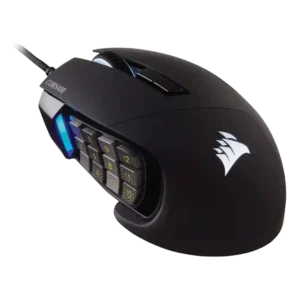
Grip texture was widely liked, especially the rubberized right-side rest and textured side-button rows that improved hold and navigation.
Pros: value for money, side button quality
Cons: FPS gaming suitability, weight
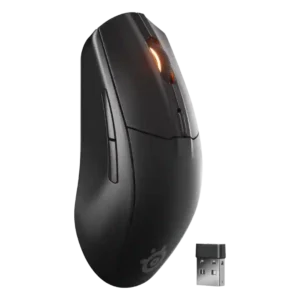
Reviewers liked the matte, textured plastic for grip, comfort, and avoiding slippery or sweaty feel.
Pros: battery life, value for money
Cons: weight, RGB features

Grip texture is a strength, with reviewers saying textured or rough side surfaces improve grip and prevent slipping.
Pros: Accuracy and tracking precision, shape comfort
Cons: long-session comfort

Grip texture was well received, with reviewers praising the grippy surface, recessed sides, or usefulness for clammy hands.
Pros: switch feel, polling rate
Cons: value for money, side button quality

Grip texture was mostly praised for secure control, though one reviewer noted dirt buildup and another found one side slightly slippier.
Pros: battery life, software usability
Cons: click noise, fingertip grip comfort

Grip texture is consistently liked, with rubberized or textured sides described as helpful, firm, grippy, and comfortable.
Pros: tilt gesture controls, MMO gaming suitability
Cons: battery life, software usability

Grip texture evidence was positive but limited, centered on the matte plastic giving enough grip and feeling pleasant to touch.
Pros: shape comfort, battery life
Cons: value for money, DPI range

Grip texture was mostly praised as smooth, grippy, or improved, though a few reviewers found it slippery or requiring extra force.
Pros: value for money, weight
Cons: fingertip grip comfort, profile switching

Grip texture was generally praised for coatings, ridges, grips, and grippy surfaces, with only minor reservations about finish marking.
Pros: shape comfort, value for money
Cons: handedness options

Grip texture was praised for improving control and comfort, particularly on the right side and two-/six-button plates.
Pros: button customization, scroll wheel quality
Cons: weight, value for money
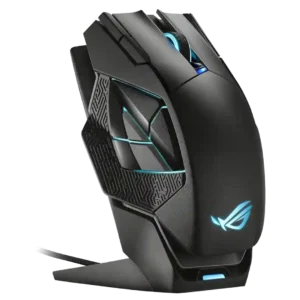
Grip texture was praised for secure side grips and easy hold, especially for palm users and large hands.
Pros: charging convenience, RGB features
Cons: side button quality, weight

Grip texture was generally helpful, though one review found the side traction weaker than ideal.
Pros: ergonomic design, scroll wheel quality
Cons: AI Prompt Master, click noise

Grip texture was generally acceptable to strong, with praise for secure grip and only mild criticism of the smooth coating.
Pros: weight, value for money
Cons: click noise, AI Prompt Master

The diamond-patterned sides divide opinion. Many reviewers liked the secure control, especially with sweaty hands, while others found the texture distracting or abrasive during long sessions.
Pros: software usability, sensor performance
Cons: RGB features, scroll wheel quality
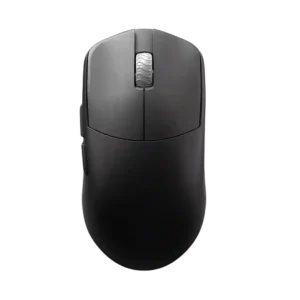
Grip texture is positive overall for coating grip, but black finish smudging and dry-coating feel make it somewhat user-dependent.
Pros: glide smoothness, build quality
Cons: side button quality, cable flexibility
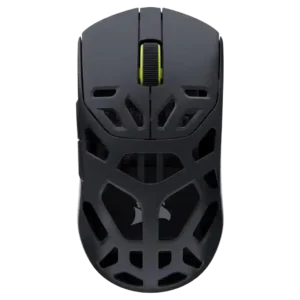
Grip texture was mostly praised as grippy and stable without stickiness, with one review calling the finish closer to average matte plastic.
Pros: shape comfort, sensor performance
Cons: value for money, side button quality

Grip texture was a common strength, praised for secure smooth-touch traction, though a few reviewers found it slippery or prone to grime and fingerprints.
Pros: build quality, software usability
Cons: value for money, polling rate

Grip texture was mixed: many liked the grippy finish or tape, but some found the sides slippery, oily, or under-coated.
Pros: weight, grip texture
Cons: software usability, profile switching
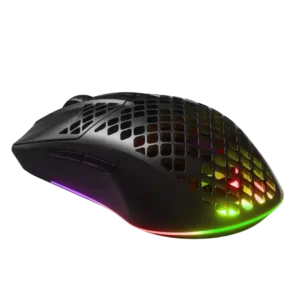
Grip texture and coating were generally liked for feeling good, grippy, and resistant to smudges or sweat.
Pros: value for money, battery life
Cons: glide smoothness, side button quality

Grip texture was polarizing: many liked the smooth-touch coating, but sweaty hands, clamminess, or slipperiness remained concerns in several reviews.
Pros: value for money, weight
Cons: Bluetooth support, cable flexibility

Grip texture was mixed: tape and satin texture helped many users, while some found the untextured shell slippery.
Pros: weight, battery life
Cons: polling rate, RGB features
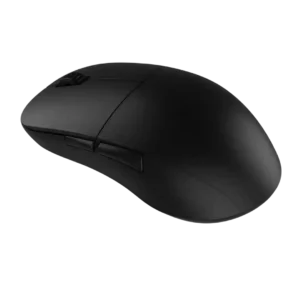
Grip texture divided reviewers: many loved the grippy coating once warmed up, but others found it slippery, fingerprint-prone, or dirty-looking.
Pros: value for money, glide smoothness
Cons: fingertip grip comfort, surface compatibility
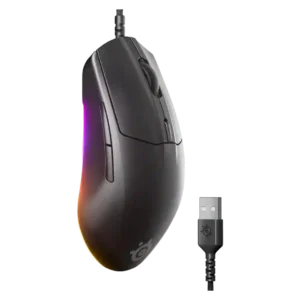
Grip texture was mostly positive for matte, grippy plastic, though one review wished the side grooves were deeper.
Pros: cable flexibility, value for money
Cons: premium feel

Grip texture was mostly praised for comfort, reliable hold, and premium-feeling rubber, though one reviewer disliked the sticky rubber sides.
Pros: RGB features, weight
Cons: value for money, scroll wheel quality

Grip texture was mostly praised for subtle natural grip and textured casing, but the included grip tape drew strong criticism in one review.
Pros: weight, battery life
Cons: value for money

Grip texture was mixed: the shape and optional tape helped, but several reviewers found the smooth plastic slippery, polarizing, or less grippy than expected.
Pros: battery life, software usability
Cons: weight, FPS gaming suitability
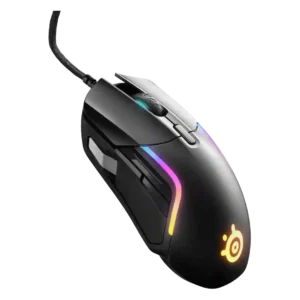
Grip texture was generally helpful for stability, although one reviewer preferred a competitor’s more textured side grips.
Pros: value for money, software usability
Cons: side button quality, onboard memory
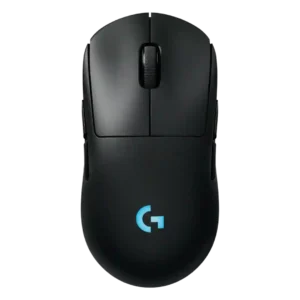
Grip texture feedback is modestly positive, with reviewers calling the coating fine and the matte finish appealing.
Pros: battery life, handedness options
Cons: value for money, polling rate

Grip texture is mixed-positive: many praise the matte or grippy surface, while others find it slippery, coarse, or lacking grip tape.
Pros: weight, battery life
Cons: value for money, profile switching

Grip texture was mostly positive for the matte/textured finish, but slick side buttons created a caveat.
Pros: weight, shape comfort
Cons: battery life, side button quality
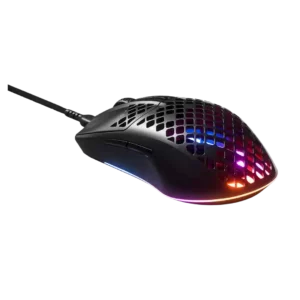
Grip texture was split between praise for the coating and criticism of slippery side surfaces.
Pros: glide smoothness, RGB features
Cons: build quality, cable flexibility

Grip texture was mixed, with some comfort and sweat-control praise offset by a complaint that the plastic could be grippier.
Pros: side button quality, MMO gaming suitability
Cons: value for money, claw grip comfort

Grip texture was divisive: many reviewers liked the rubberized sides, while others criticized wear, slipperiness, fingerprints, or the inability to remove the grips.
Pros: value for money, battery life
Cons: weight, balance and weight distribution

Grip texture was mixed-positive: the matte/coarse finish helped grip for many, while a few found it slippery or affected by holes.
Pros: battery life, weight
Cons: side button quality, value for money

Grip texture is mostly positive, with praise for grooves, optional grip tape, and control, though one reviewer wanted more grip.
Pros: switch feel, click latency
Cons: value for money, glide smoothness