If you want better click noise
Choose Razer DeathAdder V3. It scores 5.0 vs 2.7 for click noise, with a 4.4 overall score.

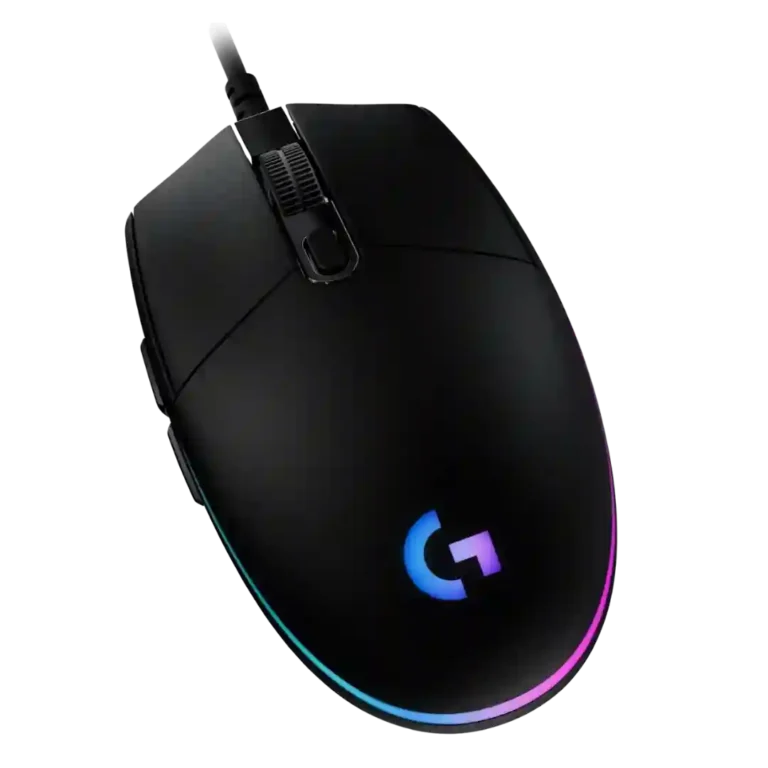
Choose the Logitech G203 LightSync for a cheap, comfortable wired mouse with strong clicks, RGB, and useful software. Skip it if you need wireless, silent clicks, premium materials, larger-hand ergonomics, or hardcore MMO buttons.
Best for budget-minded PC gamers, students, and everyday users who want a simple wired mouse with responsive clicks, RGB customization, and G Hub remapping without paying premium prices.
Not for buyers who need wireless play, silent clicking, large-hand palm comfort, premium materials, tunable weights, or lots of buttons for hardcore MMO use.
Across the reviews, the Logitech G203 LightSync lands as a dependable budget gaming mouse rather than a premium performance tool. Reviewers consistently praised its value, responsive left and right clicks, usable 8,000 DPI range, colorful RGB, and G Hub customization for remaps and macros. The tradeoff is that its low-cost design shows: materials are basic, click noise can be loud, side buttons are sometimes small, and the flat compact shape works better for small-to-medium hands or claw/fingertip grips than for large palm grippers. Sensor feedback is mostly positive for casual FPS and everyday play, but several reviewers warn that competitive players may want a more advanced sensor, lower weight, or richer feature set.
Compared with other Gaming Mice, this product is above average in value for money, dock compatibility, RGB features, near average in glide smoothness, weight, below average in portability, onboard memory, premium feel.
| Attribute | This product | Category average | Difference |
|---|---|---|---|
| portability | 1.8 | 3.9 | -2.1 |
| onboard memory | 2.5 | 4.0 | -1.5 |
| premium feel | 2.5 | 4.0 | -1.5 |
| value for money | 4.7 | 3.7 | +1.0 |
| dock compatibility | 5.0 | 3.7 | +1.3 |
| RGB features | 4.2 | 3.7 | +0.6 |
| software stability | 4.0 | 3.0 | +1.0 |
| skate durability | 2.7 | 3.6 | -0.9 |
Choose Razer DeathAdder V3. It scores 5.0 vs 2.7 for click noise, with a 4.4 overall score.
Choose Logitech G Pro Wireless. It scores 5.0 vs 3.4 for palm grip comfort, with a 4.3 overall score.
Choose ASUS ROG Gladius III Wired. It scores 5.0 vs 2.5 for onboard memory, with a 4.2 overall score.
Choose SteelSeries Rival 5. It scores 4.7 vs 4.2 for sensor performance, with a 4.2 overall score.
Compared with Logitech G203 LightSync
Yes for casual gaming and many FPS scenarios. Reviewers found it responsive, accurate, and comfortable, though some warned that esports-focused players may want a more advanced sensor or lighter mouse.
Most reviewers found it comfortable for hours, especially with small-to-medium hands. Larger hands and palm-grip users were more likely to find the low, compact shape limiting.
RGB is one of the most praised features, with strong color, multi-zone effects, and broad customization. The main complaints are limited logo control and, in one long-term review, brightness that could be distracting in the dark.
Reviewers generally liked Logitech G Hub because it makes remapping, DPI settings, RGB, macros, and profiles accessible. One reviewer disliked needing extra software, and another found profile handling more cumbersome than ideal.
No. Several reviewers described the clicks as loud, very clicky, or potentially distracting around roommates or office coworkers, even though many also liked the tactile feel.
The sensor is usually described as dependable and accurate for the price. It is not treated as a top-tier competitive sensor, and one review noted ghosting during large, fast movements.
These are a few of the reviews included in our analysis.






Choose the ROG Harpe II Ace for ultralight FPS play, precise tracking, smooth glide, and web-based tuning. Skip it if you need palm-grip support, MMO buttons, onboard profiles, or long...
Pros: glide smoothness, weight
Cons: handedness options

Excellent tracking, comfortable right-handed ergonomics and a versatile scroll wheel make the Basilisk V3 a strong gaming and productivity mouse. Its substantial weight, fixed cable and sometimes over-sensitive automatic scrolling...
Pros: scroll wheel quality, RGB features
Cons: weight, handedness options

The L7 Pro delivers remarkably light handling, precise aiming and a grippy shell at a budget price. Stock skates are less impressive, and conflicting click-latency measurements warrant caution for latency-sensitive...
Pros: value for money, weight
Cons: wired connectivity

Best for ultra-light, competition-focused speed, precise tracking, stable wireless, and long battery life. Skip it if you need quieter clicks, left-handed support, Bluetooth, more buttons, or better value for casual...
Pros: value for money, weight
Cons: click noise, RGB features