Best for software usability
ASUS ROG Harpe II Ace
4.7 attribute score
Highest scored product for this attribute based on supporting review evidence.

Highest scored product for this attribute based on supporting review evidence.
Balances the attribute score, supporting reviews, and overall product strength.
Has the broadest review evidence for this attribute.
Strongest overall product among items with scored evidence for this attribute.

Software usability was a major win, with Gear Link described as clear, responsive, resource-saving, handy, full-featured, and better than Armoury Crate.
Pros: glide smoothness, weight
Cons: handedness options

Software usability was usually praised for clean, intuitive customization, though one reviewer found parts of the UI wasteful and less intuitive.
Pros: value for money, button customization
Cons: fingertip grip comfort, portability
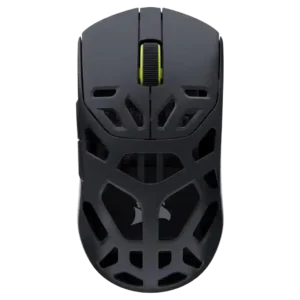
Software usability was broadly praised because Corsair Web Hub is browser-based, intuitive, accessible, and avoids bulky downloads.
Pros: shape comfort, sensor performance
Cons: value for money, side button quality

Software usability was a major strength: SWARM II was repeatedly called clean, intuitive, easy, powerful, and much improved.
Pros: battery life, software usability
Cons: weight, FPS gaming suitability
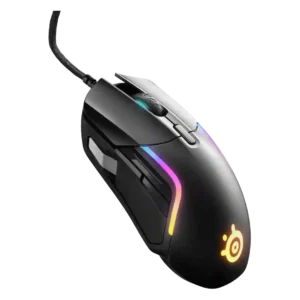
Software usability was a major strength overall, especially for SteelSeries GG/Engine customization, though a few reviewers found the layout cluttered.
Pros: value for money, software usability
Cons: side button quality, onboard memory

Software usability was mostly strong, especially with Synapse Web reducing install friction, though Synapse still drew occasional caveats.
Pros: value for money, weight
Cons: click noise, RGB features
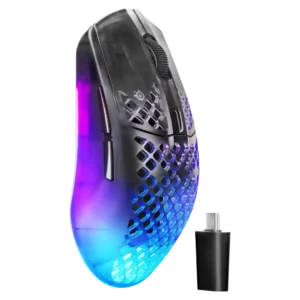
SteelSeries GG software was strongly praised for clean usability, sensitivity tools, customization depth, and practical profile/game tuning.
Pros: software usability, polling rate
Cons: palm grip comfort, fingertip grip comfort

Software usability was broadly praised for being clean, intuitive, simple, and informative, with one battery-percentage criticism.
Pros: charging convenience, software usability
Cons: RGB features, value for money

Software usability is generally positive, with reviewers calling it user-friendly, easy to set up, and broad enough to control key settings.
Pros: Accuracy and tracking precision, shape comfort
Cons: long-session comfort
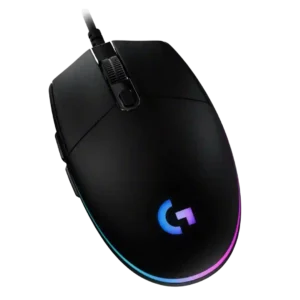
Software usability is one of the strongest attributes, with G Hub described as comprehensive, intuitive, easy, flexible, and feature-rich, despite one dislike of extra software.
Pros: value for money, RGB features
Cons: palm grip comfort, click noise

Software usability was broadly positive thanks to clear controls and deep settings, though Synapse could be finicky.
Pros: weight, value for money
Cons: click noise, AI Prompt Master

Software usability was generally positive for customization, RGB, DPI, calibration, and profiles, though Mac software support was limited.
Pros: value for money, shape comfort
Cons: onboard memory, side button quality

Software usability was generally praised as easy, functional, and flexible for DPI, macros, lighting, and profiles.
Pros: value for money, battery life
Cons: cable flexibility, RGB features

Software usability was generally strong because iCUE is powerful and detailed, though a few reviewers noted a learning curve or unintuitive UI.
Pros: value for money, shape comfort
Cons: scroll wheel quality, left and right click quality

Software usability was mixed-to-positive: Synapse offers deep control and helpful explanations, but bloat, external tools, and confusing descriptions hurt it.
Pros: battery life, scroll wheel quality
Cons: value for money, click noise

Software usability was mostly positive for easy navigation and useful customization, but one reviewer disliked NZXT CAM bloat.
Pros: value for money, ergonomic design
Cons: RGB features, portability
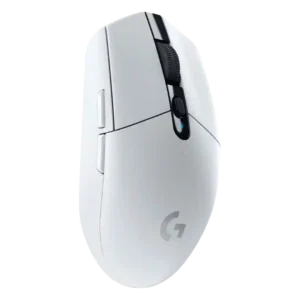
Software usability was mostly positive, with reviewers calling G Hub or Logitech software easy, simple, and useful for remapping and profiles.
Pros: value for money, weight
Cons: charging convenience, palm grip comfort

Software usability was powerful and often easy for basic setup, but the depth of options could feel overwhelming or clunky.
Pros: button customization, scroll wheel quality
Cons: weight, value for money
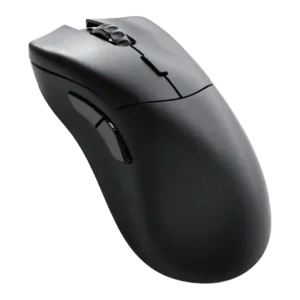
Software usability was broadly praised as simple, clean, intuitive, and easy to use, despite some feature-depth and platform caveats.
Pros: value for money, glide smoothness
Cons: battery life, polling rate

Software usability was generally positive for G Hub customization and clarity, though some reviewers found remapping merely usable or basic.
Pros: value for money, weight
Cons: premium feel, polling rate

Software usability was generally positive for iCUE customization and layout, though Bluetooth limitations and learning curve were noted.
Pros: battery life, glide smoothness
Cons: side button quality, value for money

Software usability was generally useful for DPI, remapping, Dynamic Sensitivity, and rotation tools, though Synapse could feel unwieldy or bloated.
Pros: value for money, weight
Cons: Bluetooth support, cable flexibility

Software usability was mixed: several reviewers found Swarm II clear or simple, while others called it clunky or Windows-limited.
Pros: weight, battery life
Cons: polling rate, RGB features
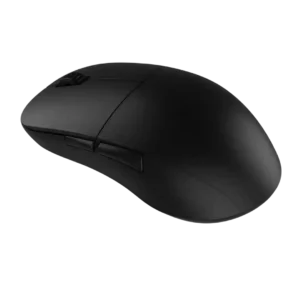
Software usability was mostly praised for being light, simple, and easy, though a couple of reviewers found it basic or slightly unpolished.
Pros: value for money, glide smoothness
Cons: fingertip grip comfort, surface compatibility
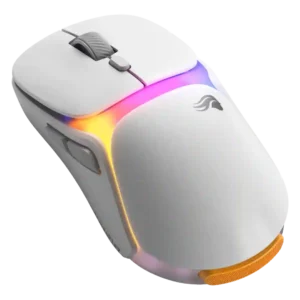
Software usability was mostly positive after updates, with repeated praise for intuitive controls, though one reviewer found it rougher than rivals.
Pros: charging convenience, shape comfort
Cons: value for money, weight
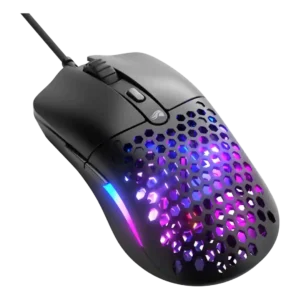
Software usability was generally positive for being simple, tidy, and functional, even if not loaded with advanced controls.
Pros: value for money, weight
Cons: cable flexibility

Software usability was polarized but leaned positive: many praised customization ease, while several disliked bloat or dongle-only limitations.
Pros: side button quality, MMO gaming suitability
Cons: value for money, claw grip comfort

Software usability is generally positive because G Hub exposes deep tuning clearly, but a few reviewers still find it inelegant or painful.
Pros: switch feel, click latency
Cons: value for money, glide smoothness

Software usability was powerful but mixed: reviewers liked the depth of controls, while some found Synapse annoying or overwhelming.
Pros: scroll wheel quality, battery life
Cons: value for money, weight
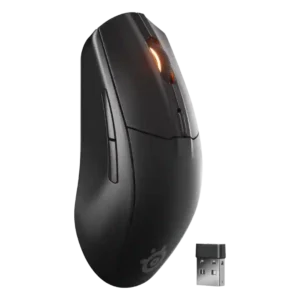
SteelSeries GG was often considered useful and straightforward for mouse settings, though some reviewers found it cluttered, dated, or less intuitive than rivals.
Pros: battery life, value for money
Cons: weight, RGB features

Software usability was mixed: Synapse offers deep, useful tuning, but some reviewers disliked its bloat, ads, crashes, or general feel.
Pros: build quality, software usability
Cons: value for money, polling rate

Software usability is mixed: many reviewers liked the simple no-fuss tool, while others found it dated, rudimentary, underexplained, or unstable.
Pros: left and right click quality, build quality
Cons: macro support, palm grip comfort

Software usability was generally good when G Hub worked, with useful profiles, remapping, macros, and calibration; memory use and interface speed drew criticism.
Pros: weight, shape comfort
Cons: side button quality, value for money

Software usability was mostly positive for simplicity and accessible settings, with a few reviewers calling it merely fine.
Pros: weight, shape comfort
Cons: battery life, side button quality

Software usability was mostly positive and intuitive, though reviewers noted basic support or extra configuration for deeper performance tuning.
Pros: ergonomic design, scroll wheel quality
Cons: AI Prompt Master, click noise

Software usability was mostly positive for helpful diagrams and Gear Link convenience, but some reviewers found Armoury Crate less slick or mixed.
Pros: button responsiveness, shape comfort

Software usability was mostly positive for clear controls and depth, but duplicate reviews found one update/setup flow confusing.
Pros: battery life, weight
Cons: click noise, left and right click quality
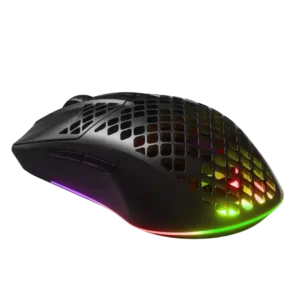
Software usability was mixed-positive overall, with several reviewers calling it easy or intuitive and others finding it bloated or annoying.
Pros: value for money, battery life
Cons: glide smoothness, side button quality

Software usability was split sharply: some reviewers found G Hub easy and powerful, while others called it unintuitive or frustrating.
Pros: switch feel, polling rate
Cons: value for money, side button quality

Software usability was divided: G Hub was often called intuitive or feature-rich, but multi-app fragmentation and per-device setup made it frustrating for some.
Pros: shape comfort, battery life
Cons: value for money, DPI range

Software usability was mixed: Synapse offered deep control and customization, but several reviewers found it bloaty, unpleasant, or only necessary for advanced setup.
Pros: value for money, battery life
Cons: weight, balance and weight distribution

Software usability was mixed, with reviewers praising Stream Deck or productivity setup while criticizing iCUE clarity and intuitiveness.
Pros: button customization, MMO gaming suitability
Cons: FPS gaming suitability
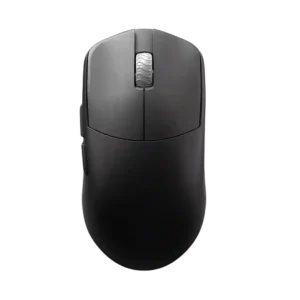
Software usability is mixed: web-based Aurora is often liked for simplicity, but one companion-app experience was slow and laggy.
Pros: glide smoothness, build quality
Cons: side button quality, cable flexibility

Software usability was mixed, ranging from easy, robust, and feature-rich to clunky, overwhelming, dated, or rough around the edges.
Pros: RGB features, battery life
Cons: value for money, scroll wheel quality

Software usability split reviewers: some found G Hub easy or intuitive, while others called button programming complicated or the software poor.
Pros: RGB features, weight
Cons: value for money, scroll wheel quality

Software usability was the most mixed major area: some found Armoury Crate polished or comprehensive, while others called it bloated, overloaded, or unusable.
Pros: battery life, software usability
Cons: click noise, fingertip grip comfort

Software usability was mixed: NGENUITY was easy and versatile for basics, but reviewers wanted more shortcuts, layers, and advanced depth.
Pros: weight, battery life
Cons: value for money
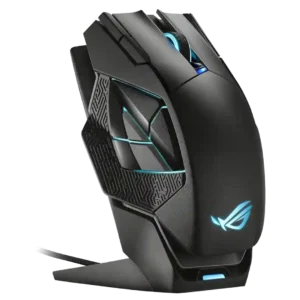
Software usability ranged from easy and straightforward to frustrating when firmware or apply behavior got in the way.
Pros: charging convenience, RGB features
Cons: side button quality, weight
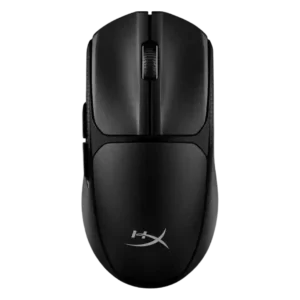
Software usability was mixed: positive reviews found it straightforward or beginner-friendly, while a negative review said the limited options were barely worth downloading.
Pros: switch feel, weight
Cons: RGB features, handedness options

Software usability was mixed: some found SteelSeries GG clear and powerful, while others called it cluttered, bloated, or limited on macOS.
Pros: battery life, weight
Cons: side button quality, value for money