
Button customization was one of the most consistently praised features, with reviewers emphasizing Easy-Shift, broad remapping, and extensive command options.
Pros: value for money, button customization
Cons: fingertip grip comfort, portability

Button customization was one of the most consistently praised features, with reviewers emphasizing Easy-Shift, broad remapping, and extensive command options.
Pros: value for money, button customization
Cons: fingertip grip comfort, portability

Customization was a major strength, with extensive remapping, HyperShift, and button control through Synapse.
Pros: scroll wheel quality, battery life
Cons: value for money, weight

Button customization was consistently praised, especially Easy-Shift and profile-based control, though one review wanted more useful default secondary functions.
Pros: battery life, software usability
Cons: weight, FPS gaming suitability

Button customization was consistently praised for flexible remapping and personalized layouts.
Pros: battery life, glide smoothness
Cons: side button quality, value for money

Button customization is a strength, with reviewers highlighting unusually good customization for the price, gameplay versatility, and broad control in software.
Pros: Accuracy and tracking precision, shape comfort
Cons: long-session comfort

Button customization was praised for easy programming and broad finetuning options.
Pros: shape comfort, value for money
Cons: handedness options
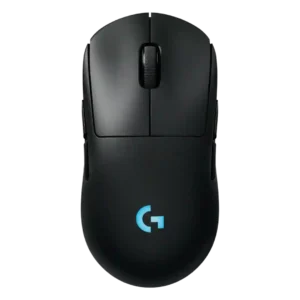
Button customization is a major advantage, with reviewers praising the easy magnetic swaps, remapping flexibility, and G Hub input options.
Pros: battery life, handedness options
Cons: value for money, polling rate

Button customization was considered useful and easy in Swarm II, though one review called the limited remappable options a constraint.
Pros: weight, battery life
Cons: polling rate, RGB features

Button customization was considered useful through G Hub, with remapping and binding flexibility praised even when advanced depth was limited.
Pros: value for money, weight
Cons: premium feel, polling rate

Button customization was considered useful and broad overall, though one reviewer called out the limited number of buttons available for mapping.
Pros: value for money, ergonomic design
Cons: RGB features, portability

Button customization was strong in software, especially drag-and-drop remapping, but constrained by the DEX's simplified button layout.
Pros: weight, shape comfort
Cons: side button quality, value for money

Button customization and rebinding were useful through Synapse, although most of the praise was tied to practical remapping rather than a large button count.
Pros: value for money, weight
Cons: Bluetooth support, cable flexibility

Button customization was considered strong because Synapse supports remapping, HyperShift layers, and profile-specific setup.
Pros: build quality, software usability
Cons: value for money, polling rate

Customization was considered adequate to strong where reviewers described remapping, DPI, and profile tools as straightforward or sufficient.
Pros: value for money, sensor performance
Cons: software usability, grip texture
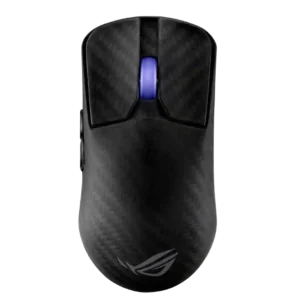
Button remapping and assignment were available and generally treated as straightforward, especially through the lighter Armoury Crate Gear software.
Pros: sensor performance, build quality
Cons: value for money, battery life
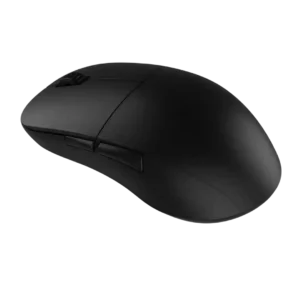
Button remapping was considered functional and easy, but reviewers described the options as basic rather than deep.
Pros: value for money, glide smoothness
Cons: fingertip grip comfort, surface compatibility
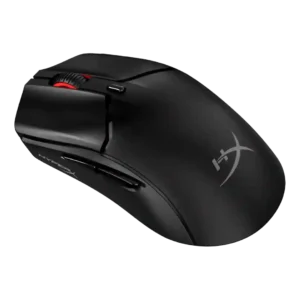
Button customization was described as basic, with missing system-level and media shortcut options limiting depth.
Pros: side button quality, scroll wheel quality
Cons: weight, FPS gaming suitability
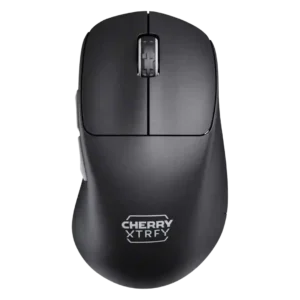
Button customization was limited in the one scored review, which said the mouse restricts customization.
Pros: build quality, weight
Cons: value for money, charging convenience
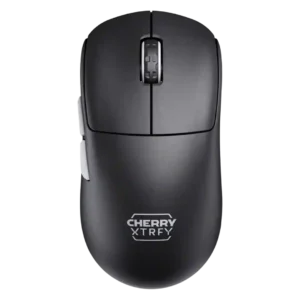
Button customization was limited by the software-free design, especially for remapping and fine adjustments.
Pros: build quality, shape comfort
Cons: value for money, charging convenience