Best for side button quality
Razer Viper V3 HyperSpeed
4.7 attribute score
Highest scored product for this attribute based on supporting review evidence.

Highest scored product for this attribute based on supporting review evidence.
Balances the attribute score, supporting reviews, and overall product strength.
Has the broadest review evidence for this attribute.
Strongest overall product among items with scored evidence for this attribute.

Side buttons were one of the most consistent positives, with reviewers calling them easier to reach, premium, and among Razer's best.
Pros: value for money, grip texture
Cons: weight, charging convenience

Side button quality was widely praised for placement, spacing, access, and responsiveness, with a few reviews noting mushiness or preference caveats.
Pros: value for money, weight
Cons: Bluetooth support, cable flexibility

Side buttons were often praised as tactile, reachable, and top-tier, with a minor caveat that they are not always as satisfying as the main clicks.
Pros: value for money, weight
Cons: click noise, RGB features

Side buttons were widely praised for better spacing, tactile response, and easier identification in fast gameplay.
Pros: battery life, scroll wheel quality
Cons: value for money, click noise

Side button quality was mostly praised for placement, tactile feel, and low accidental-press risk, though one reviewer struggled with reach.
Pros: value for money, weight
Cons: fingertip grip comfort, profile switching

Side button quality was usually praised for reachable placement and easy actuation, although one reviewer warned their position can invite accidental presses.
Pros: value for money, button customization
Cons: fingertip grip comfort, portability

Side buttons were broadly praised for placement, crispness, accessibility, and reduced accidental presses.
Pros: glide smoothness, weight
Cons: handedness options

Side button quality was highly praised for placement, click feel, modularity, and ambidextrous flexibility.
Pros: value for money, battery life
Cons: cable flexibility, RGB features

Side button quality was praised for tactile feedback, placement, and responsiveness, with only limited caveats around reach.
Pros: battery life, software usability
Cons: click noise, fingertip grip comfort

Side buttons were generally a strength, often called well placed, firm, separated, and easy to identify, though one review found tactility only decent.
Pros: build quality, software usability
Cons: value for money, polling rate
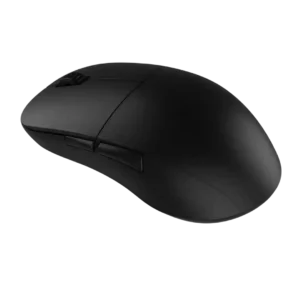
Side button quality was one of the most consistent strengths, with reviewers praising placement, tactility, crispness, and low travel.
Pros: value for money, glide smoothness
Cons: fingertip grip comfort, surface compatibility

Side buttons were usually praised for placement and reachability, although a few reviewers found some Easy-Shift combinations awkward or dependent on hand size.
Pros: battery life, software usability
Cons: weight, FPS gaming suitability

Side button quality was usually praised for tactile feel and secure panels, though the dense 12-button layout challenged some users.
Pros: button customization, scroll wheel quality
Cons: weight, value for money

Side button quality is generally praised as crisp, tactile, and premium, with one negative review finding them harsh and undampened.
Pros: left and right click quality, build quality
Cons: macro support, palm grip comfort
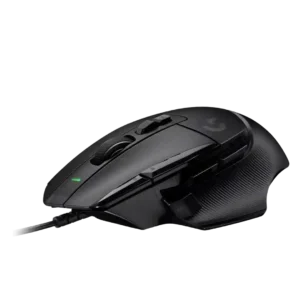
Side button quality was a major strength for most reviewers because the thumb/sniper button was easier to reach and customizable, though small-hand reach was a concern.
Pros: button customization, switch feel
Cons: RGB features, weight tuning

Side buttons were generally praised for placement, tactility, and accessibility without many accidental presses.
Pros: scroll wheel quality, battery life
Cons: value for money, weight

Side button quality was generally praised, with reviewers noting satisfying side clicks, easy thumb access, and good in-game feel.
Pros: shape comfort, value for money
Cons: handedness options

Side buttons were usually easy to reach and press, but one reviewer found them a little mushier than the rest of the mouse.
Pros: weight, battery life
Cons: polling rate, RGB features

Side buttons were praised for placement, snappiness, and quality, with no major issues reported.
Pros: shape comfort, battery life
Cons: value for money, DPI range

Side buttons were usually praised for access, low travel, and tactility, with a few reviewers finding them softer or simply adequate.
Pros: value for money, battery life
Cons: weight, balance and weight distribution

Side button opinions were mixed-to-positive: one reviewer found them spongy, while others praised their placement and accessibility.
Pros: value for money, ergonomic design
Cons: RGB features, portability

Side button quality was widely praised for tactile actuation, force, placement, and adjustability, with a few concerns about learning curve or jitter.
Pros: button customization, MMO gaming suitability
Cons: FPS gaming suitability

Side buttons were mostly well received for access and precision, with some notes that they were louder or more traditional than the mains.
Pros: battery life, weight
Cons: click noise, left and right click quality
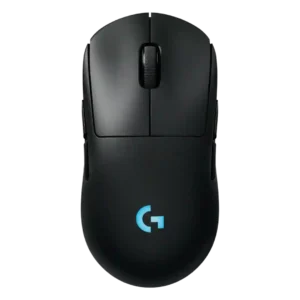
Side button quality is mostly strong thanks to low wobble and good feel, with one reviewer noting more travel than the Superlight 2.
Pros: battery life, handedness options
Cons: value for money, polling rate

Side button quality was mixed: several reviewers found them responsive and easy to hit, while others called them merely OK, mushy, or less crisp.
Pros: value for money, weight
Cons: premium feel, polling rate
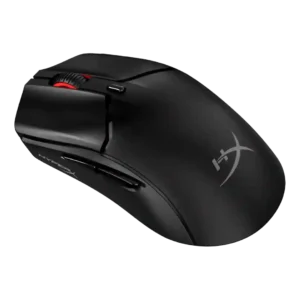
Side buttons were generally usable and well placed, with disagreement over sponginess, wiggle, and post-travel.
Pros: side button quality, scroll wheel quality
Cons: weight, FPS gaming suitability

Side button feedback was polarized, with strong praise from some reviewers and a budget-feeling complaint from another.
Pros: weight, value for money
Cons: click noise, AI Prompt Master

Side buttons are mostly liked for clear actuation and placement, but one reviewer found them mushier than the main clicks.
Pros: Accuracy and tracking precision, shape comfort
Cons: long-session comfort

Side-button quality was usually praised for placement, tactile feel, and low accidental-click risk, though some reviewers found access cramped, sensitive, or only average.
Pros: RGB features, battery life
Cons: value for money, scroll wheel quality
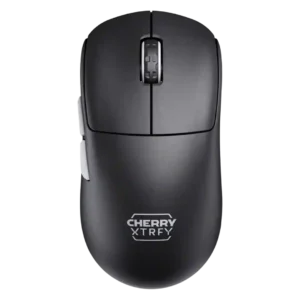
Side buttons received positive notes for feedback and positioning, but some criticism appeared around travel and feel.
Pros: build quality, shape comfort
Cons: value for money, charging convenience

Side button quality was mixed but mostly positive: several reviewers liked reach, tactility, and click feel, while one found the grid hard to learn.
Pros: MMO gaming suitability, 2.4GHz connectivity
Cons: charging convenience, value for money

Side buttons were generally accessible and comfortable, though one reviewer wanted larger D3 side buttons.
Pros: charging convenience, software usability
Cons: RGB features, value for money
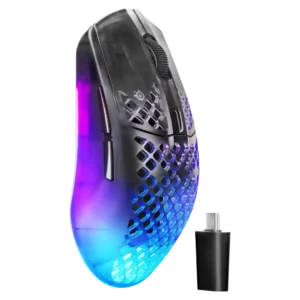
Side button feedback was mixed: several reviewers liked the improved feel and reach, while others found them too long or easy to hit accidentally.
Pros: software usability, polling rate
Cons: palm grip comfort, fingertip grip comfort

Side button quality is mixed-positive: placement is often praised, but reviewers also complain about low-key, recessed, flush, or slippery buttons.
Pros: weight, battery life
Cons: value for money, profile switching

Side button quality was context-dependent, with praise for tactile feedback and convenient placement but a left-hand usability complaint.
Pros: button responsiveness, shape comfort
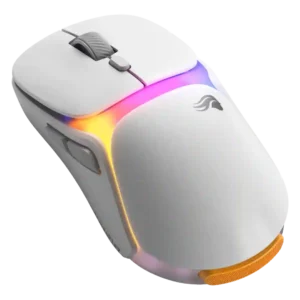
Side buttons divided reviewers, ranging from underwhelming low tension to very good placement and feel.
Pros: charging convenience, shape comfort
Cons: value for money, weight
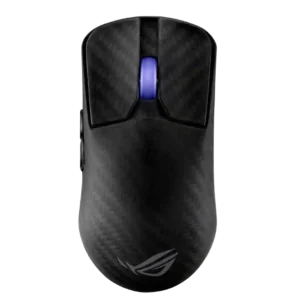
Side button quality was highly split, with praise for tactility and implementation but criticism of size, force, and forward placement.
Pros: sensor performance, build quality
Cons: value for money, battery life
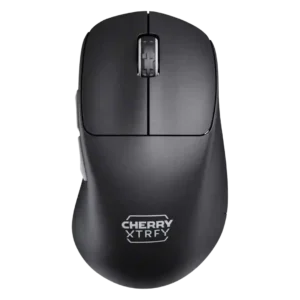
Side button quality split reviewers: some complained about reach, mushiness, or pre-travel, while others praised the thumb buttons as dependable or exceptional.
Pros: build quality, weight
Cons: value for money, charging convenience

Side button quality was mixed: several reviewers praised crisp placement, while others found them small, high, or stiff.
Pros: value for money, sensor performance
Cons: software usability, grip texture

Side button quality was mixed: some reviewers liked the feel, bounce, and feedback, while another criticized rigid, cheap-feeling plastic.
Pros: weight, battery life
Cons: value for money

Side buttons were useful and tactile for some reviewers, but their smaller size and third-button placement created strain or mis-click concerns for others.
Pros: ergonomic design, scroll wheel quality
Cons: AI Prompt Master, click noise
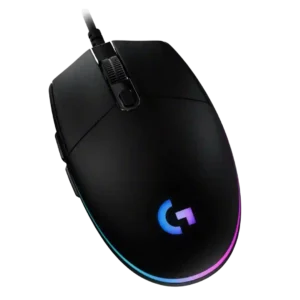
Side button quality is mixed: several reviewers liked their accessibility and click feel, while others found them small, thin, mushy, or too tiny for comfort.
Pros: value for money, RGB features
Cons: palm grip comfort, click noise

Side buttons were praised for placement and definition in some reviews, but others disliked their resistance or had game-registration problems.
Pros: value for money, shape comfort
Cons: scroll wheel quality, left and right click quality
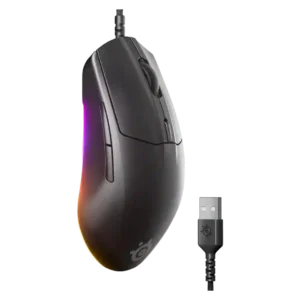
Side button quality was mixed, ranging from thin and less premium to easily accessible and functional.
Pros: cable flexibility, value for money
Cons: premium feel

Side button quality was the most divided attribute: some found the grid tactile and easy, while others found it cramped, stiff, or hard to distinguish.
Pros: side button quality, MMO gaming suitability
Cons: value for money, claw grip comfort
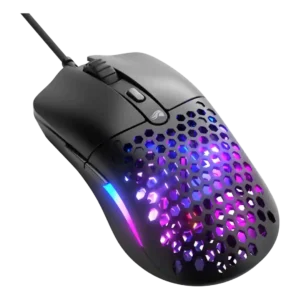
Side button quality was divisive: one reviewer strongly criticized size and misclicks, while others found the buttons large or convenient.
Pros: value for money, weight
Cons: cable flexibility
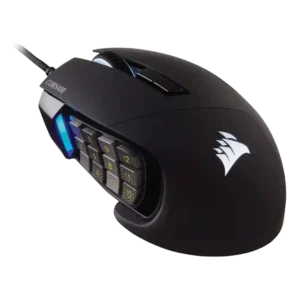
Side button quality was the most divided core feature: reviewers liked texture and tactility, but some struggled with crowding, reach, or accidental presses.
Pros: value for money, side button quality
Cons: FPS gaming suitability, weight

Side button quality was mixed, with some reviewers liking reach and tactility while others found the buttons small or mushy.
Pros: weight, grip texture
Cons: software usability, profile switching

Side button quality is adequate to good, with tactile clicks and usable placement, but not all reviewers find them premium.
Pros: switch feel, click latency
Cons: value for money, glide smoothness

Side button quality was the most divided area: some praised easy swapping and placement, while many criticized looseness, low profiles, and fiddly use.
Pros: battery life, glide smoothness
Cons: side button quality, value for money