
Customization drew positive comments for granular controls and strong software-hardware integration, though it still depends heavily on G Hub.
Pros: switch feel, polling rate
Cons: value for money, side button quality

Customization drew positive comments for granular controls and strong software-hardware integration, though it still depends heavily on G Hub.
Pros: switch feel, polling rate
Cons: value for money, side button quality

Button customization was a clear strength, with Synapse remapping, profiles, and extra functions repeatedly praised as useful.
Pros: value for money, battery life
Cons: weight, balance and weight distribution
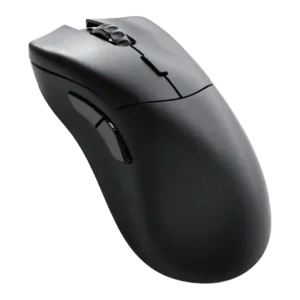
Customization drew strong praise because Glorious Core made remapping and performance settings easy, with many options available.
Pros: value for money, glide smoothness
Cons: battery life, polling rate

Customization is one of the strongest themes, with reviewers praising deep button, DPI, RGB, gesture, and profile control despite software friction.
Pros: tilt gesture controls, MMO gaming suitability
Cons: battery life, software usability

Customization was praised when reviewers focused on deep performance tuning and highly configurable buttons, but criticized when the physical button layout felt too sparse.
Pros: weight, grip texture
Cons: software usability, profile switching

Button remapping and customization were praised through Synapse, though one first-impression review was less enthusiastic overall.
Pros: value for money, shape comfort
Cons: onboard memory, side button quality

Button customization through Synapse was seen as useful and accessible, including remapping and DPI-related controls.
Pros: value for money, grip texture
Cons: weight, charging convenience

Button customization was a major strength, with extensive remapping and joystick mode flexibility, despite software caveats.
Pros: glide smoothness, scroll wheel quality
Cons: analog joystick usability, shape comfort

Button customization is generally praised because reviewers found remapping and settings easy, though the broader software presentation is not always polished.
Pros: left and right click quality, build quality
Cons: macro support, palm grip comfort
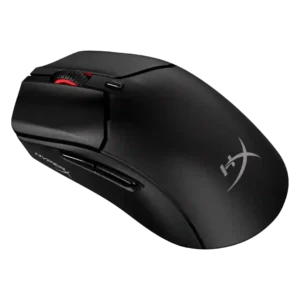
Button customization was broadly useful and straightforward, especially for remapping and DPI controls, though one reviewer found programming somewhat limited.
Pros: weight, value for money
Cons: side button quality, RGB features

Button customization was positive overall through Synapse remapping and Hypershift, but reviewers still considered overall customization limited.
Pros: value for money, weight
Cons: fingertip grip comfort, profile switching

Button customization was broadly appreciated, though implementation varied by reviewer due to comfort, missing pieces, or side-button fit.
Pros: weight, shape comfort
Cons: battery life, side button quality

Button customization is mixed: software remapping is useful, but reviewers criticize limits and reliance on iCUE.
Pros: weight, battery life
Cons: value for money, profile switching