Best for switch feel
Logitech G Pro Wireless
5.0 attribute score
Highest scored product for this attribute based on supporting review evidence.

Highest scored product for this attribute based on supporting review evidence.
Balances the attribute score, supporting reviews, and overall product strength.
Has the broadest review evidence for this attribute.
Strongest overall product among items with scored evidence for this attribute.

Switch feel evidence was very positive in the PvP review, emphasizing unusually light mechanical switches.
Pros: value for money, battery life
Cons: cable flexibility, RGB features

Switch feel was one of the strongest themes, with reviewers praising tactile, crisp, clicky, snappy, and customizable switch behavior.
Pros: button responsiveness, shape comfort

Switch feel was one of the strongest areas, repeatedly described as tactile, crunchy, crisp, satisfying, and among the best feeling in the category.
Pros: weight, battery life
Cons: value for money

Switch feel was strongly positive overall, with reviewers praising crisp, tactile, satisfying, snappy optical switches, despite individual firmness preferences.
Pros: value for money, weight
Cons: Bluetooth support, cable flexibility

Switch feel was broadly praised as light, crisp, tactile, smooth, and satisfying, with only minor differences from pricier Logitech switches noted.
Pros: value for money, weight
Cons: premium feel, polling rate

Switch feel was broadly praised for satisfying, tactile, responsive clicks, though some felt the switches were heavier than ideal.
Pros: weight, grip texture
Cons: software usability, profile switching

Switch feel was broadly praised for crisp feedback, responsive action, and satisfying damped tactility.
Pros: ergonomic design, scroll wheel quality
Cons: AI Prompt Master, click noise

Switch feel was praised as crisp, tactile, responsive, and satisfying.
Pros: button customization, scroll wheel quality
Cons: weight, value for money
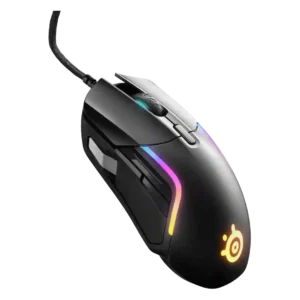
Switch feel was broadly praised as crisp, deliberate, snappy, and satisfying, with only minor force-preference caveats.
Pros: value for money, software usability
Cons: side button quality, onboard memory

Switch feel drew strong praise for tactility, snappiness, satisfying sound, and solid implementation, with only one reviewer noting a slightly heavier feel.
Pros: weight, battery life
Cons: polling rate, RGB features

Switch feel was praised for tactile, premium, crisp, and fast feedback.
Pros: battery life, glide smoothness
Cons: side button quality, value for money

Switch feel was one of the strongest areas, with reviewers repeatedly praising crisp, tactile, clicky, premium-feeling hybrid switches.
Pros: RGB features, weight
Cons: value for money, scroll wheel quality
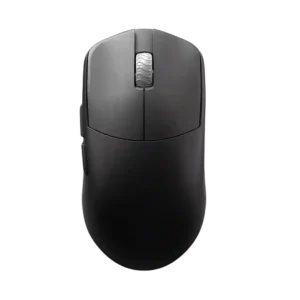
Switch feel is generally excellent, especially Omron optical crispness, though one reviewer found the implementation lackluster.
Pros: glide smoothness, build quality
Cons: side button quality, cable flexibility

Switch feel was mostly praised as crisp, tactile, and satisfying, though one comparison found the Kone II slightly mushier and hollower than a related model.
Pros: value for money, button customization
Cons: fingertip grip comfort, portability

Switch feel is widely liked, with reviewers describing the clicks as wonderful, crisp, quiet, snappy, smooth, and cushiony.
Pros: tilt gesture controls, MMO gaming suitability
Cons: battery life, software usability

Switch feel was generally positive thanks to crisp or satisfying optical clicks, though a few reviewers found them hollow, mushy, or less pleasant than mechanical switches.
Pros: value for money, weight
Cons: fingertip grip comfort, profile switching

Switch feel was generally crisp and clean, though one reviewer found the switches merely okay rather than best-in-class.
Pros: glide smoothness, weight
Cons: handedness options

Switch feel is described as clear, informative, tactile, crisp, and clicky, giving the main buttons a satisfying feel.
Pros: Accuracy and tracking precision, shape comfort
Cons: long-session comfort

Switch feel drew mostly positive feedback for sharp tactile response, but some reviewers wished for newer rapid-trigger-style click tech.
Pros: value for money, weight
Cons: click noise, RGB features

Switch feel was mostly praised for crisp, tactile Lightforce clicks, though some reviewers found them inconsistent, loud, or merely satisfactory.
Pros: weight, shape comfort
Cons: side button quality, value for money
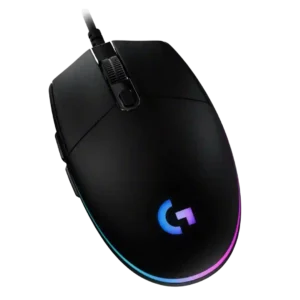
Switch feel is usually praised as crisp, tactile, light, distinct, and satisfying, making the main clicks feel better than expected for the price.
Pros: value for money, RGB features
Cons: palm grip comfort, click noise

Switch feel was consistently positive, with reviewers calling the clicks sharp, soft-clicky, crispy, tactile, or satisfying.
Pros: side button quality, MMO gaming suitability
Cons: value for money, claw grip comfort

Switch feel was frequently praised for crisp, tactile, consistent clicks.
Pros: battery life, weight
Cons: side button quality, value for money

Switch feel was viewed positively, especially for tactile optical switches and spam-click friendliness.
Pros: shape comfort, value for money
Cons: handedness options
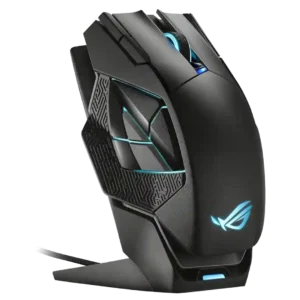
Switch feel was generally positive, with reviewers describing the primary switches as snappy, tactile, responsive, or good quality.
Pros: charging convenience, RGB features
Cons: side button quality, weight

Switch feel was consistently positive, with reviewers describing the clicks as crispy, clicky, solid, and not overly harsh.
Pros: value for money, ergonomic design
Cons: RGB features, portability
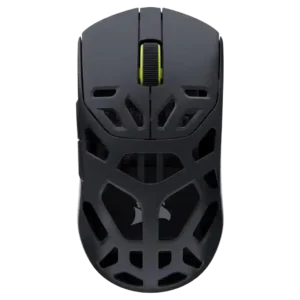
Switch feel was positive, with reviewers citing crisp tactile feedback and good-feeling mechanical clicks.
Pros: shape comfort, sensor performance
Cons: value for money, side button quality

Switch feel was generally positive, with crisp tactile feedback in testing and another reviewer saying Razer felt better to click.
Pros: MMO gaming suitability, 2.4GHz connectivity
Cons: charging convenience, value for money
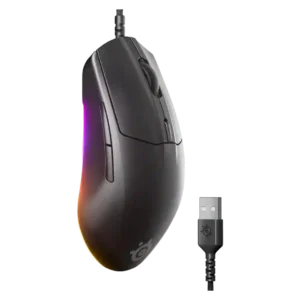
Switch feel was praised as crisp, clicky, balanced, and responsive without being too heavy.
Pros: cable flexibility, value for money
Cons: premium feel
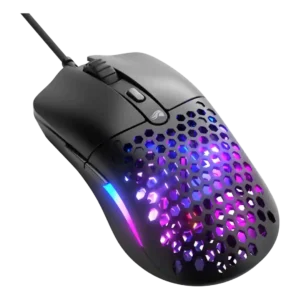
Switch feel was praised in PC Gamer's review for the solid tactile feel of the Huano switches.
Pros: value for money, weight
Cons: cable flexibility
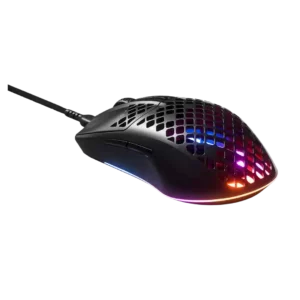
Click feel was positively received where the main buttons produced satisfying clicks.
Pros: glide smoothness, RGB features
Cons: build quality, cable flexibility

Switch feel was broadly positive, described as snappy, tactile, clean, or satisfying.
Pros: scroll wheel quality, battery life
Cons: value for money, weight

Switch feel is widely praised after adjustment, with haptics described as satisfying, tactile, addictive, or better than traditional clicks.
Pros: switch feel, click latency
Cons: value for money, glide smoothness
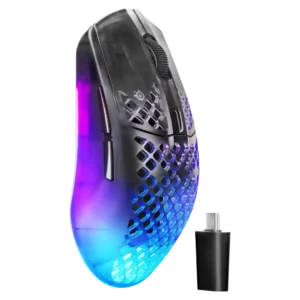
Switch feel was mostly praised as tactile, crisp, clicky, and satisfying, although some reviewers noted a louder or heavier mechanical character.
Pros: software usability, polling rate
Cons: palm grip comfort, fingertip grip comfort

Switch feel was generally positive, with reviewers calling clicks tactile, crisp, satisfying, and nice-feeling.
Pros: weight, shape comfort
Cons: battery life, side button quality

Switch feel was generally praised as tactile, clicky, satisfying, and premium, though a few reviewers found the feel heavier or preferred other switch implementations.
Pros: value for money, battery life
Cons: weight, balance and weight distribution

Switch feel was mostly praised as firm, crisp, snappy, and satisfying, with a few reviewers noting softness or loudness preferences.
Pros: build quality, software usability
Cons: value for money, polling rate

Switch feel was consistently positive, with clicky, tactile, sharp, and satisfying wording across multiple reviews.
Pros: shape comfort, battery life
Cons: value for money, DPI range

Switch feel was mostly positive thanks to crisp Gen-4 optical switches, but one reviewer felt the improvement was not dramatic.
Pros: weight, value for money
Cons: click noise, AI Prompt Master
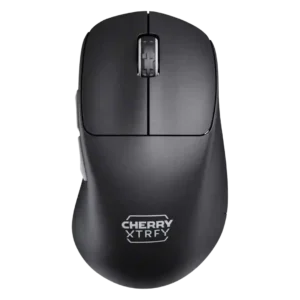
Switch feel was mostly praised as amazing, fast, snappy, and satisfying, though one early hands-on impression was more reserved.
Pros: build quality, weight
Cons: value for money, charging convenience

Switch feel was mostly positive for crispness, bounce, and fast actuation, but one reviewer found the feel hard to distinguish and another wanted a clickier, more tactile press.
Pros: shape comfort, programmable buttons
Cons: value for money, side button quality

Switch feel trends positive, with reviewers liking the crisp, thocky, or satisfying optical-click feel, though not every click implementation is perfect.
Pros: weight, battery life
Cons: value for money, profile switching
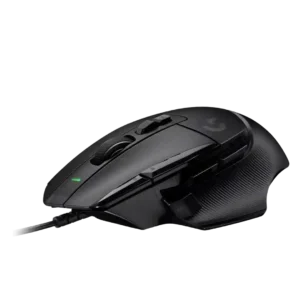
Switch feel was generally tactile and satisfying, but some reviewers disliked the heavier, ringier sound and feel compared with regular switches.
Pros: button customization, switch feel
Cons: RGB features, weight tuning

Switch feel was usually satisfying and responsive, though one review called the primary click soft and undefined.
Pros: value for money, shape comfort
Cons: scroll wheel quality, left and right click quality

Switch feel split reviewers: many loved the crisp, tactile Lightforce feel, while others found the clicks heavier or too tactile.
Pros: switch feel, polling rate
Cons: value for money, side button quality

Switch feel was generally praised for crispness, tactility, and speed, but some reviewers disliked hollow or loud acoustics.
Pros: battery life, scroll wheel quality
Cons: value for money, click noise

Switch feel was mostly positive for tactile, clicky, snappy presses, though some reviewers found the feel mushier or fatiguing in frantic moments.
Pros: battery life, software usability
Cons: weight, FPS gaming suitability

Switch feel was described as making a decent quality impression.
Pros: charging convenience, software usability
Cons: RGB features, value for money

Switch feel was mostly liked, especially the satisfying default switches, though one reviewer disliked the sound of the replaceable Omrons.
Pros: battery life, software usability
Cons: click noise, fingertip grip comfort
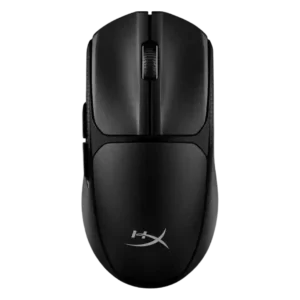
Switch feel was broadly positive thanks to clicky, satisfying, tactile feedback, although one reviewer noted a heavier press than expected.
Pros: switch feel, weight
Cons: RGB features, handedness options