If you want better weight
Choose ASUS ROG Keris II Ace. It scores 4.9 vs 3.8 for weight, with a 4.2 overall score.

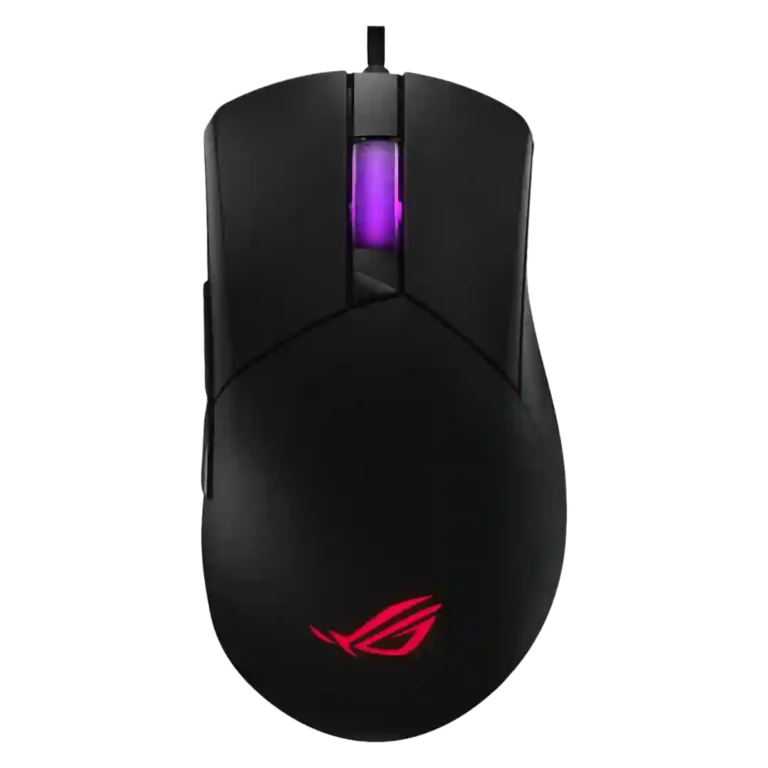
Choose it for hot-swappable switches, strong customization, smooth glide, and good value. Skip it if you need an ultralight shape, wireless-first freedom, or a low-profile mouse for wider or shape-sensitive hands.
Best for right-handed gamers who value hot-swappable switch feel, deep button customization, smooth glide, and a comfortable mid-to-large ergonomic shape more than chasing the lightest possible FPS mouse.
Not for users who need a wireless-first mouse, left-hand-friendly side buttons, very low weight, or a shape that suits wider hands without adjustment.
Across the supplied reviews, the ASUS ROG Gladius III stands out less for raw lightness and more for customization, click feel, and value. Reviewers repeatedly praised the hot-swappable switches, tactile and responsive buttons, smooth feet, flexible paracord, and software-based control over buttons, macros, DPI, RGB, profiles, and lift-off behavior. The main tradeoff is physical fit and speed: several reviewers liked the ergonomic high-back shape, but others found it chunky, narrow, or too heavy compared with lighter FPS-focused rivals. Sensor impressions were mostly positive, though one wired test noted jitter and only average polling behavior. The overall evidence points to a comfortable, feature-rich gaming mouse whose strengths depend heavily on hand size, grip style, and tolerance for its weight.
Compared with other Gaming Mice, this product is above average in software stability, MMO gaming suitability, onboard memory, near average in weight, button customization, below average in Accuracy and tracking precision, sensor performance, shape comfort.
| Attribute | This product | Category average | Difference |
|---|---|---|---|
| software stability | 5.0 | 2.9 | +2.1 |
| MMO gaming suitability | 5.0 | 3.5 | +1.5 |
| onboard memory | 5.0 | 3.9 | +1.1 |
| value for money | 4.6 | 3.7 | +0.9 |
| lift-off distance | 4.5 | 3.8 | +0.7 |
| RGB features | 4.2 | 3.6 | +0.6 |
| switch feel | 4.9 | 4.3 | +0.6 |
| cable flexibility | 4.2 | 3.6 | +0.6 |
Choose ASUS ROG Keris II Ace. It scores 4.9 vs 3.8 for weight, with a 4.2 overall score.
Choose Corsair Darkstar RGB. It scores 4.7 vs 3.9 for materials quality, with a 3.9 overall score.
Choose ASUS ROG Harpe Ace Aim Lab. It scores 4.8 vs 3.8 for FPS gaming suitability, with a 4.1 overall score.
Choose HyperX Pulsefire Haste 2 Pro. It scores 4.8 vs 3.8 for click noise, with a 4.2 overall score.
Products reviewers directly compared with this model, grouped into quick takeaways.
Reviewers found it capable for casual and competitive play, with accurate tracking and fast clicks. The main FPS caveats were weight, shape adjustment, and a missing DPI clutch in one review.
Button customization was one of the clearest strengths. Reviews praised hot-swappable switches, programmable buttons, macros, SpeedShift, and software-based remapping.
Comfort depends on hand size and grip. Several reviewers liked the high-back ergonomic shape, but others found it chunky, narrow, or not ideal for wider hands.
Yes, the switch feel was repeatedly praised as crisp, tactile, clicky, snappy, and responsive. Reviewers also valued the ability to replace switches.
Software evidence was mixed to positive. Gear Link was praised as fast, reliable, and convenient, while Armoury Crate was useful but described by some as less slick or mixed.
Yes. Multiple reviews praised the PTFE feet for smooth, effortless, sublime, or unobstructed glide across mouse mats and gaming surfaces.
These are a few of the reviews included in our analysis.

Choose the ROG Harpe II Ace for ultralight FPS play, precise tracking, smooth glide, and web-based tuning. Skip it if you need palm-grip support, MMO buttons, onboard profiles, or long...
Pros: glide smoothness, weight
Cons: handedness options

Best for ultra-light, competition-focused speed, precise tracking, stable wireless, and long battery life. Skip it if you need quieter clicks, left-handed support, Bluetooth, more buttons, or better value for casual...
Pros: value for money, weight
Cons: click noise, RGB features

Choose it if you want a premium MMO/productivity mouse with 12 adjustable side buttons, strong battery life, and Stream Deck integration. Skip it if you need an ultralight FPS mouse,...
Pros: button customization, MMO gaming suitability
Cons: FPS gaming suitability

Best for precise wireless tracking, smooth glide, strong battery life, and unusually good 8K value. Skip it if you need polished software, quiet snappy clicks, true left-handed controls, or gentle...
Pros: software usability, sensor performance
Cons: RGB features, scroll wheel quality