Best for claw grip comfort
Endgame Gear XM2we
4.9 attribute score
Highest scored product for this attribute based on supporting review evidence.

Highest scored product for this attribute based on supporting review evidence.
Balances the attribute score, supporting reviews, and overall product strength.
Has the broadest review evidence for this attribute.
Strongest overall product among items with scored evidence for this attribute.
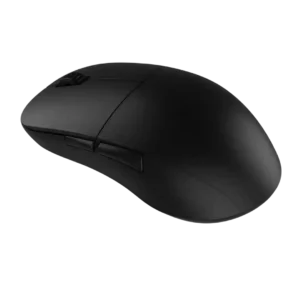
Claw-grip comfort was a major strength, with several reviewers describing the XM1-derived shape as excellent or near-perfect for claw users.
Pros: value for money, glide smoothness
Cons: fingertip grip comfort, surface compatibility
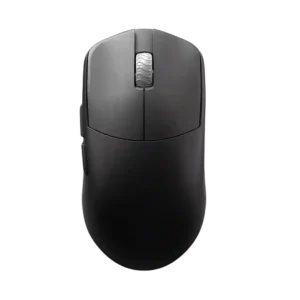
Claw grip comfort is consistently strong, with reviewers describing the shape as excellent for claw, relaxed claw, or aggressive claw grips.
Pros: glide smoothness, build quality
Cons: side button quality, cable flexibility

Claw grip comfort was a strong fit, with reviewers praising the rear arch and overall shape for claw-style control.
Pros: weight, battery life
Cons: polling rate, RGB features

Claw grip comfort was a major strength, with many reviewers calling the Viper shape especially suited to claw users.
Pros: value for money, weight
Cons: click noise, RGB features

Claw grip comfort was broadly positive, with reviewers calling the mouse comfortable or easy to use for claw grip.
Pros: switch feel, polling rate
Cons: value for money, side button quality

Claw grip support was a major strength, with multiple reviewers calling the shape ideal or especially comfortable for claw variants.
Pros: build quality, software usability
Cons: value for money, polling rate

Claw grip comfort was strong, especially for reviewers with smaller hands and those who liked the Basilisk’s supported shape.
Pros: ergonomic design, scroll wheel quality
Cons: AI Prompt Master, click noise

Claw grip comfort was a major strength, with multiple reviewers calling the shape suitable, easy, or ideal for claw users.
Pros: glide smoothness, weight
Cons: handedness options

Claw grip comfort was consistently strong, with reviewers repeatedly identifying claw grip as one of the Cobra Pro’s best fits.
Pros: value for money, battery life
Cons: weight, balance and weight distribution

Claw grip comfort was generally positive where discussed, with reviewers saying the shape works across grip styles.
Pros: weight, value for money
Cons: click noise, AI Prompt Master

Claw grip comfort was a major strength, repeatedly tied to the compact esports shape.
Pros: shape comfort, value for money
Cons: handedness options

Claw-grip comfort was positive, with multiple reviewers finding the shape comfortable for claw or hybrid grips.
Pros: weight, shape comfort
Cons: battery life, side button quality

Claw grip comfort was positive for medium-to-large hands, with reviewers able to claw it easily despite the large shell.
Pros: battery life, software usability
Cons: weight, FPS gaming suitability

Claw grip comfort was praised by reviewers who found the hump and control well-suited to that grip.
Pros: battery life, glide smoothness
Cons: side button quality, value for money
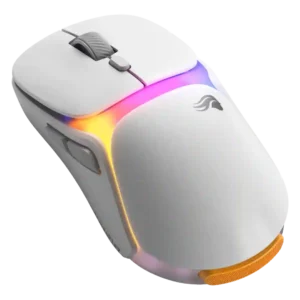
Claw grip comfort was generally positive in the reviews that specifically addressed it.
Pros: charging convenience, shape comfort
Cons: value for money, weight

Claw grip comfort was strong, with reviewers saying the mouse suited claw grips well and caused little discomfort during long play.
Pros: value for money, battery life
Cons: cable flexibility, RGB features

Claw grip comfort was positive for average-to-large hands, with reviewers saying claw or claw-hybrid users can use it well.
Pros: value for money, ergonomic design
Cons: RGB features, portability

Claw grip comfort was positive in the reviews that tested it, especially for small to medium hands.
Pros: value for money, shape comfort
Cons: onboard memory, side button quality
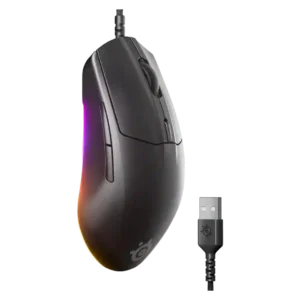
Claw grip users were well served, with multiple reviewers calling the shape comfortable or ideal for claw-style handling.
Pros: cable flexibility, value for money
Cons: premium feel

Claw grip comfort had limited but positive evidence, with one reviewer saying claw grip felt good.
Pros: shape comfort, programmable buttons
Cons: value for money, side button quality
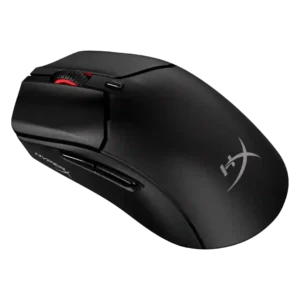
Claw grip comfort was consistently positive, with multiple reviewers saying the shape works especially well for claw users.
Pros: weight, value for money
Cons: side button quality, RGB features

Claw grip comfort was generally positive, with reviewers saying the ergonomics worked well for claw users.
Pros: battery life, software usability
Cons: click noise, fingertip grip comfort

Claw grip comfort is a major strength, especially for aggressive or relaxed claw users, though the exact fit depends on hand size and hump preference.
Pros: left and right click quality, build quality
Cons: macro support, palm grip comfort
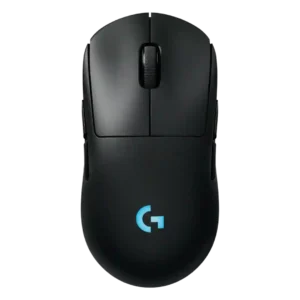
Claw grip comfort is supported by one reviewer who said the shape works for claw grip and broad grip preferences.
Pros: battery life, handedness options
Cons: value for money, polling rate

Claw-grip comfort was generally positive, especially relaxed claw, though hand size affected comfort.
Pros: value for money, sensor performance
Cons: software usability, grip texture
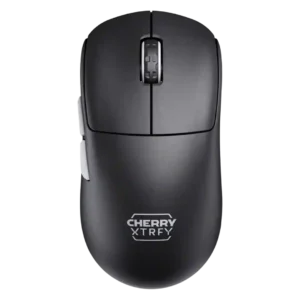
Claw grip support was a clear strength, with multiple reviewers saying the low-front shape suits relaxed or claw-style control.
Pros: build quality, shape comfort
Cons: value for money, charging convenience
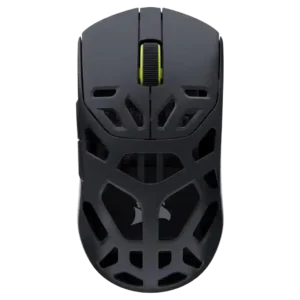
Claw grip comfort was a clear strength, with several reviewers calling the shape ideal or intentional for claw use.
Pros: shape comfort, sensor performance
Cons: value for money, side button quality

Claw grip comfort is positive, with reviewers repeatedly identifying claw or partial claw as an ideal or suitable grip style.
Pros: Accuracy and tracking precision, shape comfort
Cons: long-session comfort
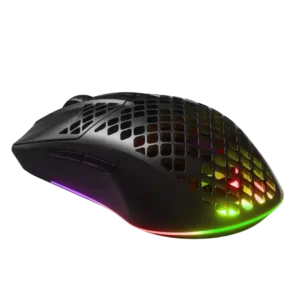
Claw grip support was frequently positive, with several reviewers finding the shape natural or comfortable for claw users.
Pros: value for money, battery life
Cons: glide smoothness, side button quality
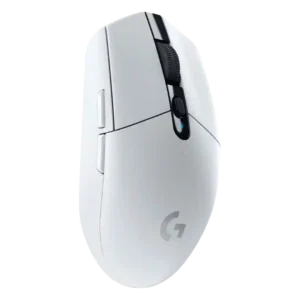
Claw grip comfort was usually positive, especially for small to medium hands, though some large-hand users still found the mouse small.
Pros: value for money, weight
Cons: charging convenience, palm grip comfort

Claw grip support was positive in the reviews that addressed it, especially for medium to large hands.
Pros: glide smoothness, scroll wheel quality
Cons: analog joystick usability, shape comfort

Claw grip comfort was positive, with reviewers saying the longer profile and shape felt natural or comfortable for claw use.
Pros: weight, battery life
Cons: value for money

Claw grip comfort was broadly positive for small-to-medium hands, though larger hands or aggressive claw users sometimes found the shape less ideal.
Pros: value for money, weight
Cons: Bluetooth support, cable flexibility

Claw grip comfort was one of the better-supported grip styles, especially for small-to-medium hands, although it depended strongly on hand size.
Pros: shape comfort, battery life
Cons: value for money, DPI range
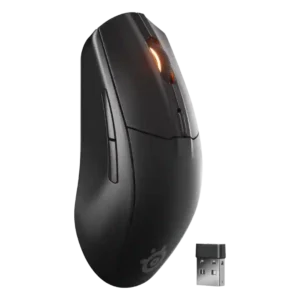
The low, symmetrical shape was consistently described as comfortable or well-suited for claw grip users.
Pros: battery life, value for money
Cons: weight, RGB features

Claw grip comfort was generally stronger than palm feedback, with reviewers calling the shape claw-friendly, though one claw-grip assessment was negative.
Pros: value for money, weight
Cons: premium feel, polling rate
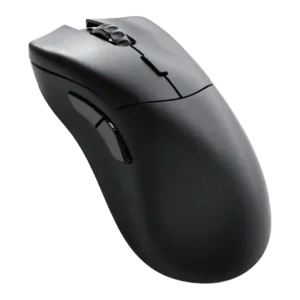
Claw grip comfort was positive in the two direct mentions, with reviewers finding the shape easier or nicer for claw grip.
Pros: value for money, glide smoothness
Cons: battery life, polling rate

Claw grip comfort has limited but positive evidence, with one reviewer saying claw use felt pretty good.
Pros: tilt gesture controls, MMO gaming suitability
Cons: battery life, software usability
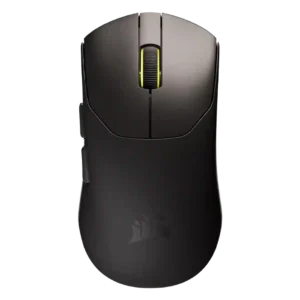
Claw grip comfort had limited but positive evidence, with the shape recommended for medium and small hands using palm or claw.
Pros: build quality, weight
Cons: software usability, battery life

Claw grip comfort was supported by one review that found the D3 suitable for claw-style use.
Pros: charging convenience, software usability
Cons: RGB features, value for money

Claw grip comfort was usually positive, with the revised hump and shell fitting relaxed claw users well.
Pros: value for money, grip texture
Cons: weight, charging convenience

Claw grip comfort was generally positive, with reviewers saying claw use worked well or felt excellent despite the large shell.
Pros: value for money, button customization
Cons: fingertip grip comfort, portability

Claw grip comfort was generally positive, especially for small-to-medium hands, though one review found the rear grip lacking.
Pros: value for money, shape comfort
Cons: scroll wheel quality, left and right click quality
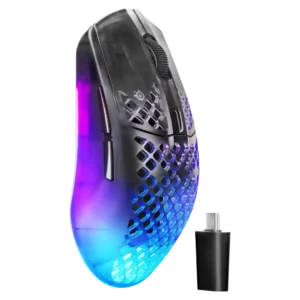
Claw grip comfort was the strongest grip-style fit, with several reviewers saying the shape comes alive or works best in claw grip.
Pros: software usability, polling rate
Cons: palm grip comfort, fingertip grip comfort
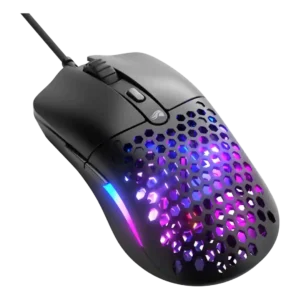
Claw grip feedback was mostly positive, though one reviewer found the back too shallow and not grippy enough for that style.
Pros: value for money, weight
Cons: cable flexibility

Claw-grip comfort was generally positive but more context-dependent than palm grip because the larger ergonomic shape does not suit everyone equally.
Pros: battery life, scroll wheel quality
Cons: value for money, click noise

Claw grip support was mostly positive, though a few reviews noted holes or reach issues that can bother some claw users.
Pros: battery life, weight
Cons: side button quality, value for money
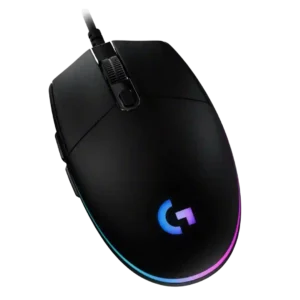
Claw grip comfort is generally good, especially for the compact low-profile body, though a few reviewers found it only acceptable or hand-position dependent.
Pros: value for money, RGB features
Cons: palm grip comfort, click noise

Claw grip comfort was mixed-to-positive, working well for some larger-hand users but less naturally for others.
Pros: value for money, weight
Cons: fingertip grip comfort, profile switching
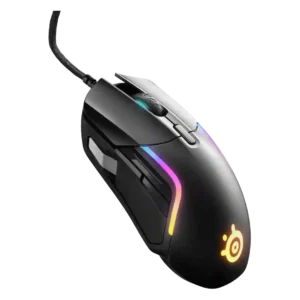
Claw grip comfort was mostly positive for suitable hand sizes, but at least one reviewer with smaller hands found it too big to claw comfortably.
Pros: value for money, software usability
Cons: side button quality, onboard memory