If you want better tilt gesture controls
Choose Razer Basilisk V3 Pro 35K. It scores 4.7 vs 1.5 for tilt gesture controls, with a 4.2 overall score.

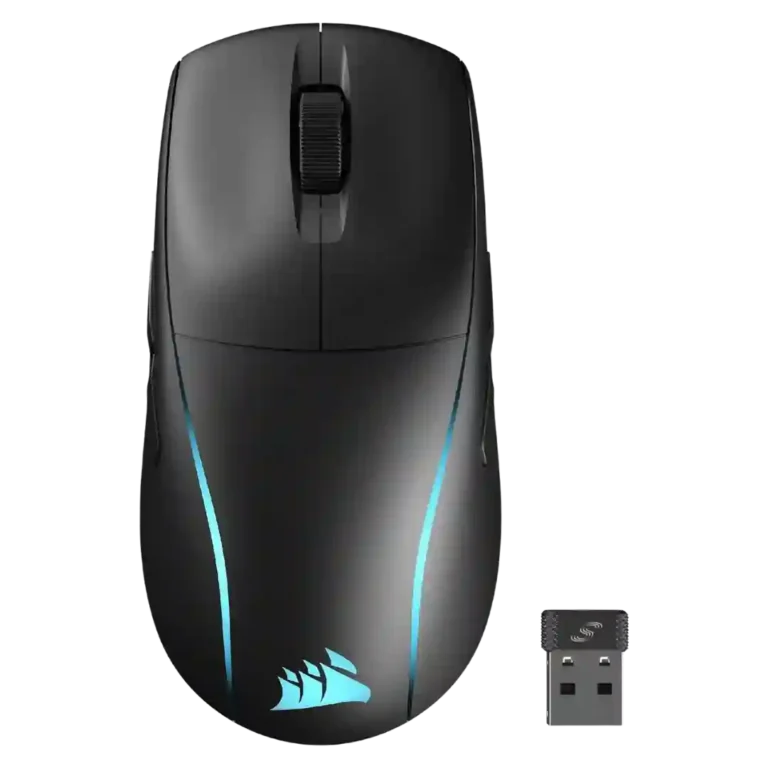
Choose the Corsair M75 Wireless if you need a true ambidextrous wireless mouse with strong tracking and battery life. Skip it if you want ultra-light FPS speed, flawless side buttons, or the best value.
Best for left-handed gamers, shared households, and players who want a comfortable wireless mouse with true ambidextrous side buttons, accurate tracking, and long battery life.
Not for buyers who prioritize ultra-light FPS speed, flawless side buttons, high-end polling-rate specs, or maximum value at full price.
The Corsair M75 Wireless lands as a strong but imperfect ambidextrous gaming mouse. Reviewers consistently liked its true left/right-hand design, accurate Marksman sensor, responsive buttons, smooth glide, and very strong battery life. The tradeoff is that Corsair added RGB, side-button hardware, and a larger battery at the cost of weight and some refinement. Several reviewers found the 89g body too heavy for pure FPS play, and side-button feel ranged from clever and easy to loose, low-profile, or fiddly. Software customization is useful, but iCUE limitations and the underside DPI button were recurring irritations. Overall, the evidence points to a capable wireless all-rounder whose value depends heavily on whether ambidextrous support matters more than ultralight speed.
Compared with other Gaming Mice, this product is above average in handedness options, firmware reliability, lift-off distance, near average in software usability, battery life, below average in tilt gesture controls, fingertip grip comfort, balance and weight distribution.
| Attribute | This product | Category average | Difference |
|---|---|---|---|
| handedness options | 4.7 | 2.6 | +2.1 |
| tilt gesture controls | 1.5 | 3.2 | -1.7 |
| fingertip grip comfort | 2.1 | 3.7 | -1.6 |
| balance and weight distribution | 2.6 | 4.1 | -1.5 |
| firmware reliability | 4.2 | 2.7 | +1.5 |
| weight | 3.2 | 4.1 | -0.9 |
| profile switching | 2.7 | 3.8 | -1.1 |
| programmable buttons | 3.0 | 4.1 | -1.1 |
Choose Razer Basilisk V3 Pro 35K. It scores 4.7 vs 1.5 for tilt gesture controls, with a 4.2 overall score.
Choose Razer Viper V3 Pro. It scores 5.0 vs 2.6 for balance and weight distribution, with a 4.2 overall score.
Choose Corsair Darkstar RGB. It scores 4.7 vs 3.9 for build quality, with a 3.9 overall score.
Choose Logitech G502 X Plus. It scores 4.8 vs 4.2 for glide smoothness, with a 3.9 overall score.
Products reviewers directly compared with this model, grouped into quick takeaways.
Yes. Reviewers repeatedly highlighted its true ambidextrous design and swappable side buttons as one of its strongest reasons to buy.
Tracking was broadly praised. Reviewers described the Marksman sensor as accurate, precise, reliable, and responsive across games and surfaces.
It depends on play style. Several reviewers found it fine for casual or general FPS play, but many said its 89g weight is not ideal for pure speed or esports-first use.
Battery life was one of the clearest positives. Multiple reviewers reported impressive endurance and generally found Corsair's estimates believable in real use.
They are useful and flexible, but opinions were mixed. Some reviewers praised the swappable design, while others found the buttons loose, low-profile, fiddly, or hard to press in-game.
Mostly yes. Reviewers liked the customization, remapping, RGB controls, and onboard settings, but some disliked limitations such as Bluetooth customization restrictions, missing automatic profile switching, or software quirks.
These are a few of the reviews included in our analysis.






Choose the ROG Harpe II Ace for ultralight FPS play, precise tracking, smooth glide, and web-based tuning. Skip it if you need palm-grip support, MMO buttons, onboard profiles, or long...
Pros: glide smoothness, weight
Cons: handedness options

Best for ultra-light, competition-focused speed, precise tracking, stable wireless, and long battery life. Skip it if you need quieter clicks, left-handed support, Bluetooth, more buttons, or better value for casual...
Pros: value for money, weight
Cons: click noise, RGB features

Choose it if you want a premium MMO/productivity mouse with 12 adjustable side buttons, strong battery life, and Stream Deck integration. Skip it if you need an ultralight FPS mouse,...
Pros: button customization, MMO gaming suitability
Cons: FPS gaming suitability

Best for precise wireless tracking, smooth glide, strong battery life, and unusually good 8K value. Skip it if you need polished software, quiet snappy clicks, true left-handed controls, or gentle...
Pros: software usability, sensor performance
Cons: RGB features, scroll wheel quality