If you want better click noise
Choose Logitech G Pro X2 Superstrike. It scores 4.6 vs 3.3 for click noise, with a 4.0 overall score.

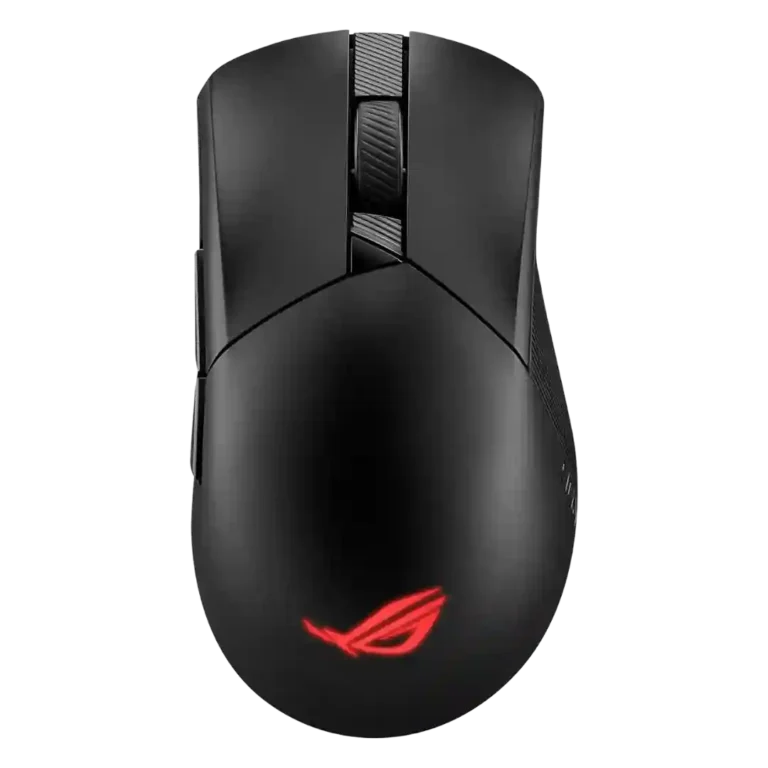
Choose it for a comfortable, precise wireless gaming mouse with strong battery life and user-replaceable switches. Skip it if you want the lightest shell, a lower price, or software that reviewers found consistently smooth.
Best for right-handed palm or claw users who want precise wireless gaming performance, strong battery life, and repair-friendly swappable switches. It also suits multi-device setups that benefit from Bluetooth and 2.4GHz flexibility.
Not for left-handed users, buyers who want an ultralight esports mouse, or anyone sensitive to software bloat, click noise, or premium pricing. MMO players may also want more buttons.
The review set presents the ASUS ROG Gladius III Wireless as a strong, comfortable gaming mouse built around precise tracking, flexible connectivity, and unusually repair-friendly switch sockets. Reviewers repeatedly liked the palm and claw comfort, smooth PTFE glide, long battery life, and low-lag wireless behavior. The main tradeoff is that its premium feature set does not always feel premium in every hand: some reviewers criticized the price, software experience, click noise, cable, scroll wheel, or shell confidence, and several noted it is not ideal for left-handed users or those chasing ultralight esports weight. Overall, the evidence leans positive, but not without meaningful caveats.
Compared with other Gaming Mice, this product is above average in palm grip comfort, side button quality, profile switching, near average in glide smoothness, value for money, below average in MMO gaming suitability, software stability, button responsiveness.
| Attribute | This product | Category average | Difference |
|---|---|---|---|
| MMO gaming suitability | 2.5 | 3.5 | -1.0 |
| palm grip comfort | 4.6 | 3.8 | +0.8 |
| side button quality | 4.6 | 3.7 | +0.9 |
| profile switching | 4.7 | 3.7 | +0.9 |
| dock compatibility | 4.7 | 3.8 | +0.9 |
| switch durability | 4.8 | 4.2 | +0.6 |
| cross-platform compatibility | 4.7 | 3.9 | +0.8 |
| skate durability | 4.5 | 3.7 | +0.8 |
Choose Logitech G Pro X2 Superstrike. It scores 4.6 vs 3.3 for click noise, with a 4.0 overall score.
Choose ASUS ROG Harpe Ace Aim Lab. It scores 5.0 vs 4.0 for weight, with a 4.1 overall score.
Choose ROG Harpe Ace Extreme. It scores 4.6 vs 4.2 for build quality, with a 4.0 overall score.
Choose Razer Cobra Pro. It scores 4.5 vs 3.4 for fingertip grip comfort, with a 4.0 overall score.
Products reviewers directly compared with this model, grouped into quick takeaways.
Yes. Reviewers praised its precise tracking, low-lag wireless behavior, smooth glide, and suitability for fast-paced shooters.
Battery life was generally a strength, with several reviewers reporting multi-day or very long runtime. RGB lighting reduced runtime in the reviews that discussed it.
Reviewers repeatedly praised the hot-swappable left and right click switches. The feature was seen as useful for longevity, repairability, and changing click feel.
Opinions were mixed. Some reviewers found it polished or comprehensive, while others called it overloaded, bloated, update-heavy, or unreliable.
The strongest comfort evidence came from palm and claw users, especially right-handed users. Fingertip comfort and smaller-hand fit were more mixed.
Reviewers treated 2.4GHz as the better gaming mode because of latency and stability. Bluetooth was valued for battery life and multi-device convenience, but some noted performance limits.
Value was one of the most mixed areas. Reviewers liked the feature set and repairable switches, but several felt the price was steep against lighter or more feature-rich competitors.
These are a few of the reviews included in our analysis.
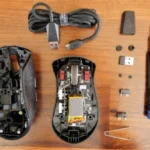



Choose the ROG Harpe II Ace for ultralight FPS play, precise tracking, smooth glide, and web-based tuning. Skip it if you need palm-grip support, MMO buttons, onboard profiles, or long...
Pros: glide smoothness, weight
Cons: handedness options

Best for ultra-light, competition-focused speed, precise tracking, stable wireless, and long battery life. Skip it if you need quieter clicks, left-handed support, Bluetooth, more buttons, or better value for casual...
Pros: value for money, weight
Cons: click noise, RGB features

Choose it if you want a premium MMO/productivity mouse with 12 adjustable side buttons, strong battery life, and Stream Deck integration. Skip it if you need an ultralight FPS mouse,...
Pros: button customization, MMO gaming suitability
Cons: FPS gaming suitability

Best for precise wireless tracking, smooth glide, strong battery life, and unusually good 8K value. Skip it if you need polished software, quiet snappy clicks, true left-handed controls, or gentle...
Pros: software usability, sensor performance
Cons: RGB features, scroll wheel quality