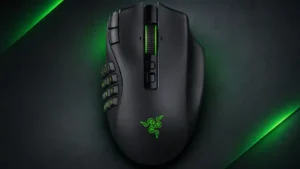
Overall: 4.2/5
Abundant customizable controls and the wheel are helpful for content creation and repetitive editing tasks.
Pros: Interchangeable side panels, MMO gaming suitability
Cons: value for money, FPS gaming suitability

Overall: 4.2/5
Abundant customizable controls and the wheel are helpful for content creation and repetitive editing tasks.
Pros: Interchangeable side panels, MMO gaming suitability
Cons: value for money, FPS gaming suitability

Overall: 4.3/5
With sharp text and strong calibrated colors, the display works well for editing photos or videos as well as gaming.
Pros: black levels, sharpness
Cons: value for money, brightness

Overall: 4.4/5
The sharp panel and consistent color rendition support demanding creative tasks, especially alongside a Mac.
Pros: port selection, color accuracy
Cons: built-in speakers, speaker quality

Overall: 3.6/5
The OBS shortcuts and macro surface give streamers and other creators a convenient way to manage controls without leaving their workspace.
Pros: charging convenience, battery life
Cons: Touchscreen usefulness, value for money

Overall: 4.4/5
The broad canvas and rich color can help editing and design tasks, though the resolution is not maximally sharp.
Pros: refresh rate, Text fringing
Cons: Resolution, GPU demands

Overall: 3.5/5
Editing tools, high-resolution assets, and timelines benefit from the unusually crisp canvas, although color-critical workflows may need calibration and a different gamut.
Pros: Resolution, sharpness
Cons: value for money, HDR performance
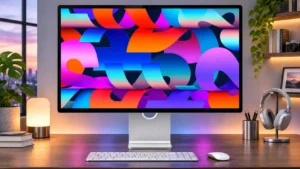
Overall: 3.7/5
The screen, integrated camera and audio simplify everyday creation, but reviewers flag the absent HDR capability for demanding production.
Pros: Monitor daisy-chaining, overall picture quality
Cons: value for money, refresh rate