#1

Overall: 4.4/5
Graphic, photo, and video creators benefit from accurate colors, multiple gamut presets, a large work area, and convenient desktop controls. These specialized functions are the monitor's main reason to exist.
Pros: color accuracy, stand adjustability
Cons: built-in speakers, Desk footprint
#2

Overall: 4.1/5
Photography, illustration and design benefit from the detailed, well-calibrated screen and convenient inputs.
Pros: color accuracy, overall picture quality
Cons: HDR performance, refresh rate
#3
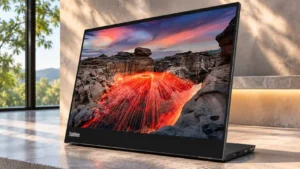
Overall: 3.9/5
The detailed, color-accurate screen works well as an Adobe-app companion for photography and video projects. Its narrower gamut keeps it from replacing a specialist main display.
Pros: overall picture quality, Stylus usability
Cons: port selection, refresh rate
#4

Overall: 4.1/5
Strong upload results and fast wired connectivity make it attractive for creators transferring large media files or livestreaming.
Pros: value for money, Wi-Fi speed
Cons: 6 GHz performance, subscription requirements
#5

Overall: 4.0/5
A spacious, sharp panel and strong color make casual creative work enjoyable, while precise professional tasks may need calibration or a different display.
Pros: overall satisfaction, DisplayPort connectivity
Cons: value for money, reliability over time
#6

Overall: 3.7/5
Broad editing timelines and a large color-rich canvas make the display appealing for creation work, preferably in controlled lighting.
Pros: value for money, black levels
Cons: refresh rate, portability and weight
#7

Overall: 3.6/5
Sharp 4K detail and strong color coverage help with creative tasks, but the curved surface and OLED wear concerns make it more conditional for prolonged production work.
Pros: overall satisfaction, brightness
Cons: Dolby Vision support, VRR flicker
#8

Overall: 4.0/5
Vibrant SDR color and a flexible stand can work well for occasional creative projects, but professional color workflows still need calibration and attention to preset limitations.
Pros: value for money, overall satisfaction
Cons: HDR performance, HDMI 2.1 support
#9

Overall: 3.9/5
The high-density 4K screen and accurate colors work well for everyday creative projects. Serious HDR finishing and the most demanding color tasks reveal the IPS contrast and uniformity limitations.
Pros: Resolution, refresh rate
Cons: HDR performance, contrast
#10

Overall: 4.2/5
Strong gamut and calibration potential make occasional creative work feasible. Dedicated creator displays offer more precise defaults, finer text, and better desktop versatility.
Pros: refresh rate, overall satisfaction
Cons: value for money, port selection
