
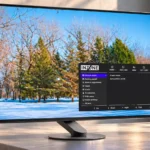
Sony INZONE M10S Feature Scores
Explore all 85 feature scores for Sony INZONE M10S, organized into pros and cons.
Scores by Feature
Summary
85 reviewed features-
Very positive 4.5-5.029 (34%)
-
Positive 3.5-4.428 (33%)
-
Neutral 2.5-3.415 (18%)
-
Negative 1.5-2.413 (15%)
Pros
Sort
-
The 480Hz ceiling is a standout for 1440p esports play, and fast-action smoothness earns broad praise. Real benefits depend on game frame limits and a powerful enough PC.
-
Vibrant colors, deep blacks, and precise fast-moving images make the OLED panel a major attraction. Less-than-4K detail and occasional profile quirks are the main visual compromises.
-
Near-instant OLED pixel response keeps fast targets distinct, even during abrupt movement. This helps the high refresh rate translate into real motion clarity.
-
Extremely fast refresh, low latency, clear motion, and targeted esports tools make this an unusually capable competitive display. Its greatest advantages need high frame rates and a serious competitive focus.
-
OLED blacks look deep, clean, and convincing, enhancing shadowy environments and nighttime scenes. Black reproduction is one of the monitor's most dependable strengths.
-
The tiny circular base frees substantial room for a keyboard, mouse, and large competitive movements. It is among the screen's clearest everyday advantages.
-
At high frame rates, motion looks startlingly crisp and fluid, especially in competitive shooters. The gains over 240Hz are apparent to some players but modest to others.
-
Per-pixel illumination delivers outstanding contrast without LCD-style gray blacks or halos. Its dramatic separation between dark scenes and highlights brings a premium look to games.
-
The unusual stand offers effortless wide swivel, useful height adjustment, and tilt. Its principal drawback is the inability to pivot the panel vertically.
-
FPS Pro+ can make colored enemy outlines stand out, even in cluttered or distant engagements. It works best in games that use compatible outline colors and can make the image look unnatural.
-
Despite its unusually small base, the monitor remains impressively stable on a firm desk. It avoids much of the wobble associated with larger stands.
-
The restrained black design, thin panel, and striking circular stand earn strong praise. Some prefer Sony's earlier PlayStation-inspired styling or a more lavish finish.
-
Input lag is exceptionally low at high refresh rates, supporting immediate-feeling control. Results are less exceptional for some lower-refresh signals, including 60Hz.
-
Wide color coverage gives games and HDR imagery rich, saturated color. Some competing QD-OLED panels reach beyond the Sony's gamut, but its range remains impressive.
-
Deep OLED contrast and luminous highlights make HDR gaming often spectacular. Peak brightness, mode-dependent color shifts, and a few accuracy complaints prevent unanimous praise.
-
INZONE Hub makes deep monitor adjustments easier with keyboard and mouse than with the rear joystick alone. Profiles and mode switching offer useful flexibility for PC setups.
-
The thin display and metal-based stand generally feel solid and carefully assembled. Minor cosmetic reservations do little to weaken the largely premium construction.
-
Pixel transitions are remarkably clean, with little or no noticeable ghosting even in rapid action. Motion stays readable at speeds that expose blur on slower displays.
-
The overall experience is highly regarded for esports speed, beautiful OLED visuals, and thoughtful construction. Most reservations focus on whether the premium cost suits the buyer's gaming habits.
-
The optional 24.5-inch crop recreates a familiar tournament-size playing area without giving up the full 27-inch screen for other games. It is more valuable to committed competitors than to occasional players.
-
G-Sync, FreeSync, and adaptive refresh smooth frame delivery across supported PC hardware. This helps when games cannot sustain the full 480 fps.
-
Broad VRR compatibility works well across PCs and supported consoles, but flicker and some connection-status quirks may affect particular setups. Compatibility is better than uniform smoothness in every situation.
-
The menu is generally clear and easy to navigate, while the Windows app provides a comfortable alternative. A few joystick quirks and awkward setting interactions temper the praise.
-
FPS Pro+ can emphasize enemy outlines while FPS Pro resembles traditional tournament screens. These useful options also change colors dramatically and are poor choices for general viewing.
-
Intuitive menus, easy-to-reach controls, and flexible presets make the display straightforward to use after initial setup. The Windows configuration utility is particularly convenient.
-
Attention to stand engineering, tactile controls, and subtle styling gives the monitor a premium feel. Not everyone thinks its plastic finish alone justifies the price.
-
Colors are attractive in games and standard modes can be quite accurate, although some default profiles are too cool or oversaturated. Calibration helps for demanding color tasks.
-
A standard VESA mount lets owners swap the distinctive original stand for a monitor arm. This offsets some of the stand's orientation limitations.
-
Pixel shifting, static-image detection, and related OLED-care settings help reduce burn-in exposure. Some protective dimming can be distracting, and care remains important.
-
The anti-glare surface reduces distracting room reflections without greatly compromising colors for most viewers. Glossy-screen enthusiasts may dislike its softer finish.
-
The slim, relatively light body is convenient for taking the monitor to LAN sessions. The solid compact stand adds portability without much desk clutter.
-
The stand includes a modest cable-routing arrangement that keeps an ordinary set of leads organized. Thick connectors may not fit neatly through its channel.
-
Cinematic and single-player games look vibrant and immersive thanks to OLED contrast and HDR. Players prioritizing maximum 4K detail over frame rate have more compelling alternatives.
-
The tournament-style cropped screen mode is useful for preserving a familiar view and training setup. Its value is narrower than the excellent full-size 480Hz performance.
-
This is designed first and foremost for high-frame-rate PC play, where its OLED speed and screen-size tools shine. PC hardware and game caps determine how fully it can be exploited.
-
1440p is a smart match for high-refresh competitive gaming and easier to drive than 4K. The lack of native 4K detail matters more for large-scale single-player adventures and general desktop work.
-
PS5 owners get responsive OLED visuals, VRR, and automatic genre-based presets. However, native 4K and some automatic HDR setup conveniences are missing.
-
Automatic picture-mode changes and input detection can simplify switching tasks. The startup behavior and console-specific automatic settings are more mixed.
-
INZONE Hub can import and export presets, making it easy to reuse favored competitive settings. This is particularly convenient when switching games or sharing configurations.
-
Small HDR highlights can be strikingly bright, while full-screen SDR content is less consistently impressive. Bright sunlit rooms and aggressive brightness stabilization expose the limitations.
-
The separate power button and tactile rear joystick help avoid accidental shutdowns. Control feel is praised overall, though one assessment found the joystick overly sensitive.
-
The OLED avoids traditional backlight clouding and leakage, producing a clean and even-looking image. Some users can still encounter panel-specific near-black banding or other uniformity quirks.
-
Calibration can bring color errors down substantially, making the screen more useful for precision work. The best results require suitable measurement equipment and additional effort.
-
OLED viewing angles remain strong, preserving a pleasant picture away from the center. Most setups benefit more from the easy stand repositioning than shared viewing.
-
Thin bezels and a slim panel support the understated design. A small number of cosmetic concerns do not outweigh the streamlined appearance.
-
Games look crisp enough at typical desk distances, though 4K displays are visibly finer. Matte coating and OLED text rendering can soften small desktop details.
-
Display Stream Compression is generally treated as visually lossless, but a few PC configurations may experience switching quirks. The advertised newer DisplayPort connector does not remove its need.
-
The accurate HDR preset can reproduce tones convincingly without extensive adjustment. Other brighter HDR modes prioritize impact over strict color fidelity.
-
Construction is largely solid and free from obvious panel or finish defects. Cosmetic quality remains an individual-unit consideration.
-
The matte or semi-matte finish balances reduced reflections against slightly less crisp, glossy-looking detail. Preferences differ depending on lighting and sensitivity to coating texture.
-
Dark-scene visibility can improve with image presets and black equalization, but stronger boosts sacrifice natural-looking blacks. Finding the right balance depends on the game.
-
Maintenance features such as pixel shifting and refresh controls are available without complicated hardware additions. Some automatic brightness protection is noticeable in day-to-day work.
-
Physical assembly is straightforward, although the factory power-saving or picture mode can initially hide the screen's full performance. Checking settings after connecting it is worthwhile.
-
Packaging is generally secure and practical to transport, but at least one unboxing found the plain box underwhelming for the price.
-
Reducing molded-foam packaging and providing a lower-power mode are welcome touches for buyers concerned about waste and power use. These are modest extras rather than the monitor's main attraction.
-
The built-in frame-rate counter, timer, and optional crosshairs add useful playtime tools. They supplement rather than replace the monitor's core speed advantage.
-
Low-power settings offer a way to reduce energy use, although the startup configuration can be overly restrictive. Full performance requires appropriate adjustment.
Cons
Sort
-
High-end performance is undeniable, but the cost is frequently difficult to justify against 240Hz, 360Hz, and rival 480Hz OLEDs. Discounts make it a much more appealing purchase.
-
Some units start in a restrictive power-saving mode, appearing very dim or limited to 60Hz until adjusted. The fix is simple but easy to miss initially.
-
A DisplayPort lead is supplied, but missing HDMI cables disappoint buyers of such an expensive monitor. Anyone using HDMI should plan to provide their own cable.
-
Fluctuating frame rates can cause visible OLED VRR flicker, especially in darker scenes. Sensitive players may find this distracting despite otherwise excellent adaptive-sync support.
-
The PS5-oriented automatic HDR handling lacks a convenient tone-mapping feature found on some other INZONE displays. Console owners may need to adjust HDR themselves.
-
Black-frame insertion is missing, unlike some rival OLEDs. This chiefly matters when playing demanding games below the monitor's maximum refresh rate.
-
Some HDR profiles oversaturate or misrepresent colors, and one assessment found restricted HDR color brightness. HDR can be lively without always being reference accurate.
-
Switching between SDR and HDR can require manual intervention to preserve pleasing colors and brightness. The monitor is less seamless for mixed desktop and game content.
-
Sony's initially short warranty drew criticism, but coverage was subsequently extended to three years, including burn-in. Check local terms, since the older complaints no longer describe that updated policy.
-
Color highlights in HDR lack some of the fullness and brightness found on stronger OLED alternatives. This is a distinction for picture-quality enthusiasts rather than a flaw in esports speed.
-
HDR users have limited direct brightness override options, which can be inconvenient when alternating between games and desktop windows. This is less bothersome in content-controlled HDR playback.
-
HDR can report implausible peak-brightness information in certain Windows calibration workflows, making accurate automatic setup less dependable. Manual adjustment may be required.
-
The absence of a KVM switch is a missed convenience at this premium price, especially for people switching between PCs.
-
There is no USB-C power-delivery setup for charging and displaying from a laptop through one cable. This restricts its usefulness as an integrated desk dock.
-
Modern HDMI and DisplayPort inputs are welcome, but the lack of USB-C is repeatedly criticized at this price. The USB selection also limits laptop and multi-device flexibility.
-
Automatic dimming and static-image protection can be useful, but unexpected brightness changes may distract during desktop use. These settings are adjustable or can be disabled.
-
Built-in speakers are absent, so sound requires headphones or external speakers. This is acceptable to some competitive players but inconvenient for an all-in-one desk setup.
-
Gamma and default white balance are reasonably close but not always ideal, with some images appearing slightly too light or cool before adjustment. Presets can bring the image closer to a preferred balance.
-
The 27-inch screen suits focused, desk-close competitive play but feels restrictive to some people working with several windows. A larger screen offers more room for general-purpose use.
-
The USB-A hub can handle wired peripherals, but offers less convenience than rivals with USB-C or fuller docking features. It is functional rather than exceptional.
-
Sony's brightness stabilizer reduces distracting OLED brightness shifts, but higher stabilization settings also sacrifice peak luminance and punch. The most balanced setting depends on which compromise bothers you less.
-
The roughly 110-PPI 27-inch 1440p image is satisfactory for gaming but ordinary for fine desktop detail. Buyers accustomed to 4K sharpness will notice the difference.
-
Bright accents and HDR explosions have convincing sparkle, although there are complaints about lost detail in some settings. Results depend on the chosen tone and brightness profile.
-
Different HDR profiles allow a choice between color fidelity and higher peak brightness. Some brighter modes shift or oversaturate colors, so choosing the right preset matters.
-
Black equalizer tools can reveal enemies in shadows, but stronger settings may wash out the image. There is a clear tradeoff between visibility and OLED contrast.
-
DisplayPort 2.1 is a welcome connection, but the UHBR10 implementation still relies on DSC for 1440p at 480Hz. It is not the full-bandwidth version some buyers expect.
-
Text is improved over earlier WOLED generations, but tiny letters and sharp edges can still show faint color fringing or haze. A conventional high-resolution LCD or 4K OLED is preferable for intensive text work.
-
Current consoles work well with VRR and vivid OLED gaming, but they cannot exploit 480Hz and some output or HDR conveniences differ. A dedicated 4K console display is often a better investment.
Use Cases
Best for
Sort
-
Fast shooters benefit from exceptionally low delay, clean motion, and distinctive enemy-outline presets. The M10S is particularly well suited to committed tactical players.
-
The cropped tournament-size view helps competitive players keep the whole field visible and maintain familiar positioning. It is less important away from esports practice.
-
Exploratory, RPG, and horror titles can look beautiful on the OLED panel, particularly with HDR enabled. Buyers mainly chasing cinematic 4K detail may prefer a different monitor.
-
The tiny, stable stand gives compact desks unusual freedom for keyboard and mouse placement. It helps practical ergonomics without requiring a monitor arm.
-
Moving from TN or conventional LCD gaming monitors brings much richer blacks and color without giving up elite responsiveness. OLED motion clarity is the biggest improvement for speed-focused owners.
-
HDR games deliver vivid color, deep shadows, and strong highlights, especially in cinematic scenes. Preset selection influences color fidelity and brightness.
-
High-end PC gaming is the natural home for the 480Hz panel, shooter presets, and low-latency responsiveness. General-purpose display needs are secondary.
-
The light build, compact stand, and easy-to-handle packaging help when transporting it to LAN sessions or tournament-style events. It remains a desktop monitor rather than a truly portable screen.
-
Calibrated color performance can suit selective color-critical tasks, but default presets and WOLED rendering are not consistently ideal for strict professional work.
-
Combining competitive PC games with ordinary work is possible, but lack of USB-C and limited 1440p desktop space reduce versatility. Users who prioritize gaming will feel the benefit most.
-
The difference from older 75Hz or 144Hz panels can feel dramatic, particularly in responsive competitive games. It remains a costly way to make that leap.
-
Strong gamut and calibration potential make occasional creative work feasible. Dedicated creator displays offer more precise defaults, finer text, and better desktop versatility.
Conditional or not ideal for
Sort
-
Budget-conscious buyersBudget-conscious shoppers can get strong OLED picture quality and refresh rates at much lower prices. The M10S makes sense financially only when its specialized advantages really matter.
-
Casual gamingCasual players still get lovely OLED images, but seldom need 480Hz or esports-specific modes. Cheaper or higher-resolution monitors offer a better match for typical gaming.
-
Portrait orientationThe factory stand cannot rotate into portrait orientation. A VESA arm can solve this, but portrait-first or future secondary-display users lose convenience.
-
Single-cable laptop dockingLack of USB-C display input and charging makes one-cable laptop docking impractical. A separate dock or extra cables are needed.
-
Laptop gaming setupsGaming laptops can connect over traditional video inputs, but the missing USB-C docking option limits desk convenience. Achieving 480 fps also depends heavily on laptop hardware.
-
Nintendo Switch 2 gamingSwitch 2 and other consoles may fail to detect forced 4K support, making full-resolution capture and output less straightforward. This is not a dependable native 4K monitor.
-
Streaming setupStreaming video can look vibrant, especially in HDR, but SDR presets may initially seem overly bright or washed out. A little tuning improves results.
-
Long-term ownershipBurn-in safeguards and updated three-year coverage improve the long-term ownership picture. OLED aging and possible maintenance or brightness tradeoffs still matter for heavy desktop use.
-
Multi-console setupsTwo HDMI inputs and one DisplayPort accommodate several devices, but a four-device desk soon runs short of connections. Console output limitations also complicate certain arrangements.
-
Dual-monitor setupsIt can serve as a second display through standard connections and VESA mounting, but its stand cannot rotate to portrait without an alternate arm.
-
Desktop productivityOffice tasks are workable, but 1440p desktop space and fine-text clarity are less impressive than gaming performance. The 27-inch size can feel tight for several windows.
-
Programming and codingCode and small text are readable, but pixel structure and coating make fine characters less crisp than on text-oriented displays. It is not the strongest choice for long coding sessions.
-
Battle royale gamingFast battle royale games benefit from clarity and responsiveness, but even capable PCs may struggle to reach the advertised frame ceiling. The premium is difficult to defend for occasional matches.
-
Movies and streamingMovies and HDR streaming look rich and engaging, but picture presets may need adjustment for natural SDR video. Limited 4K detail and no built-in audio are other compromises.
-
Bright-room viewingReflections are controlled well, but sustained OLED SDR brightness can be insufficient right beside a sunny window. A well-lit room is workable; very intense daylight is less ideal.