
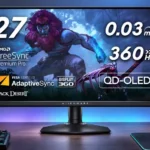
Dell Alienware AW2725DF Feature Scores
Explore all 76 feature scores for Dell Alienware AW2725DF, organized into pros and cons.
Scores by Feature
Summary
76 reviewed features-
Very positive 4.5-5.033 (43%)
-
Positive 3.5-4.419 (25%)
-
Neutral 2.5-3.412 (16%)
-
Negative 1.5-2.411 (14%)
-
Very negative below 1.51 (1%)
Pros
Sort
-
A very wide gamut produces rich, saturated colors and notably strong HDR color volume. This is consistently one of the monitor's most admired visual qualities.
-
Vivid colors, deep blacks and highly fluid motion combine into a striking gaming image; modest room-light performance and some mode-specific tuning keep it from being universally ideal.
-
Exceptional clarity, low lag and up to 360Hz make this a particularly strong competitive PC gaming screen when the system can deliver high frame rates.
-
The 360Hz QD-OLED panel keeps fine moving details visible and cuts blur noticeably compared with lower-refresh displays. The gain over 240Hz is real but subtler than larger refresh-rate jumps.
-
Pixel-level OLED control creates striking contrast and clean bright-on-black detail in dark environments, although direct light lessens the perceived advantage.
-
Near-instant OLED pixel transitions keep fast objects clean and responsive without the usual LCD overshoot or trailing.
-
Native 360Hz refresh is the headline advantage, bringing exceptional speed and refined motion for esports without requiring lower resolution on the panel itself.
-
Very low display lag delivers quick-feeling mouse and controller responses, an advantage in fast competitive titles.
-
Inky, individually controlled blacks are a defining strength for games and movies in controlled lighting. Direct room light can lift the panel to a grayish or purple appearance.
-
DisplayPort is the reliable path to native 1440p at 360Hz, making it the preferred connection for high-frame-rate PC gaming.
-
Atmospheric, narrative-driven games benefit enormously from saturated color, precise highlights and black scenes, even when they do not approach 360fps.
-
Height, tilt, swivel and pivot adjustments help fit the display to varied positions, and the mounting and movement generally feel straightforward.
-
Dell's three-year support and explicit burn-in coverage are major reassurances for an OLED purchase, though coverage cannot eliminate the underlying wear risk.
-
Fast-moving objects show very little ghosting or overshoot, keeping rapid camera pans unusually clean at high refresh rates.
-
The compact hexagonal foot usually leaves extra desk space for a keyboard and surrounding equipment. Its shape can suit multi-monitor arrangements as well.
-
Specular HDR details look vivid and sharply separated from black backgrounds, though the high peak is restricted to very small bright areas.
-
The restrained black-and-gray Alienware styling attracts praise for looking futuristic without becoming gaudy, although some find the housing or bezels overly bulky.
-
OLED contrast, color and concentrated highlights make HDR games and films appealing, but sustained bright scenes are less impactful than on strong Mini-LED displays.
-
The compact stand is usually firm, but wobble during repositioning and individual ergonomics complaints keep experiences from being unanimous.
-
The semi-glossy QD-OLED finish looks clearer and less grainy than many matte OLED coatings, with extra reflections as the tradeoff.
-
Wide OLED viewing angles maintain color and contrast well when the screen is viewed away from center.
-
Tool-free stand assembly and straightforward installation make getting started quick, even though rear cable covers can require a little care.
-
Colors can be remarkably accurate, particularly in Creator sRGB mode, but the default wide-gamut presentation can oversaturate SDR content and the DCI-P3 preset draws mixed assessments.
-
The joystick-driven OSD is usually intuitive, responsive and easy to navigate, although a few software quirks and limited controls attract criticism.
-
A useful downstream USB-A and USB-C arrangement keeps mouse and keyboard peripherals handy, though it does not turn the monitor into a USB-C laptop dock.
-
The combined speed and OLED image can justify a premium for dedicated gamers, especially when discounted. Buyers who value size, resolution or connectivity more may see poor value.
-
The stand's routing channel and rear cover are useful for hiding wires, although recessed video ports can be awkward to reach when swapping devices.
-
Bright objects sit against black without the blooming or halos of zone-lit LCDs, making night scenes especially striking.
-
Variable refresh rate works smoothly across supported modes in many setups, although its benefits diminish when frame rates fluctuate enough to cause flicker.
-
Subtle AlienFX lighting gives the back of the monitor some character, and the colors can be adjusted or disabled. The uneven rear glow does not appeal to everyone.
-
The plastic housing is usually regarded as solid and attractive, although a few accounts describe hollow sections, flex or creaking rather than a luxury construction.
-
OLED pixels eliminate the conventional LCD backlight bleed that can wash out dark corners, keeping black areas clean.
-
Connected over DisplayPort, this is an outstanding PC gaming display with remarkably clean motion and low lag. Gamers need a capable PC and the right connection to make the most of 360Hz.
-
Colorful, accurate Creator presets make the panel enjoyable for photo edits, with attention needed to SDR calibration and prolonged static screens.
-
Dark Stabilizer and the shadow-enhancement options can expose opponents or details in dim game areas without dramatically lifting all the blacks.
-
1440p is a useful sweet spot for detailed gaming at very high frame rates, but fine desktop text and modern 4K content cannot match the crispness of true 4K screens.
-
Creator and Smart HDR modes offer useful options, but default desktop, movie and game presets can produce blur, excess saturation or uneven brightness depending on content.
-
Firmware can be updated through Dell's tools, and an update apparently resolved one instance of intermittent gray-screen failures. The update process adds another setup step.
-
Overall satisfaction is very high among gamers enjoying the OLED upgrade, with some caveats around cost, reliability and panel upkeep.
-
The clean styling and polished thin panel give a premium first impression, though plastic construction tempers the luxury feel.
-
Standard 100×100mm VESA support makes it straightforward to swap the supplied stand for a wall mount or monitor arm.
-
Gamma looks reasonably close to target in several modes, but some preset tracking and fine-adjustment limits prevent consistent precision.
-
Crosshairs, frame-rate indicators, AlienVision and shadow tools cover useful gaming extras, though the broader feature set feels lean relative to some premium rivals.
-
One arrival had a battered shipping carton but the monitor itself was undamaged, so the reported delivery result was ultimately reassuring.
-
This third-generation QD-OLED implementation wins praise for its combination of color volume, contrast and rapid response.
-
Well-managed SDR content in HDR mode can reduce the need for constant switching between display modes, provided its brightness tradeoffs are acceptable.
-
Cooling-fan noise is generally unobtrusive, but a very quiet environment may make the internal fan faintly audible.
-
Brightness uniformity is strong in one measurement but another test found visible corner darkening, making this a modest point of disagreement.
-
Dell Display Manager and Alienware software offer convenient access to image presets and updates, but occasional control quirks remain.
-
Creator presets and custom color adjustments offer useful calibration choices, though there is no hardware calibration and some control options are limited.
-
The supplied stand, signal cables and accessories make setup convenient, although the missing HDMI cable in some kits is criticized.
-
The packaging usually protects the panel well, although at least one unboxing showed conspicuous box damage.
Cons
Sort
-
The HDMI connection is the standout connectivity compromise: despite HDMI 2.1 labeling, its bandwidth is restricted and it cannot carry native 1440p at 360Hz.
-
A small number of experiences describe serious picture-loss or maintenance-cycle problems that interrupt use, despite otherwise positive day-to-day operation.
-
The glossy coating creates a clean, vivid image but reflects windows and lamps; raised purple blacks are particularly noticeable under direct ambient light.
-
There is no KVM to share a keyboard and mouse conveniently across computers, despite a useful USB hub and multiple video inputs.
-
Long-term confidence is mixed: isolated reports describe freezes, lost pictures and exchanges, while a firmware update resolved one reported gray-screen issue.
-
Variable-frame-rate gaming can produce visible flicker, most noticeable during darker scenes or erratic performance; a stable frame rate helps.
-
The lack of speakers leaves console and streaming-device users arranging external audio, which can make otherwise straightforward hookups less convenient.
-
Higher power draw than expected, including unusual standby use in one test, weakens the efficiency case compared with some conventional screens.
-
Reaching the 360Hz ceiling at 1440p demands a powerful computer or less demanding game settings, so the speed advantage is conditional.
-
Some find the screen comfortable in dim conditions, but flicker sensitivity and one account of pronounced eye strain make comfort highly individual.
-
Downscaled virtual-4K modes can help some HDMI devices, but the resulting 1440p image and restricted output modes limit their usefulness.
-
The glass finish is surprisingly easy to mark or smear and needs careful handling to maintain its clean appearance.
-
The jump from a smaller esports display to 27 inches offers more room for work, but can initially feel unfamiliar for highly practiced players.
-
The default sharpening can exaggerate edges or make tiny details look spotty; lowering it produces a more natural picture for some users.
-
The USB-C accessory port can charge small devices at limited wattage, but it does not offer meaningful laptop power delivery or carry video.
-
The glossy glass can show smears and small spots easily, so regular cleaning may take more effort than on a typical matte LCD.
-
Consoles can use 1440p at 120Hz, but limited HDMI bandwidth restricts higher-bandwidth modes and complicates the ideal 4K HDR/120Hz combination.
-
Two DisplayPorts and convenient USB accessory ports are useful, but limited HDMI bandwidth, no USB-C video input and the lack of audio output make connectivity feel incomplete.
-
Third-generation QD-OLED reduces the colored edges seen around small text, but fringing and lower text crispness remain noticeable to sensitive users.
-
SDR brightness generally stays steady without obvious automatic dimming, while brighter HDR scenes can trigger a noticeable drop in overall luminance. Some testing also raises questions about brightness behavior with particular backgrounds.
-
The display can handle occasional desktop tasks, but OLED wear concerns and text rendering prevent it from being the most comfortable all-day work monitor.
-
HDR mode and preset accuracy are uneven: some preserve highlight detail well, while others darken scenes, crush detail or create excessive saturation.
-
Pixel and panel refresh routines help manage OLED wear, backed by a three-year burn-in warranty. The relatively limited user-adjustable safeguards and persistent static-content risk remain drawbacks.
-
Small bright details can look dazzling, but full-screen SDR brightness is modest and heavily lit rooms expose its limits. Experiences with actual brightness vary across modes and tests.
Use Cases
Best for
Sort
-
This is where the deep OLED blacks, dramatic contrast and vivid HDR detail look their best, free of the screen's bright-room purple cast.
-
HDR games with dark environments and intense lighting look especially convincing thanks to vivid OLED color and near-black control.
-
The broad gamut and Creator sRGB option support occasional video work, although professional grading and long static timelines warrant caution.
-
The 27-inch panel can fit neatly beside additional monitors, providing high-end gaming without demanding an oversized footprint.
-
Its size and relatively compact base can work well within a multi-monitor workstation, although the OLED and text tradeoffs still apply.
-
Separate DisplayPort inputs allow two PCs to remain connected, but the absent KVM makes sharing a keyboard and mouse less seamless.
-
Atmospheric movies benefit from striking contrast and color, although 1440p resolution and some streaming-app output restrictions prevent the full 4K experience.
Conditional or not ideal for
Sort
-
Single-cable laptop dockingA single USB-C cable cannot provide laptop video, charging and accessories here; a separate DisplayPort or HDMI video connection is necessary.
-
USB-C laptop dockingUSB-C is useful for downstream accessories, not for docking a laptop with display input and substantial charging power.
-
Bright-room viewingUncontrolled daylight can wash out blacks, reveal reflections and expose the relatively low sustained brightness; darker or shaded setups fare better.
-
Budget-conscious buyersThose watching their budgets will need to weigh a substantial premium against speed they may not use, although some find sale prices compelling.
-
Programming and codingCode and text are legible for many users, yet the triangular subpixel layout can show distracting color edges during sustained reading.
-
Long-term ownershipThe burn-in warranty helps, but static elements and a few hardware problems complicate confidence for years of fixed-interface use.
-
Desktop productivityMultitasking benefits from 1440p workspace and good color, but tiny text, static taskbars and OLED burn-in considerations make all-day desktop use less ideal.
-
Streaming setupA streaming stick can use the display, but the absence of speakers and audio passthrough complicates a self-contained entertainment setup.
-
Photosensitive playersEye comfort varies sharply: some gamers report long sessions without discomfort, while others notice flicker or color fringing, and one experienced severe eye strain. Those sensitive to flicker or text artifacts should be cautious.
-
Casual gamingEveryday and slower-paced games look beautiful, but paying extra for 360Hz can be unnecessary if frame rates and competitive play are not priorities.
-
Color-critical workThe very accurate sRGB mode and wide gamut help creative tasks, but DCI-P3 precision, text rendering and static-content wear make color-critical workflows conditional.