
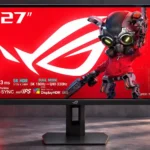
ASUS ROG Strix 5K XG27JCG Feature Scores
Explore all 78 feature scores for ASUS ROG Strix 5K XG27JCG, organized into pros and cons.
Scores by Feature
Summary
78 reviewed features-
Very positive 4.5-5.037 (47%)
-
Positive 3.5-4.421 (27%)
-
Neutral 2.5-3.49 (12%)
-
Negative 1.5-2.410 (13%)
-
Very negative below 1.51 (1%)
Pros
Sort
-
At roughly 218 pixels per inch, the display's tiny pixel structure makes text, textures and fine imagery exceptionally crisp.
-
Native 5120-by-2880 resolution is the standout draw, providing remarkably detailed games and text. That extra fidelity is most noticeable in slower scenes and desktop work.
-
Text and fine textures are unusually crisp, often described as the best detail seen on a 27-inch gaming display.
-
Movement remains impressively crisp across 5K and 1440p modes; ELMB 2 is a particular strength, though OLED still responds faster.
-
High refresh at native 5K plus up to 330Hz at 1440p delivers unusually flexible smoothness. Maximum 5K rates require a compatible GPU.
-
The flat, compact stand keeps valuable desktop space open and can accommodate items placed on its base.
-
DisplayWidget Center is repeatedly praised for making presets, brightness and other settings easier to change without reaching behind the screen.
-
The combination of exceptionally sharp 5K and 1440p at 330Hz is the monitor's signature advantage. A few find the lower-resolution mode softer than a native 1440p panel.
-
The monitor earns enthusiastic recommendations as a flexible high-resolution gaming display, while a few reviewers question whether its specialized benefits justify the price.
-
The 1440p/330Hz mode, responsive controls and motion options suit fast competition well, though OLED rivals may be preferable when pure esports speed is the only priority.
-
G-SYNC and FreeSync support provide responsive, tear-free gaming, including compatibility with a motion-blur reduction mode.
-
Story-driven and slower games benefit greatly from detailed 5K environments and textures, although deep-dark HDR scenes reveal the IPS contrast limits.
-
ELMB 2 earns especially strong praise for reducing blur while preserving brightness. Reviewers generally favor moderate clarity settings to avoid unnecessary artifacts.
-
Ultra-fine detail and vivid color deliver an eye-catching image, especially in SDR. Weak black levels and limited HDR depth stop it from being universally outstanding.
-
Factory calibration is a strong point, with several reviewers observing accurate colors without adjustment; some note minor gamma or temperature deviations.
-
Height, tilt, swivel and portrait rotation are welcome, but some wish the panel could be raised higher, particularly for vertical use.
-
The organized menus offer deep customization, and convenient software control makes many adjustments easier.
-
Variable refresh rate helps prevent tearing, with ELMB Sync offering the valuable ability to combine VRR and blur reduction.
-
Many find the pricing attractive for a 5K high-refresh monitor, but others argue similarly priced OLED alternatives offer better contrast and gaming speed.
-
Crosshairs, timers, configurable overdrive, shadow controls and motion settings provide a wide toolkit for gaming adjustments.
-
ASUS's motion-blur reduction is praised for crisp movement without the severe brightness loss associated with many older strobing systems.
-
PS5 and Xbox testing finds broad 4K/120Hz and VRR support, making this an unusually capable 5K display for consoles.
-
Reviewers consistently describe gaming input as responsive, with little delay during fast movement and precision aiming.
-
The threaded socket atop the stand is a useful addition for attaching a camera, light or other streaming accessory.
-
Colors are widely praised as vibrant and rich, although the gamut is not as extensive as the best specialist creator displays.
-
Extensive RGB, gamma, gamut and image-mode adjustments give users considerable control over color presentation.
-
Adjustments feel secure and smooth, and the heavy, flat base resists wobble during normal handling.
-
Measurements show strong HDR brightness, but impressions of SDR punch vary; some appreciate the output while others want more headroom.
-
Multiple HDMI, DisplayPort, USB-C and USB-A connections are a practical advantage, though the limited USB-C charging output holds back laptop use.
-
Pixel transitions are fast by IPS standards, although the fastest OLED panels retain an advantage and overdrive settings affect the result.
-
Strong factory accuracy leaves little need for adjustment, yet enthusiasts can still fine-tune the monitor to a more exact reference result.
-
Unlike many gaming monitors, this one lets users adjust HDR brightness and contrast, providing welcome flexibility for different content and consoles.
-
The integrated KVM is useful for sharing peripherals between a gaming desktop and another computer without constantly reconnecting devices.
-
Initial assembly and connecting a Mac are straightforward, apart from some less convenient mounting and setting details.
-
Three USB-A downstream ports help connect desktop peripherals, and their utility is enhanced by the KVM system.
-
The anti-glare coating works well in typical conditions, but other tested monitors can handle particularly bright rooms better.
-
Retina-like 5K text and desktop smoothness make the display appealing for Mac users. Mac-specific limits and weaker connectivity than Apple's own displays remain considerations.
-
Fine-grained settings help balance response and overshoot. Midrange values tend to look best, while maximum settings risk visible inverse ghosting.
-
Motion is generally clean with sensible settings, but aggressive overdrive can introduce bright trails or inverse ghosting.
-
The anti-glare surface controls reflections well, although a few glossy-screen fans wish the image had a more glass-like finish.
-
A 27-inch surface gives 5K pixels exceptional density without requiring a massive workspace, fitting the intended high-detail viewing distance.
-
The compact stand and restrained front appeal to many, while opinions differ on the familiar angular plastic rear casing.
-
The stand and assembly feel sturdy and well finished, though the plastic enclosure disappoints at least one buyer expecting more luxurious materials.
-
Non-native content generally upscales cleanly, but the 1440p high-speed mode can look softer or more pixelated than true native QHD to some eyes.
-
Shadow Boost is viewed as useful in tactical games for revealing dark-area opponents without overexposing the whole screen.
-
The matte housing hides fingerprints effectively, helping the exterior retain a clean appearance.
-
An internal power supply eliminates an external brick, simplifying placement and cable routing.
-
Dense 5K detail makes high-resolution photographs easy to inspect, with far more definition than lower-resolution alternatives.
-
Normal operation is reported as flicker-free even at low brightness, although motion-strobing features inherently behave differently.
-
The backlit rear logo offers adjustable visual flair while remaining relatively understated, though its effect is mostly visible from behind the screen.
-
The analog headphone connection is appreciated as a practical audio option, especially since speakers are not built in.
-
Strong PC gameplay is possible at either resolution, but high-end 5K refresh rates depend heavily on graphics hardware and supported settings.
-
Thin borders keep attention on the image and help the display look clean from the front.
-
The smaller simulated screen option helps tailor competitive games to a tighter viewing area, with smooth performance in the tested configuration.
-
Automatic picture-profile selection is a convenient alternative to manual preset switching, particularly when moving between games and work apps.
-
A removable connector cover makes the rear connections look tidier after setup.
-
Adjustable blue-light filtering helps warm the picture for more comfortable extended viewing.
-
Some describe the stand and controls as reassuringly premium; another finds the housing too plastic-heavy for the asking price.
Cons
Sort
-
Driving modern games at native 5K and high frame rates requires substantial GPU power; older cards may also face a lower 5K refresh ceiling.
-
Ten edge-lit zones are inadequate for convincing HDR contrast and can create halos or distracting brightness patches.
-
The 15W USB-C output is consistently flagged as insufficient for charging most laptops or handhelds during normal use.
-
The IPS panel can show visible glow and bleed in dark scenes, making black areas look less even than on OLED displays.
-
Most reviewers find blacks grayish or washed out compared with OLED, especially in dark rooms. One Mac-oriented review is more positive about the result.
-
Several measurements find that indicated gamma runs higher than its actual target, so accurate output may require choosing a lower menu setting.
-
The sparse edge-lit dimming creates obvious halos around bright objects, a major distraction in HDR scenes.
-
DisplayPort 1.4 works with compression but feels dated for such a demanding 5K display; several would prefer DisplayPort 2.1.
-
The usual cables and ROG extras are provided, but one purchaser felt the box's minimal cable selection fell short of a premium unboxing.
-
One owner encountered desktop flickering after several hours using the 180Hz overclock and had to restart the PC; the problem did not recur during the brief test period.
-
The simple carton and sparse contents lack the premium unboxing experience one buyer expected from a high-priced ROG product.
-
Some reviewers enjoy the strong measured brightness and vivid color, while others find HDR unconvincing because edge-lit dimming cannot produce deep blacks or clean highlights.
-
Some tests find acceptable overall consistency, but light output varies across the screen and edge lighting can create distracting patches.
-
VESA mounting is possible, but the recessed mounting area and trim removal can complicate fitting certain arms and stands.
-
IPS contrast is the chief image-quality compromise: some find it respectable for LCD, but dark scenes cannot match OLED or high-zone mini-LED.
-
No speakers are provided. Some consider this a regrettable omission, while others see it as acceptable for a gaming monitor used with external audio.
-
Bright details can look vivid, but limited local contrast prevents HDR highlights from standing out consistently against dark surroundings.
-
IPS viewing angles are serviceable at a normal desk position, but oblique views can shift brightness or color compared with more uniform displays.
-
Once configured, mode switching is quick, but changing resolution while a game is open can trigger display problems.
-
Numerous visual modes offer flexibility, but some presets look too dim or poorly judged without manual adjustment.
Use Cases
Best for
Sort
-
Exceptionally crisp fonts, smooth scrolling and fine image detail make everyday documents and general desktop work a major strength.
-
Switching between razor-sharp 5K work and fast 1440p gaming is a standout combination for a shared productivity-and-gaming desk.
-
5K resolution, readable controls and space to view 4K footage are appealing for editing, while critical HDR grading is less convincing.
-
The built-in tripod attachment conveniently supports a webcam or light without another desk stand.
-
High-refresh 1440p mode and shadow visibility tools can help competitive shooters feel smooth and make targets easier to spot.
-
Mac-friendly 5K sharpness and software controls make the display a strong Apple-computer companion, but it lacks some of Apple's display-specific integration.
-
The shallow stand frees useful space for the keyboard and mouse, making the monitor suitable for a smaller desk.
-
High pixel density and accurate, vibrant color work well for creative apps, even though this is not a dedicated reference display.
-
The KVM and multiple video inputs make it practical to use one keyboard and mouse across a gaming desktop and work laptop.
-
Extremely sharp small text makes code and documentation easy to inspect over long stretches of desk work.
-
Older and lighter games are well suited to native 5K, where fine detail is excellent and the GPU burden is more manageable.
-
Dialogue-heavy and subtitled games benefit from particularly clear lettering, making small interface text easier to read.
-
A smaller simulated display area can suit games that benefit from a tighter field of view, and the tested mode stays smooth.
-
Less demanding or slower games can look exceptionally good in native 5K, often without needing the highest possible refresh rate.
-
Fine detail and appealing colors make video enjoyable, while darker HDR scenes fall behind stronger local-dimming displays.
Conditional or not ideal for
Sort
-
Single-cable laptop dockingUSB-C video works, but only 15W charging means most laptops still need their own power connection.
-
HDR gamingHDR can look bright and colorful, but the edge-lit backlight cannot consistently deliver impactful highlights or deep blacks, especially in dark scenes.
-
Bright-room viewingOrdinary indoor light is manageable, but strong sunlight or bright office settings may favor a monitor with higher SDR brightness and better reflections control.
-
Dark-room viewingLow minimum brightness can be comfortable, but prominent IPS glow and gray blacks are notable drawbacks during dark-scene viewing.
-
USB-C laptop dockingA laptop can feed video over USB-C, but weak power delivery substantially limits its usefulness as a true docking connection.
-
Portrait orientationThe stand pivots to portrait, but limited height clearance makes an ideal upright position less convenient.
-
Color-critical workColor accuracy and controls are promising, but several comparisons favor dedicated ProArt-style displays for the widest gamut and specialized grading needs.