
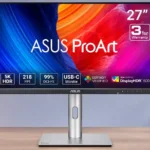
ASUS ProArt Display 6K PA32QCV Feature Scores
Explore all 80 feature scores for ASUS ProArt Display 6K PA32QCV, organized into pros and cons.
Scores by Feature
Summary
80 reviewed features-
Very positive 4.5-5.031 (39%)
-
Positive 3.5-4.419 (24%)
-
Neutral 2.5-3.411 (14%)
-
Negative 1.5-2.417 (21%)
-
Very negative below 1.52 (3%)
Pros
Sort
-
The 32-inch 6K canvas is the headline advantage, bringing far more usable pixels than 4K and providing beautiful detail for creative applications.
-
The LuxPixel matte finish is consistently excellent at suppressing bright lights and reflections. That benefit comes with a possible grainy or softened image.
-
The included stand is a standout: height, swivel, tilt and pivot adjustments let users dial in many professional desk positions.
-
This is one of the most affordable ways to get a large 6K panel with serious creative features. The savings require accepting plastic construction and limited HDR.
-
About 218–219 pixels per inch gives this large screen Retina-class detail and fine text. The coating can slightly reduce perceived sharpness despite the high underlying density.
-
The 31.5-inch display creates substantial workspace for timelines, design tools and multiple windows without forcing a dual-monitor setup.
-
Accurate, well-calibrated color is a major attraction for web, photo and video work. Some test samples show modest errors or benefit from further calibration for exacting jobs.
-
Thunderbolt 4 provides capable Mac and Windows laptop connections, high-resolution video and useful downstream options.
-
Brightness is a consistent strength, with measurements and hands-on impressions describing a remarkably luminous SDR image. A few color presets limit adjustment, however.
-
The big, detailed canvas and reliable SDR color help with high-resolution photo adjustments. Deep-shadow judgment and limited Adobe RGB coverage are the main qualifications.
-
Most praise the exceptionally fine lines and text, but the aggressive matte finish creates a softer impression for some buyers.
-
Up to 96W charging helps power MacBooks and many Windows laptops while keeping the desktop to one main cable.
-
DisplayWidget Center makes detailed monitor settings accessible from macOS and Windows, often more convenient than navigating physical controls.
-
The overall reaction is positive for high-resolution professional work and value. Buyers prioritizing perfect panels or glossy OLED-style impact are more cautious.
-
Thunderbolt-out simplifies linking a second display, which is useful for Mac and laptop desks. A faster second monitor may be restricted to 60Hz through the chain.
-
The built-in KVM is handy for sharing input devices across two machines and often works smoothly. One hands-on account describes troublesome wake switching and too few usable peripheral ports.
-
Reviewers report useful operation with Macs and Windows PCs through Thunderbolt, HDMI and DisplayPort. Older machines may not support the full 6K signal.
-
Tool-free assembly, straightforward cabling and quick first use make initial setup refreshingly simple for a large professional monitor.
-
Front-facing buttons and a logical menu are widely praised for easy access. Some find the layered controls or restrictions within particular modes frustrating.
-
The panel covers sRGB and most of DCI-P3 very well for digital content. Adobe RGB coverage is noticeably narrower, limiting confidence for some print-focused workflows.
-
A standard 100×100mm mount provides flexibility for monitor arms, an attractive option when the included base or cable opening is inconvenient.
-
Most find the stand reassuringly stable, but the large plastic design attracts occasional complaints about desk wobble or play.
-
Detailed presets, custom color modes, gamma settings and software control are broadly appreciated. Hardware self-calibration is missing, and certain presets lock useful adjustments.
-
Thunderbolt 4, DisplayPort, HDMI and USB provide above-average versatility. Users with numerous peripherals or multiple HDMI devices may still want more ports.
-
The screen and stand generally feel solid and carefully assembled. Its mostly plastic shell and some reports of wobble keep it from feeling as luxurious as metal-bodied alternatives.
-
Integrated peripheral ports make the monitor a practical desk hub, although power users may find the usable USB count insufficient.
-
Several tests find gamma and color temperature close to target, though individual samples or presets can deviate slightly.
-
The native 6K resolution maps neatly to macOS's 2× scaling, retaining sharp UI elements. Windows scaling also works well with suitable hardware.
-
The power supply fits inside the cabinet, eliminating an external brick and making cable runs less cumbersome.
-
A three-year coverage plan and available exchanges bring peace of mind, with an extended registration-based option discussed in one account.
-
The display delivers bright, highly detailed SDR images with convincing colors. Rich OLED-like blacks and dramatic HDR highlights are not its strengths.
-
Protective packaging earns praise, including recyclable material and reassuring care for a large screen in transit.
-
On-screen framing guides are praised for document layouts and production monitoring, saving time when aligning crops and composition.
-
The familiar 16:9 canvas works comfortably with mainstream creative applications and side-by-side windows rather than demanding ultrawide-specific layouts.
-
One extended user found no significant eye strain across long workdays and credited the flicker-free, low-blue-light approach as a possible factor.
-
The headphone output is described as clean and convenient for calls or casual listening, offering an easy alternative to the weak internal speakers.
-
Flexible PIP and PBP layouts allow simultaneous display of multiple inputs, a useful option for professional multi-source desks.
-
Window-organization features work well for arranging a broad range of desktop tasks across the large display.
-
Lower-edge USB access makes connecting small devices easier than reaching behind the full-size display.
-
Its thin bezels and restrained professional styling suit an office. The plastic case, noticeable lower chin and exposed front controls divide preferences.
-
Useful cables, the stand and a cleaning cloth are included, helping buyers set up without immediately shopping for extras.
-
Several luminance curves and dimming settings provide creative flexibility. The underlying backlight limits how much those controls can improve the HDR result.
-
Results are mixed: some see wide, dependable IPS angles, while others report more off-axis change due to the matte coating.
-
HDR can reveal more highlight structure than SDR, but peak brightness and dimming precision are below reference-grade levels.
-
The PQ Optimized setting offers credible tone mapping within the screen's limited luminance range, but it cannot overcome the hardware's contrast ceiling.
-
A fanless design stays quiet through lengthy editing sessions, although the panel can become warm during use.
-
Several months of daily professional use earned praise in one long-form account. It is too soon to draw a universal conclusion about every panel's lifespan.
-
Slow or static games benefit from highly detailed 6K scenery. Motion-heavy titles do not receive the same recommendation.
-
Standard 24–30fps editing and video playback sit comfortably within 60Hz limits, though the display is not intended for high-frame-rate gaming.
-
The optional voice/text control can execute monitor commands, including switching presets, successfully in one report.
Cons
Sort
-
Built-in sound is consistently a weak link, with thin or mediocre output; external speakers or headphones are recommended.
-
A 60Hz refresh ceiling and visible motion blur make this a poor fit for competitive shooters and other fast-paced esports games.
-
Its simple edge-based dimming is widely criticized for weak black control and visible unevenness. One test saw measurable contrast gains, but the overall HDR presentation remains limited.
-
A 60Hz cap is acceptable for traditional creative timelines and normal office work but disappointing for fast games or people accustomed to 120Hz-plus displays.
-
Initial image display can take longer than competing high-end monitors, and the slower wake-up becomes inconvenient when reconnecting laptops repeatedly.
-
Unit consistency is a real concern. Some screens show noticeable corner brightness or white-balance variation; others, including one replacement, look far better.
-
HDR is the primary image-quality compromise: decent brightness cannot make up for limited dimming and modest contrast. It is more suitable for occasional previewing than final reference grading.
-
Motion is noticeably less crisp than on modern high-refresh screens. Standard video still looks smooth enough, but rapid gaming exposes blur.
-
Switching to HDR can require manual settings changes and refreshing the content instead of seamless automatic detection.
-
A KVM limitation can prevent switching to a sleeping computer until it has been awakened another way, undermining smooth device handoffs.
-
Opinions split between solid, professional construction and an obviously plastic, less luxurious finish. It does not mimic Apple's aluminum-and-glass feel.
-
An internal power supply helps eliminate a bulky brick, but the stand's low cable opening leaves some wires visible. Tidier setups may benefit from a monitor arm.
-
The IPS panel offers reasonable blacks for general editing, but they look gray compared with OLED or Mini LED, especially in dark scenes.
-
Faster dynamic dimming can make bright-object halos more apparent; this is not a display that can produce tightly controlled HDR highlights.
-
Gaming at the full native 6K resolution is demanding, so lowering render resolution is recommended for more playable performance.
-
The 32-inch cabinet and robust stand are heavy, so this is best treated as a stationary desk display rather than one moved often.
-
One test found noticeably higher consumption than comparable 32-inch 4K screens, a drawback for efficiency-conscious use.
-
Its stated 5ms response is serviceable for a professional monitor but unremarkable next to modern gaming and OLED alternatives.
-
Early demand reportedly outpaced supply, making this budget-friendly 6K option harder to find at launch.
-
Raised IPS black levels make deep-shadow editing harder to judge by eye, sometimes requiring reliance on histograms and exposure readings.
-
Speaker level cannot be adjusted through the desktop utility in one account, forcing clumsy use of the display buttons.
-
The downstream Thunderbolt connection is not as fast as a direct Mac connection for one high-speed external SSD.
-
Adaptive-Sync is present, but its narrow operating range and incompatibility with overdrive limit the benefit for action games. It is more useful for modest media playback smoothness.
-
The ambient-light sensor can reduce manual brightness adjustments, but reactions are mixed. Preset restrictions and overly dim results in certain color modes undermine its convenience.
-
Opinions vary on its IPS contrast: several find it respectable for LCD technology, but others find the blacks and overall depth disappointing beside OLED or Mini LED.
-
The matte coating is divisive: some see crisp, unobstructed detail while others notice haze, shimmer or grain that undermines 6K text clarity.
-
A broad base occupies meaningful desk space, though its flat surface remains usable. Some appreciate that the updated stand is more compact than earlier designs.
-
Some units reveal glow near the edges, although another assessment found little obvious edge bleed. Panel-to-panel behavior is worth checking after purchase.
-
Reports conflict: one editing-focused test praises the quiet fanless operation, while another owner complains of a noticeable hum.
-
Static or slower-paced games look detailed, but the fixed 60Hz ceiling and resolution load limit its usefulness for demanding PC play.
Use Cases
Best for
Sort
-
macOS-friendly 6K pixel density, color presets and Thunderbolt docking make this a compelling option for Mac users. Mac and Windows compatibility broadens its appeal beyond Apple-only displays.
-
This is one of its strongest roles: 6K clarity and 32-inch workspace make documents, multiple windows and daily creative tasks easy to arrange together.
-
Ample pixel space keeps full-resolution footage, tool panels and timelines visible together. SDR editing shines; precise HDR finishing is less convincing.
-
Fine color reproduction and a rich set of presets suit serious SDR creative tasks. Professionals demanding reference HDR or complete Adobe RGB should look further upmarket.
-
Unusually strong SDR brightness and effective glare rejection help the display stay readable in sunlit studios and well-lit offices.
-
A full 90-degree pivot is particularly helpful for long documents, scores, timelines and vertical media. Its sheer size may look awkward in portrait for some desks.
-
Fine text, roomy code windows and macOS-friendly scaling make it particularly pleasant for programmers. A lower refresh rate is less consequential during ordinary coding.
-
Thunderbolt carries 6K video, data and laptop charging on one cable, reducing chargers and adapter clutter.
-
Inputs and Auto KVM can reduce clutter when switching between Mac and PC. Complex setups with sleeping computers or many USB devices may need separate switching hardware.
-
Thunderbolt daisy-chaining makes connecting a second display more convenient. The second screen may face refresh-rate limitations, particularly when it is normally faster than 60Hz.
-
A second screen can be connected downstream through Thunderbolt, saving a connection at the computer. High-refresh secondary monitors may need their own direct link.
-
Compatible Thunderbolt laptops benefit from a convenient all-in-one display connection with charging and peripherals.
-
Restrained styling and a visually unobtrusive panel help keep attention on on-screen work rather than decorative hardware.
-
The monitor can switch between a desktop used for occasional games and a MacBook used for work. Gaming is secondary to its creative strengths.
-
Several months of daily creative and office use left one tester confident in the screen's dependability, although broader long-term durability remains uncertain.
-
A clean headphone output makes calls practical, though the monitor is not praised for integrated meeting-oriented audio or camera hardware.
Conditional or not ideal for
Sort
-
HDR color gradingHigh color fidelity helps with standard footage, but the weak black control and modest HDR contrast make this a conditional choice for critical HDR finishing.
-
Dark-room viewingDark rooms expose the panel's elevated blacks and weaker shadow depth, making cinematic dark-scene viewing less satisfying than on higher-contrast displays.
-
Movies and streamingBasic entertainment is possible, but limited HDR punch and motion performance make it a less compelling dedicated movie-and-gaming display.
-
Print photo editingSuitability is mixed: one photographer matched screen colors to printed output, but incomplete Adobe RGB coverage worries other print-oriented users.