#1

Overall: 3.9/5
Tone mapping generally preserves bright detail while maintaining contrast, and game-mode controls allow substantial customization between dynamic mapping and HGIG.
Pros: peak brightness, picture quality
Cons: color accuracy, viewing angles
#2

Overall: 3.3/5
One expert found that raising HDR tone mapping to a middle setting produced the best picture. The default configuration leaves some performance on the table.
Pros: picture quality, overall satisfaction
Cons: value for money, reliability
#3
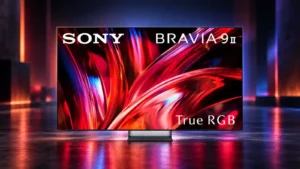
Overall: 4.3/5
Sony’s dynamic tone mapping is well judged, preserving highlight detail while making strong use of the panel’s enormous HDR headroom.
Pros: overall satisfaction, overall image accuracy
Cons: value for money, bass performance
#4
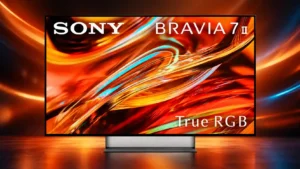
Overall: 4.2/5
Sony’s tone mapping is repeatedly praised for preserving highlight and shadow detail while respecting the intended overall brightness of the scene.
Pros: overall satisfaction, picture quality
Cons: HDMI 2.1 port count, reflection handling
#5

Overall: 4.0/5
Highlights retain smooth gradation, though the TV sometimes protects detail by limiting how bright tiny elements appear.
Pros: contrast ratio, black levels
Cons: reflection handling, color accuracy
#6

Overall: 2.7/5
Smooth HDR roll-off preserves some gradation, but it cannot overcome the screen’s modest brightness.
Pros: white balance accuracy, design and appearance
Cons: overall satisfaction, value for money
#7
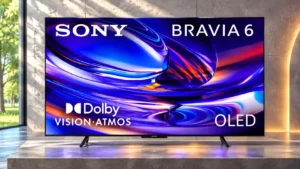
Overall: 3.8/5
Much of the HDR signal follows the intended luminance curve accurately. The brightest areas nevertheless clip rather than holding fine gradations.
Pros: HDMI 2.1 port count, Video input versatility
Cons: value for money, overall satisfaction
#8

Overall: 4.5/5
Tone mapping generally preserves bright highlights and dark detail well. Active mapping can add useful brightness or shadow visibility, though stronger settings may sacrifice some fine highlight detail.
Pros: glare resistance, black levels
Cons: Dolby Vision support, color gamut
#9
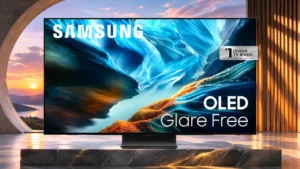
Overall: 4.1/5
Static tone mapping favors accuracy, while Active makes scenes brighter at the cost of faithful reproduction.
Pros: black levels, contrast ratio
Cons: Dolby Vision support, stutter handling
#10

Overall: 2.6/5
Midtones are mostly handled accurately, with a soft rolloff preserving some gradation in highlights.
Pros: sound quality, picture quality
Cons: value for money, local dimming performance
#11

Overall: 3.8/5
HDR roll-off balances highlight visibility and image brightness, though slight crushing can remain.
Pros: overall satisfaction, color gamut
Cons: value for money, local dimming performance
#12

Overall: 3.5/5
An orderly roll-off protects highlights from abrupt clipping, but those highlights remain restrained in brightness.
Pros: art display mode, design and appearance
Cons: overall satisfaction, HDMI port accessibility
#13

Overall: 3.8/5
HDR midtones are accurate and bright gradients are controlled, although small or very bright highlights lose impact.
Pros: cable management, design and appearance
Cons: value for money, Dolby Vision support
#14
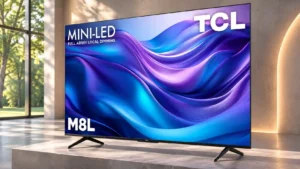
Overall: 4.1/5
Gradual HDR roll-off helps keep fine highlight transitions smooth rather than cutting them off abruptly.
Pros: value for money, overall satisfaction
Cons: HDR brightness
#15

Overall: 4.1/5
Static HDR tracking is often impressively faithful, while Dynamic Tone Mapping makes the picture brighter at the cost of some accuracy.
Pros: gaming performance, HDR brightness
Cons: reflection handling, glare resistance
#16

Overall: 4.0/5
Dynamic tone mapping can keep highlights visually strong, though measured luminance is uneven and may stray from accurate mastering.
Pros: peak brightness, picture quality
Cons: value for money, viewing angles
#17

Overall: 3.4/5
Dynamic processing preserves some highlight details but cannot overcome the display’s inherently limited peak brightness.
Pros: picture quality, color accuracy
Cons: remote control quality, black levels
#18
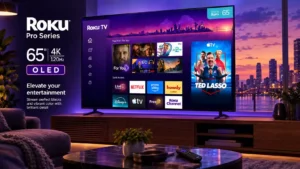
Overall: 4.1/5
One test criticizes default tone mapping for clipping highlight detail and recommends turning it off for accuracy. Another finds HDR luminance tracking very good.
Pros: contrast ratio, value for money
Cons: peak brightness, HDR brightness
#19

Overall: 3.8/5
HDR brightness tracks midtones accurately but clips or rolls off at the brighter end of the available range.
Pros: picture quality, color accuracy
Cons: HDR performance, sound quality
#20

Overall: 4.0/5
Bright effects are controlled effectively. Tone mapping sometimes flattens image depth.
Pros: black levels, picture quality
Cons: glare resistance, reflection handling
#21

Overall: 4.2/5
HDR tracking is mostly good, while optional dynamic mapping can brighten scenes or make movement look unnatural.
Pros: overall satisfaction, glare resistance
Cons: motion handling, viewing angles
#22

Overall: 4.1/5
Native HDR tone mapping preserves highlight detail well, but SDR-to-HDR remastering is inconsistent and can add harsh edges, cool tones, or an artificial look. PC HDR also showed mapping bugs...
Pros: picture quality, gaming performance
Cons: value for money, sound quality
#23

Overall: 3.1/5
More aggressive HDR mapping can raise overall brightness, but it does not improve peak output or fix the hardware's HDR limits.
Pros: picture quality, overall satisfaction
Cons: sound quality, black levels
#24

Overall: 4.4/5
Dynamic tone mapping can reveal shadows and add punch, but several tests found it overbrightened, washed out, or reduced highlight and color nuance. Accuracy is usually best with it disabled.
Pros: picture quality, peak brightness
Cons: value for money, sound quality
#25

Overall: 4.0/5
Tone mapping can add punch but sometimes pushes brightness beyond the intended image, especially in its most aggressive modes.
Pros: peak brightness, blooming control
Cons: value for money, motion clarity
#26

Overall: 4.1/5
Taming aggressively bright whites can compromise black depth, making preset and tone controls an important tradeoff.
Pros: peak brightness, picture quality
Cons: value for money, color accuracy
#27
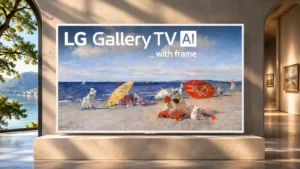
Overall: 3.1/5
The screen does not track HDR luminance consistently, with raised shadows, subdued midtones, and an abrupt ceiling near peak brightness.
Pros: design and appearance, maximum volume
Cons: picture quality, value for money
#28

Overall: 3.8/5
Bright HDR scenes can abruptly clip instead of preserving subtle gradations, while midtones remain more consistent.
Pros: HDMI 2.1 port count, overall satisfaction
Cons: HDR performance, bass performance
#29

Overall: 4.4/5
Tone mapping can deviate substantially from reference targets, with midtones and highlights sometimes rendered too bright. Lower peak-brightness settings improve tracking but sacrifice some impact.
Pros: picture quality, value for money
Cons: stand quality, judder handling
#30

Overall: 3.8/5
HDR midtones and bright scenes are often pushed too high, so the picture looks more intense than the mastered signal intended.
Pros: picture quality, overall satisfaction
Cons: color crosstalk, value for money
#31

Overall: 2.9/5
Abrupt brightness clipping obscures subtle highlights.
Pros: value for money, picture quality
Cons: account requirements, gaming performance
