
Overall: 4.1/5
Attaching the feet and completing basic setup is generally quick and simple, with few surprises.
Pros: overall satisfaction, value for money
Cons: Smart TV platform, advertising intrusiveness

Overall: 4.1/5
Attaching the feet and completing basic setup is generally quick and simple, with few surprises.
Pros: overall satisfaction, value for money
Cons: Smart TV platform, advertising intrusiveness

Overall: 3.8/5
SmartThings guidance and uncomplicated push-in stand feet make the initial setup notably simple.
Pros: picture quality, contrast ratio
Cons: blooming control, glare resistance

Overall: 4.0/5
The blade-style feet attach quickly and give a simple setup process, despite the TV being heavy enough to need help lifting.
Pros: peak brightness, picture quality
Cons: value for money, viewing angles
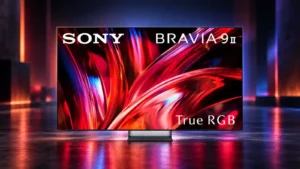
Overall: 4.3/5
Setup is notably straightforward, including quick Google Home configuration and an easy physical stand installation.
Pros: overall satisfaction, overall image accuracy
Cons: value for money, bass performance

Overall: 3.1/5
Owners find initial setup uncomplicated and enjoy the clear picture once configured.
Pros: picture quality, overall satisfaction
Cons: sound quality, black levels

Overall: 3.8/5
Stand assembly is unusually straightforward, allowing the TV to be ready for picture setup quickly with help lifting the panel.
Pros: overall satisfaction, color gamut
Cons: value for money, local dimming performance

Overall: 4.3/5
The legs are quick to attach and Fire TV onboarding is manageable, although linking an Amazon account can add a few minutes.
Pros: picture quality, black levels
Cons: bass performance, HDR brightness

Overall: 4.2/5
Directly integrated ports reduce dependence on an external connection box, although concealed connectors can complicate later changes.
Pros: picture quality, overall satisfaction
Cons: design and appearance, Dolby Vision support

Overall: 3.1/5
SmartThings-based onboarding and phone control make initial setup surprisingly painless.
Pros: gaming performance, color accuracy
Cons: value for money, overall satisfaction
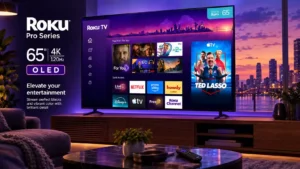
Overall: 4.1/5
Tool-free feet and straightforward startup make setup unusually easy. Multiple hands-on accounts have the television ready in about ten minutes.
Pros: contrast ratio, value for money
Cons: peak brightness, HDR brightness

Overall: 3.7/5
The center stand clicks into place with little effort and setup is generally quick. App accounts and device configuration can add steps afterward.
Pros: color volume, overall satisfaction
Cons: value for money, color accuracy

Overall: 3.8/5
The on-TV setup is straightforward, while physical mounting and hidden-power planning can take more effort.
Pros: cable management, design and appearance
Cons: value for money, Dolby Vision support

Overall: 3.3/5
Setup is one of the strongest customer-consensus positives, often described as quick, simple, or nearly automatic. A few owners find updates slow or note that large sizes still benefit from...
Pros: picture quality, overall satisfaction
Cons: value for money, reliability

Overall: 2.6/5
Snap-in feet and SmartThings QR-code pairing make initial setup straightforward, particularly when using a phone.
Pros: sound quality, picture quality
Cons: value for money, local dimming performance

Overall: 3.8/5
Assembly and initial configuration are uncomplicated, with stands that slot into place and secure with screws. Large sizes still need assistance with lifting and positioning.
Pros: HDMI 2.1 port count, overall satisfaction
Cons: HDR performance, bass performance

Overall: 3.9/5
Most two-person installations are quick and straightforward, including stand assembly and Google TV setup. The pedestal and repeated setup prompts can still feel needlessly awkward.
Pros: peak brightness, picture quality
Cons: color accuracy, viewing angles

Overall: 4.1/5
Stand assembly, app pairing, and initial configuration are generally straightforward, although the thin panel requires careful handling.
Pros: picture quality, gaming performance
Cons: value for money, sound quality

Overall: 4.4/5
Stand or wall-mount installation is generally straightforward, although one 5GHz Wi-Fi issue made initial software setup painfully slow.
Pros: picture quality, peak brightness
Cons: value for money, sound quality

Overall: 4.4/5
Physical assembly is generally simple and the stand goes together easily. Google TV setup was smooth for most, although one tester encountered repeated account and network-transfer failures.
Pros: picture quality, value for money
Cons: stand quality, judder handling

Overall: 4.2/5
Google TV onboarding can be fast, but the heavy stand, app-pairing failures and unskippable updates may slow a new owner's setup.
Pros: overall satisfaction, glare resistance
Cons: motion handling, viewing angles

Overall: 3.8/5
Most installations are described as straightforward, aided by an included mount and magnetic frame. One DIY mounting attempt ended badly and required reconsidering the hardware.
Pros: picture quality, color accuracy
Cons: HDR performance, sound quality
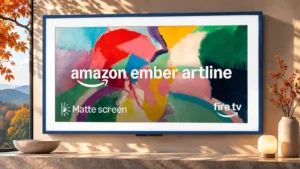
Overall: 3.4/5
Initial software sign-in and frame attachment are easy, but heavier wall installation and occasional confusing mounting instructions require preparation.
Pros: art display mode, picture quality
Cons: contrast ratio, high-refresh-rate gaming

Overall: 3.5/5
An included mounting template and temporary wall-spacing supports ease installation, but clean cable concealment still needs careful planning.
Pros: art display mode, design and appearance
Cons: overall satisfaction, HDMI port accessibility

Overall: 4.1/5
Google TV setup is typically straightforward, but QR sign-in glitches and complicated stand assembly can slow the process.
Pros: peak brightness, picture quality
Cons: value for money, color accuracy

Overall: 3.8/5
Phone-based setup can be fast, but one tester had substantial ThinQ login issues and another struggled with stand hardware.
Pros: value for money, peak brightness
Cons: color accuracy, stand quality

Overall: 4.5/5
Physical assembly and SmartThings-assisted setup can be very easy, but mandatory-account and permission screens make the software setup more frustrating for some.
Pros: glare resistance, black levels
Cons: Dolby Vision support, color gamut
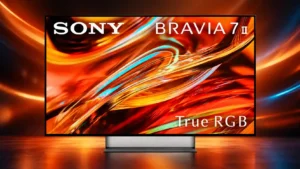
Overall: 4.2/5
Basic setup is manageable, but stand assembly and account sign-in can add friction compared with simpler snap-in designs.
Pros: overall satisfaction, picture quality
Cons: HDMI 2.1 port count, reflection handling

Overall: 3.8/5
Attaching the feet is straightforward, but the huge, heavy panel is awkward to lift, position, or bring through narrow doors.
Pros: picture quality, overall satisfaction
Cons: color crosstalk, value for money

Overall: 4.0/5
Installation benefits from another person and careful handling.
Pros: black levels, picture quality
Cons: glare resistance, reflection handling

Overall: 3.4/5
Initial software setup is manageable, but stand assembly can be fiddly on at least one demonstrated unit.
Pros: picture quality, color accuracy
Cons: remote control quality, black levels

Overall: 2.9/5
Getting smart features running involves Walmart sign-in and a long consent flow, which is more frustrating than installing the physical television.
Pros: value for money, picture quality
Cons: account requirements, gaming performance

Overall: 3.1/5
Physical base assembly is awkward, with screws that are hard to align. Device recognition during initial setup is a much smoother experience.
Pros: design and appearance, maximum volume
Cons: picture quality, value for money