#1
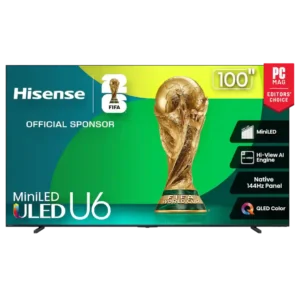
Overall: 4.2/5
Setup is consistently easy, from attaching the feet to completing Fire TV initialization. Multiple reviewers describe the process as straightforward, quick, or exceptionally simple.
Pros: overall satisfaction, value for money
Cons: smart TV platform, blooming control
#2

Overall: 3.3/5
The slot-in feet and straightforward first setup are repeated bright spots, with no screwdriver needed for the stand.
Pros: color accuracy, upscaling quality
Cons: picture quality, sound quality
#3

Overall: 4.2/5
Hardware and on-screen setup are generally straightforward and quick. The main annoyance is the Samsung account step.
Pros: high-refresh-rate gaming, gaming performance
Cons: value for money, bass performance
#4

Overall: 3.9/5
The stand snaps together quickly and the television can be ready for viewing shortly after unboxing.
Pros: value for money, overall satisfaction
Cons: Dolby Vision support, sound quality
#5
Overall: 3.9/5
Fire TV setup can be quick and intuitive, at least in one firsthand video experience.
Pros: picture quality, contrast ratio
Cons: HDR performance, motion handling
#6
Overall: 4.3/5
Basic Fire TV setup can be quick and straightforward, although experiences with ongoing interface speed are inconsistent.
Pros: picture quality, color accuracy
Cons: bass performance, HDMI 2.1 port count
#7

Overall: 4.2/5
Initial setup and connecting core features are generally straightforward, with tools and on-screen assistance smoothing the process.
Pros: picture quality, glare resistance
Cons: value for money, bass performance
#8
Overall: 3.3/5
Lightweight construction, simple stand assembly and guided Fire TV setup make installation unusually painless.
Pros: picture quality, motion handling
Cons: HDR performance, HDR brightness
#9

Overall: 4.0/5
Smaller models have simple feet and clear setup menus; even the 98-inch uses smart packaging, though moving it takes strength.
Pros: picture quality, black levels
Cons: HDR brightness, value for money
#10

Overall: 3.9/5
Initial setup is generally quick and straightforward, from physical installation to Google TV configuration, though some steps still require switching between interfaces.
Pros: gaming performance, peak brightness
Cons: HDMI 2.1 support, HDMI 2.1 port count
#11

Overall: 3.0/5
Assembly and basic setup can be very quick with snap-on feet and phone QR-code pairing, although account prompts add friction.
Pros: color gamut, smart TV platform
Cons: value for money, overall satisfaction
#12
Overall: 3.0/5
Initial software setup is quick and straightforward, typically taking only a few minutes after the stand is attached.
Pros: viewing angles, smart TV platform
Cons: overall satisfaction, refresh rate
#13
Overall: 4.0/5
Google TV setup and initial connection are straightforward, particularly for people already using Google services.
Pros: peak brightness, picture quality
Cons: HDMI 2.1 port count, reflection handling
#14

Overall: 3.9/5
The stand goes on easily and the TV’s initial setup is straightforward.
Pros: gaming performance, overall satisfaction
Cons: sound quality, value for money
#15
Overall: 3.9/5
Most owners describe software setup as simple, though the size and a missing stand part can complicate getting started.
Pros: overall satisfaction, picture quality
Cons: Weight and handling, black levels
#16

Overall: 3.9/5
Normal sizes assemble and configure without much trouble, while initial updates and giant-screen handling can take more effort.
Pros: peak brightness, value for money
Cons: reflection handling, glare resistance
#17

Overall: 3.0/5
Snap-in feet and phone-assisted setup make installation relatively straightforward, with a standard remote method also available.
Pros: picture quality, smart TV platform
Cons: value for money, refresh rate
#18

Overall: 3.9/5
Physical installation is manageable with assistance, while Google TV and Gemini setup can require more prompts and updates than expected.
Pros: peak brightness, overall satisfaction
Cons: value for money, shadow detail
#19
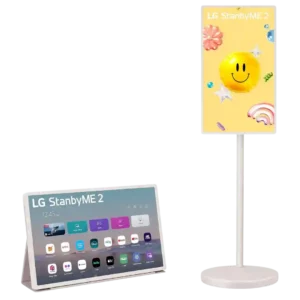
Overall: 3.8/5
Setup is usually straightforward, with many customers assembling the stand quickly and finding operation easy. A minority found the instructions, sign-ups, or folio conversion more cumbersome than expected.
Pros: overall satisfaction, portability and versatility
Cons: value for money, menu responsiveness
#20

Overall: 4.0/5
Setup is usually straightforward and fast, though soundbar, account, or wall-mount scenarios can add friction.
Pros: overall satisfaction, picture quality
Cons: reliability, build quality
#21

Overall: 3.8/5
Profile and wireless setup can be simple, while the larger physical installation requires more care and occasionally extra hands.
Pros: Wireless One Connect compatibility, art display mode
Cons: value for money, input lag
#22

Overall: 3.9/5
Dual-position feet help adapt the TV to furniture, though the thin screen makes careful installation important.
Pros: color volume, black levels
Cons: Inconsistent panel and coating by size, sound quality
#23

Overall: 3.8/5
The initial on-screen setup is straightforward; physically handling a 100-inch panel is a separate challenge.
Pros: overall satisfaction, picture quality
Cons: value for money, local dimming performance
#24
Overall: 3.6/5
Stand attachment is straightforward and Google TV configuration is manageable once the needed account details are available.
Pros: black levels, picture quality
Cons: HDR performance, blooming control
#25

Overall: 3.6/5
Many buyers report quick, simple assembly and setup, but required accounts and occasional bugs make the process difficult for others.
Pros: picture quality, overall satisfaction
Cons: sound quality, reliability
#26
Overall: 4.0/5
Physical installation is usually manageable, but account prompts, permissions and initial software menus can slow the process.
Pros: value for money, overall satisfaction
Cons: Remote control usability, sound quality
#27

Overall: 4.0/5
Software setup is generally straightforward; a few units had stubborn stand fittings or slower first-run setup.
Pros: color accuracy, picture quality
Cons: HDR brightness, peak brightness
#28

Overall: 4.1/5
Google TV setup can be simple, but the heavy stand, excessive packing tape, and unusual mount placement may complicate installation.
Pros: peak brightness, HDR brightness
Cons: sound quality, viewing angles
#29

Overall: 4.0/5
The box and stand offer flexible arrangements, but the heavy metal hardware and separate cabling can complicate initial installation.
Pros: reflection handling, overall satisfaction
Cons: Dolby Vision support, bass performance
#30

Overall: 4.2/5
Software setup is straightforward by phone or remote, though peeling protective film and installation details may take patience.
Pros: value for money, color accuracy
Cons: HDR brightness, reflection handling
#31

Overall: 3.7/5
Connected devices can be recognized automatically, but aligning the stand hardware is frustrating enough to spoil an otherwise straightforward setup.
Pros: picture quality, maximum volume
Cons: sound quality, bass performance
#32

Overall: 3.8/5
Stand assembly is straightforward, although remote pairing and mandatory account steps can add friction during first setup.
Pros: picture quality, 4K at 144 Hz support
Cons: sound quality, value for money
#33

Overall: 3.8/5
The component-rich, upright assembly can be cumbersome for a big-screen installation despite a tidy final appearance.
Pros: glare resistance, overall satisfaction
Cons: input lag, value for money
