
Overall: 4.5/5
The updated Tizen interface feels quick, with fast app launches and fluid navigation through major sections.
Pros: glare resistance, black levels
Cons: Dolby Vision support, color gamut

Overall: 4.5/5
The updated Tizen interface feels quick, with fast app launches and fluid navigation through major sections.
Pros: glare resistance, black levels
Cons: Dolby Vision support, color gamut

Overall: 4.2/5
Menus and app navigation usually feel snappy, although one owner experienced temporary freezes.
Pros: picture quality, overall satisfaction
Cons: design and appearance, Dolby Vision support

Overall: 4.0/5
webOS 26 moves quickly between apps and menus, a welcome improvement even if the layout is not universally loved.
Pros: peak brightness, picture quality
Cons: value for money, viewing angles

Overall: 3.8/5
The current Tizen interface feels quick, with applications launching readily and little sustained lag.
Pros: picture quality, contrast ratio
Cons: blooming control, glare resistance

Overall: 3.8/5
Google TV loads apps promptly and moves between services without much friction.
Pros: picture quality, color accuracy
Cons: HDR performance, sound quality
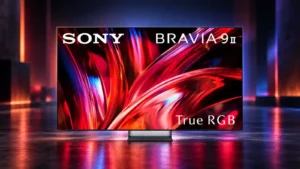
Overall: 4.3/5
Google TV feels quick and familiar in operation, with responsive navigation during everyday use.
Pros: overall satisfaction, overall image accuracy
Cons: value for money, bass performance

Overall: 3.8/5
Google TV feels fast and responsive when opening menus and moving through the interface.
Pros: picture quality, overall satisfaction
Cons: color crosstalk, value for money

Overall: 4.4/5
Menus, scrolling, and app launches are consistently quick, with little lag or hesitation during normal use.
Pros: picture quality, value for money
Cons: stand quality, judder handling

Overall: 3.8/5
Tizen is consistently praised for smooth app switching and navigation, even when advanced AI voice responses take longer.
Pros: overall satisfaction, color gamut
Cons: value for money, local dimming performance
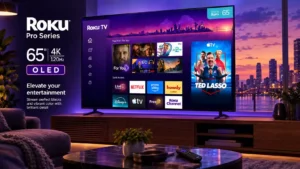
Overall: 4.1/5
Fast interface operation keeps everyday navigation straightforward and responsive.
Pros: contrast ratio, value for money
Cons: peak brightness, HDR brightness

Overall: 4.1/5
webOS 26 generally runs quickly and reliably even when its interface is busy.
Pros: gaming performance, HDR brightness
Cons: reflection handling, glare resistance

Overall: 3.9/5
Menus and apps feel snappy and responsive, with no major slowdowns reported during normal use.
Pros: peak brightness, picture quality
Cons: color accuracy, viewing angles

Overall: 4.1/5
Menus and apps are generally quick and smooth once the TV is running. One large model took 20 to 30 seconds to complete a cold boot.
Pros: picture quality, gaming performance
Cons: value for money, sound quality

Overall: 4.0/5
Navigation feels brisk. Tizen improves organization rather than raw speed.
Pros: black levels, picture quality
Cons: glare resistance, reflection handling

Overall: 3.8/5
The MediaTek-powered Google TV interface feels quick and responsive in normal use. Startup and occasional heavy-use stutters are less polished.
Pros: HDMI 2.1 port count, overall satisfaction
Cons: HDR performance, bass performance

Overall: 4.1/5
The Google TV interface is generally quick and fluid on properly functioning units.
Pros: peak brightness, picture quality
Cons: value for money, color accuracy
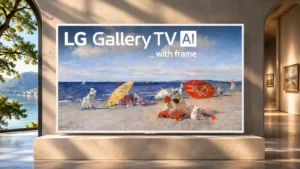
Overall: 3.1/5
The smart platform feels prompt when finding and opening a movie, with little waiting in normal use.
Pros: design and appearance, maximum volume
Cons: picture quality, value for money
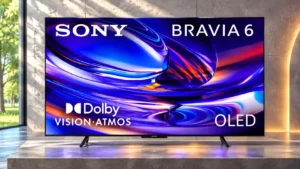
Overall: 3.8/5
Google TV's normal navigation is fast and direct, although that responsiveness does not guarantee freedom from occasional system faults.
Pros: HDMI 2.1 port count, Video input versatility
Cons: value for money, overall satisfaction

Overall: 4.2/5
Google TV generally feels snappy and responsive, although it is not always as fast as premium rivals.
Pros: overall satisfaction, glare resistance
Cons: motion handling, viewing angles

Overall: 4.4/5
webOS feels swift and snappy in most use, with only occasional hesitation in deeper settings.
Pros: picture quality, peak brightness
Cons: value for money, sound quality

Overall: 3.7/5
The 2026 Tizen interface generally feels responsive and smoother than earlier versions. A few source-switching delays remain.
Pros: color volume, overall satisfaction
Cons: value for money, color accuracy

Overall: 4.3/5
The Fire TV platform feels relatively quick for a budget model, with a few brief pauses on app changes.
Pros: picture quality, black levels
Cons: bass performance, HDR brightness
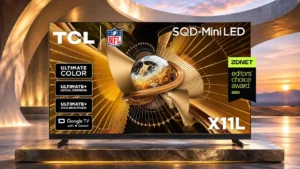
Overall: 4.0/5
Navigation and app launching are usually quick, with a few software complaints in longer-term use.
Pros: peak brightness, blooming control
Cons: value for money, motion clarity
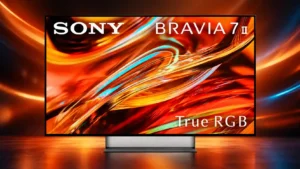
Overall: 4.2/5
Google TV is generally smooth and polished once running, but occasional app stutters and slow cold starts keep it from feeling uniformly fast.
Pros: overall satisfaction, picture quality
Cons: HDMI 2.1 port count, reflection handling

Overall: 3.8/5
Some testers found webOS 26 fast and stable; another noticed it occasionally lagging under heavier software.
Pros: value for money, peak brightness
Cons: color accuracy, stand quality

Overall: 3.8/5
Tizen responsiveness varies: one tester saw laggy starts while another found apps and menus consistently quick.
Pros: cable management, design and appearance
Cons: value for money, Dolby Vision support

Overall: 3.3/5
Speed varies sharply by unit and software state. Some reviewers see smooth, fast navigation, while many customers report lag, freezes, and slow menus that can require restarts.
Pros: picture quality, overall satisfaction
Cons: value for money, reliability

Overall: 3.1/5
Tizen can be quick once warmed up, but startup and page transitions sometimes feel slow.
Pros: picture quality, overall satisfaction
Cons: sound quality, black levels

Overall: 2.9/5
Navigation can feel quick in places, but lag, disappearing menu choices, and occasional glitches make performance inconsistent.
Pros: value for money, picture quality
Cons: account requirements, gaming performance

Overall: 4.0/5
webOS does not always feel as smooth as its well-organized interface suggests, with occasional hesitation.
Pros: contrast ratio, black levels
Cons: reflection handling, color accuracy
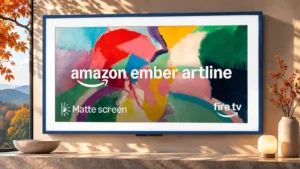
Overall: 3.4/5
Menu speed is inconsistent: some units feel responsive, while others pause before opening apps or registering commands.
Pros: art display mode, picture quality
Cons: contrast ratio, high-refresh-rate gaming

Overall: 2.7/5
The 2026 Tizen interface can hesitate, even when its broad app support remains appealing.
Pros: white balance accuracy, design and appearance
Cons: overall satisfaction, value for money

Overall: 2.6/5
The entry-level Tizen hardware causes noticeable lag compared with more powerful Samsung models.
Pros: sound quality, picture quality
Cons: value for money, local dimming performance

Overall: 3.4/5
One hands-on test finds the operating system frustratingly slow to respond.
Pros: picture quality, color accuracy
Cons: remote control quality, black levels