
Overall: 4.0/5
webOS 26 moves quickly between apps and menus, a welcome improvement even if the layout is not universally loved.
Pros: peak brightness, picture quality
Cons: value for money, viewing angles

Overall: 4.0/5
webOS 26 moves quickly between apps and menus, a welcome improvement even if the layout is not universally loved.
Pros: peak brightness, picture quality
Cons: value for money, viewing angles

Overall: 4.1/5
webOS 26 generally runs quickly and reliably even when its interface is busy.
Pros: gaming performance, HDR brightness
Cons: reflection handling, glare resistance

Overall: 4.1/5
Menus and apps are generally quick and smooth once the TV is running. One large model took 20 to 30 seconds to complete a cold boot.
Pros: picture quality, gaming performance
Cons: value for money, sound quality
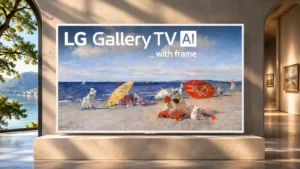
Overall: 3.1/5
The smart platform feels prompt when finding and opening a movie, with little waiting in normal use.
Pros: design and appearance, maximum volume
Cons: picture quality, value for money

Overall: 4.4/5
webOS feels swift and snappy in most use, with only occasional hesitation in deeper settings.
Pros: picture quality, peak brightness
Cons: value for money, sound quality

Overall: 3.8/5
Some testers found webOS 26 fast and stable; another noticed it occasionally lagging under heavier software.
Pros: value for money, peak brightness
Cons: color accuracy, stand quality

Overall: 4.0/5
webOS does not always feel as smooth as its well-organized interface suggests, with occasional hesitation.
Pros: contrast ratio, black levels
Cons: reflection handling, color accuracy

Overall: 3.4/5
One hands-on test finds the operating system frustratingly slow to respond.
Pros: picture quality, color accuracy
Cons: remote control quality, black levels