Best for Mac integration
Apple Studio Display 2026
5.0 attribute score
Highest scored product for this attribute based on supporting review evidence.

Highest scored product for this attribute based on supporting review evidence.
Balances the attribute score, supporting reviews, and overall product strength.
Has the broadest review evidence for this attribute.
Strongest overall product among items with scored evidence for this attribute.

The display behaves like a natural extension of macOS, with keyboard controls, automatic waking, integrated peripherals and very little setup friction.
Pros: Monitor daisy-chaining, overall picture quality
Cons: value for money, refresh rate

Instant wake, familiar keyboard controls, and consistent colors help the monitor behave like an extension of a Mac.
Pros: refresh rate, HDR performance
Cons: value for money, Device compatibility

The white industrial design and one-cable USB-C connectivity work particularly well with a MacBook desk.
Pros: overall satisfaction, screen size
Cons: stand adjustability, Photo editing
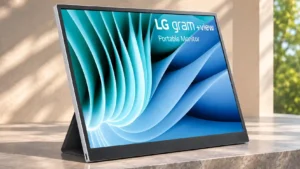
The USB-C connection and slim design make it an attractive extra screen for compatible MacBooks.
Pros: portability and weight, overall satisfaction
Cons: port selection, Device compatibility

Brightness and volume syncing, suitable color modes, and macOS-friendly scaling make the monitor feel unusually native beside a MacBook.
Pros: port selection, color accuracy
Cons: built-in speakers, speaker quality

The monitor worked reliably with a Mac, including dual-mode, making it practical as part of a mixed Mac/PC desk.
Pros: Resolution, overall satisfaction
Cons: value for money, Image scaling

A Mac and Windows test found reliable KVM switching and wake handling, making the monitor viable for Apple-based desks.
Pros: HDR performance, overall satisfaction
Cons: HDR highlight detail, color accuracy

The true 5K resolution suits macOS scaling well, but native Apple-style brightness, audio and camera integration are weaker.
Pros: color accuracy, overall picture quality
Cons: HDR performance, refresh rate

EspressoFlow adds touch, display positioning, and rotation to Mac workflows. macOS itself remains less finger-friendly than Windows, and some touch apps can lag.
Pros: overall satisfaction, stand adjustability
Cons: value for money, reflection handling

Retina-like 5K text and desktop smoothness make the display appealing for Mac users. Mac-specific limits and weaker connectivity than Apple's own displays remain considerations.
Pros: Pixel density, Resolution
Cons: GPU demands, HDR performance

MacBook connections and display-management support are useful for a Mac-centered workspace, especially with USB-C power.
Pros: overall picture quality, overall satisfaction
Cons: port selection, brightness

Single-cable Mac workflows generally work well, although fractional scaling, third-party brightness controls, and occasional sleep/wake quirks can require attention.
Pros: overall picture quality, color accuracy
Cons: value for money, built-in speakers

Mac text and image quality can be strong, but users describe VRR flicker and unreliable waking when paired with the KVM.
Pros: overall satisfaction, DisplayPort connectivity
Cons: value for money, reliability over time

USB-C connectivity can work well with Macs, but portrait scaling and access to advanced adjustments may be less seamless.
Pros: brightness, portability and weight
Cons: value for money, port selection

The dense screen suits macOS integer scaling, but practical refresh ceilings, adapter requirements, and the lack of Thunderbolt depend heavily on the Mac and connection. One user could not establish...
Pros: Resolution, sharpness
Cons: value for money, HDR performance

The mac integration is useful in some situations but has noticeable limitations.
Pros: refresh rate, Text fringing
Cons: Resolution, GPU demands

Mac users can gain a second display, but they are unlikely to enjoy the touch functionality that defines this model. Windows is the more complete experience.
Pros: overall picture quality, Stylus usability
Cons: port selection, refresh rate