Best for ecosystem integration
Turtle Beach Burst II Air
4.8 attribute score
Highest scored product for this attribute based on supporting review evidence.

Highest scored product for this attribute based on supporting review evidence.
Balances the attribute score, supporting reviews, and overall product strength.
Has the broadest review evidence for this attribute.
Strongest overall product among items with scored evidence for this attribute.

Ecosystem integration was praised where HyperSpeed multi-pairing could bind multiple Razer devices to one dongle.
Pros: ergonomic design, scroll wheel quality
Cons: AI Prompt Master, click noise

Ecosystem integration evidence was limited but positive, with existing Turtle Beach/ROCCAT settings moving over seamlessly.
Pros: weight, battery life
Cons: polling rate, RGB features

Ecosystem integration was strong where mentioned, especially G Hub plus Logitech hardware features that set the mouse apart.
Pros: weight, shape comfort
Cons: side button quality, value for money

MSI Center is convenient for users who already manage other MSI components there. Those outside the ecosystem may find the broader application unnecessarily cluttered.
Pros: software usability, sensor performance
Cons: RGB features, scroll wheel quality

Ecosystem integration was a major highlight, especially around Elgato Stream Deck workflows and Corsair's broader software ecosystem.
Pros: button customization, MMO gaming suitability
Cons: FPS gaming suitability

ROG ecosystem integration was praised because the Omni receiver could connect compatible ROG peripherals together.
Pros: weight, grip texture
Cons: software usability, profile switching

Ecosystem integration was praised through Synapse, HyperFlux, and Razer receiver pairing, especially plug-and-play accessory behavior.
Pros: weight, value for money
Cons: click noise, AI Prompt Master

Ecosystem integration was positive where reviewers paired the Viper with Razer's mouse pad and software ecosystem.
Pros: value for money, weight
Cons: click noise, RGB features

Ecosystem integration was praised for Swarm II acting as one hub for multiple Turtle Beach devices.
Pros: battery life, weight
Cons: click noise, left and right click quality

Ecosystem integration is positive thanks to the ROG Omni Receiver and SpeedNova compatibility with other ROG peripherals.
Pros: Accuracy and tracking precision, shape comfort
Cons: long-session comfort

Ecosystem integration was a strength, with praise for shared receivers, G Hub device management, Lightsync, and Logitech peripheral syncing.
Pros: RGB features, weight
Cons: value for money, scroll wheel quality

Ecosystem integration was praised for Logitech presets, backward compatibility, and community/profile support.
Pros: switch feel, polling rate
Cons: value for money, side button quality

Ecosystem integration is positive where reviewers mention PowerPlay, as it can make charging effectively disappear during use.
Pros: switch feel, click latency
Cons: value for money, glide smoothness

Razer ecosystem integration was liked for Chroma synchronization and multi-device setup polish.
Pros: scroll wheel quality, battery life
Cons: value for money, weight

Ecosystem integration was positively supported by AIMO/RGB sync evidence for Roccat devices and dock syncing.
Pros: RGB features, battery life
Cons: value for money, scroll wheel quality

ROG ecosystem integration was praised for syncing the mouse with an ASUS desktop setup.
Pros: glide smoothness, scroll wheel quality
Cons: analog joystick usability, shape comfort

Ecosystem integration was positive where the mouse was described as an excellent entry point into the ROG ecosystem.
Pros: button responsiveness, shape comfort

Ecosystem integration was praised where reviewers used the Omni receiver or Aura Sync-style setup without delays.
Pros: value for money, sensor performance
Cons: software usability, grip texture
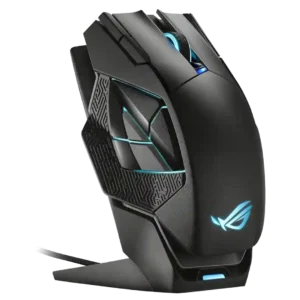
Ecosystem integration was praised through Armoury Crate/Aura-style syncing with other ROG or ASUS products.
Pros: charging convenience, RGB features
Cons: side button quality, weight
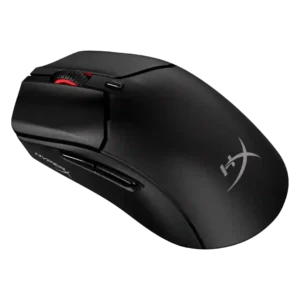
Ecosystem integration had limited but positive support, with one reviewer calling it a great addition to the HyperX ecosystem.
Pros: weight, value for money
Cons: side button quality, RGB features

Synapse integration was described as seamless in one review, supporting the broader Razer accessory/software ecosystem.
Pros: value for money, shape comfort
Cons: onboard memory, side button quality

Ecosystem integration was praised in one review for syncing effects across Roccat/Turtle Beach devices.
Pros: battery life, software usability
Cons: weight, FPS gaming suitability

Ecosystem integration was positive for users with Corsair gear, especially iCUE synchronization and multi-device setup.
Pros: value for money, shape comfort
Cons: scroll wheel quality, left and right click quality

Ecosystem integration was a strength for Razer users, with multi-device dongles, Chroma sync, onboard profiles, and Razer accessory compatibility praised.
Pros: value for money, battery life
Cons: weight, balance and weight distribution
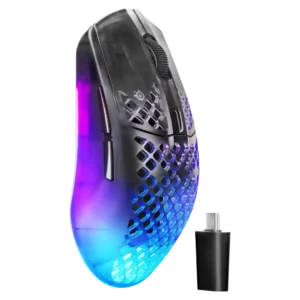
Ecosystem integration was positive where discussed, especially GG suite integration and coordinated SteelSeries setup styling.
Pros: software usability, polling rate
Cons: palm grip comfort, fingertip grip comfort

Ecosystem integration was positively received where reviewers mentioned the Omni receiver and multi-device ASUS setup support.
Pros: shape comfort, value for money
Cons: handedness options

Ecosystem integration was praised when the G705 could share Aurora/Logitech receivers or pair with another LIGHTSPEED device on one dongle.
Pros: shape comfort, battery life
Cons: value for money, DPI range

Ecosystem integration had limited positive evidence from simple HyperX ecosystem use and OMEN Instant Pair support.
Pros: weight, battery life
Cons: value for money

Ecosystem integration has limited positive evidence, with reviewers liking easy lighting sync and Windows dynamic-lighting support.
Pros: value for money, RGB features
Cons: palm grip comfort, click noise
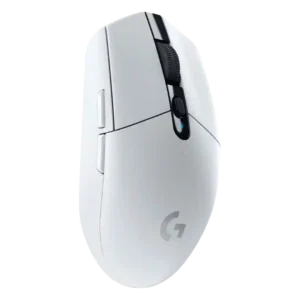
Ecosystem integration was a plus for users in Logitech’s software and keyboard ecosystem, including G-Shift and app integrations.
Pros: value for money, weight
Cons: charging convenience, palm grip comfort

Ecosystem integration has limited but positive support, mainly around syncing multiple devices to one dongle.
Pros: tilt gesture controls, MMO gaming suitability
Cons: battery life, software usability

Ecosystem integration was supported by Corsair lighting-link syncing across multiple Corsair devices.
Pros: battery life, glide smoothness
Cons: side button quality, value for money
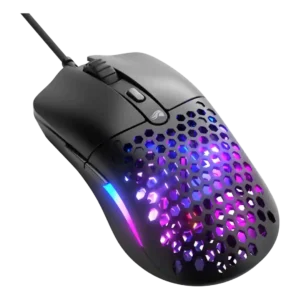
Glorious ecosystem integration was praised as practical for users with several Glorious products thanks to Glorious Core support.
Pros: value for money, weight
Cons: cable flexibility

Ecosystem integration was positive, especially one-receiver pairing, Logitech-device syncing, and reduced cable or USB clutter.
Pros: shape comfort, programmable buttons
Cons: value for money, side button quality
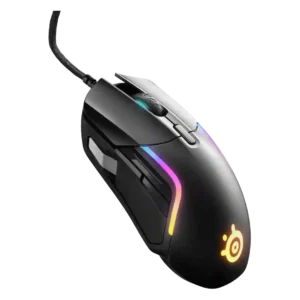
Ecosystem integration was positive but conditional, with reviewers valuing lighting sync and brand-wide software most when already using SteelSeries gear.
Pros: value for money, software usability
Cons: side button quality, onboard memory

Ecosystem integration was positive but narrow, focused on HyperSpeed multi-device dongle sharing and saving USB ports.
Pros: value for money, grip texture
Cons: weight, charging convenience
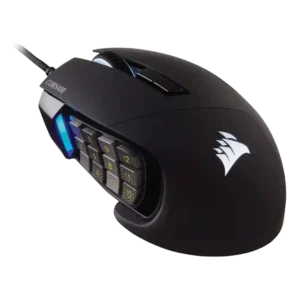
Ecosystem evidence was limited but positive, centered on iCUE syncing the mouse with other Corsair parts.
Pros: value for money, side button quality
Cons: FPS gaming suitability, weight

Ecosystem integration evidence was limited but positive where Logitech device lighting sync was demonstrated.
Pros: value for money, battery life
Cons: cable flexibility, RGB features

Ecosystem integration was supported by TechRadar's positive take on G Hub integration working as intended.
Pros: value for money, weight
Cons: premium feel, polling rate

Ecosystem integration was useful for users already in Razer's Chroma/Synapse setup, especially RGB syncing.
Pros: button customization, scroll wheel quality
Cons: weight, value for money
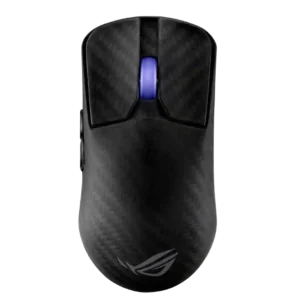
Ecosystem integration was seen as a useful bonus for users already invested in Asus gear, especially shared receiver support.
Pros: sensor performance, build quality
Cons: value for money, battery life

Ecosystem integration had limited support, mainly from RGB synchronization with other SteelSeries peripherals.
Pros: side button quality, MMO gaming suitability
Cons: value for money, claw grip comfort
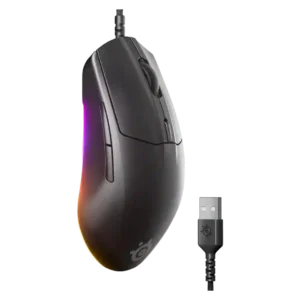
SteelSeries GG and Prism integration was treated as a useful bonus for adding personal RGB and settings touches.
Pros: cable flexibility, value for money
Cons: premium feel
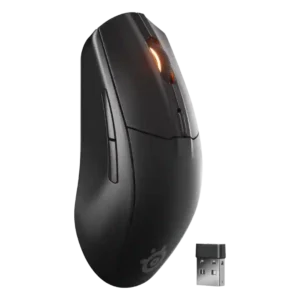
One reviewer called it a strong option for users already invested in SteelSeries gear and software.
Pros: battery life, value for money
Cons: weight, RGB features

Ecosystem integration is modestly positive for users already invested in iCUE or Corsair wireless devices.
Pros: weight, battery life
Cons: value for money, profile switching

Ecosystem integration was mixed but present, with Armoury Crate centralizing ASUS devices while feeling overloaded for mouse-only use.
Pros: battery life, software usability
Cons: click noise, fingertip grip comfort

Ecosystem integration was mixed: one reviewer liked CAM’s NZXT-product menu, while another disliked the bloat for users without other NZXT gear.
Pros: value for money, ergonomic design
Cons: RGB features, portability
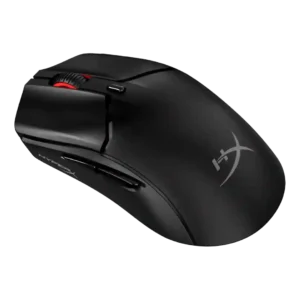
Ecosystem integration was limited by confusing control between mouse settings and HyperX light sync.
Pros: side button quality, scroll wheel quality
Cons: weight, FPS gaming suitability

Ecosystem integration was mixed because HyperPolling dongle compatibility and naming created confusion or fragmentation across Razer mice.
Pros: value for money, weight
Cons: Bluetooth support, cable flexibility

Ecosystem integration was limited by missing game-recognition profile behavior in the software.
Pros: charging convenience, shape comfort
Cons: value for money, weight