If you want better build quality
Choose SteelSeries Rival 3 Gen 2 Wireless. It scores 4.6 vs 4.1 for build quality, with a 3.9 overall score.

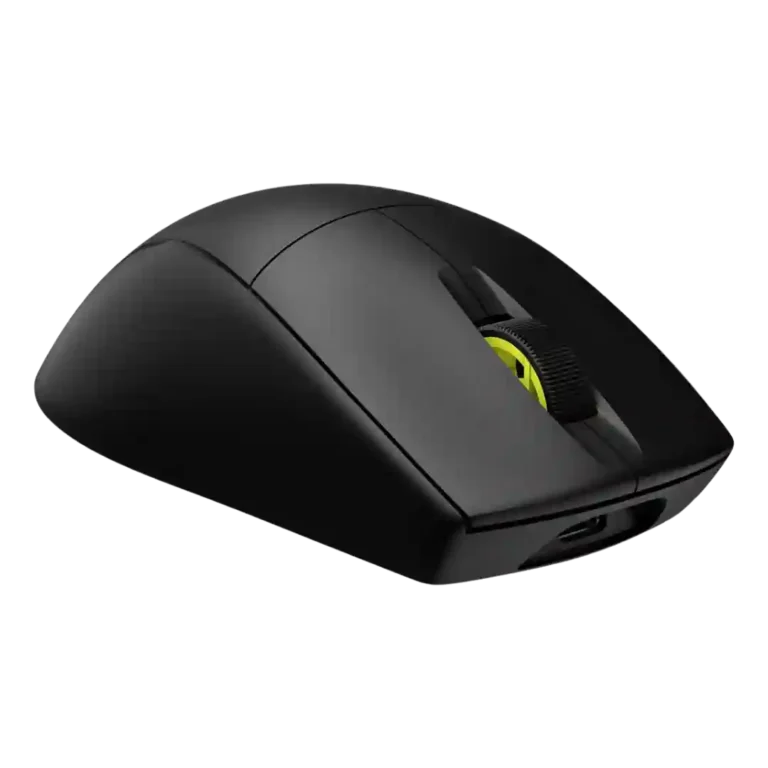
Choose the Corsair M75 Air if you want an ultralight FPS mouse with precise tracking and low-latency wireless. Skip it if you need lots of buttons, easy DPI switching, premium materials, or stronger value.
Best for competitive FPS players who prioritize very low weight, smooth glide, precise tracking, and low-latency wireless over extra buttons or flashy features.
Not for MMO players, left-handed users, frequent DPI switchers, or buyers who expect rich button layouts, adjustable weights, premium materials, or top value at the price.
The review set frames the Corsair M75 Air as a focused esports mouse rather than a feature-rich premium all-rounder. Most reviewers praise its 60g body, fast sensor, low-latency wireless feel, smooth glide, and strong FPS control, with several saying the light shape improves flicks, micro-adjustments, and long-session comfort. The tradeoff is deliberate minimalism: limited programmable buttons, no convenient hardware DPI switching, no RGB, and sparse onboard/profile flexibility. Value is the most disputed point because performance is strong, but the price puts it beside mice with richer feature sets. Build impressions also split between solid and cheap-feeling, with repeated concerns about skates, materials, and setup friction.
Compared with other Gaming Mice, this product is above average in fingertip grip comfort, cross-platform compatibility, durability over time, near average in build quality, polling rate, below average in skate durability, MOBA gaming suitability, profile switching.
| Attribute | This product | Category average | Difference |
|---|---|---|---|
| skate durability | 1.8 | 3.8 | -2.0 |
| MOBA gaming suitability | 2.0 | 3.9 | -1.9 |
| profile switching | 2.2 | 3.8 | -1.6 |
| programmable buttons | 2.4 | 4.1 | -1.7 |
| MMO gaming suitability | 2.0 | 3.5 | -1.5 |
| fingertip grip comfort | 5.0 | 3.7 | +1.3 |
| premium feel | 2.8 | 4.1 | -1.2 |
| firmware reliability | 1.5 | 2.8 | -1.3 |
Choose SteelSeries Rival 3 Gen 2 Wireless. It scores 4.6 vs 4.1 for build quality, with a 3.9 overall score.
Choose ASUS ROG Gladius III Wireless. It scores 4.7 vs 2.2 for profile switching, with a 4.3 overall score.
Choose Logitech G309 Lightspeed. It scores 5.0 vs 1.8 for skate durability, with a 4.1 overall score.
Choose ASUS ROG Strix Impact III Wireless. It scores 4.6 vs 2.9 for value for money, with a 4.2 overall score.
Products reviewers directly compared with this model, grouped into quick takeaways.
Yes. Reviewers repeatedly describe it as fast, accurate, responsive, and especially well suited to competitive shooters.
Reviewers generally find it good enough for several days or a week of use, but not class-leading in 2.4GHz mode. Bluetooth lasts much longer, though reviewers treat it more as a productivity option.
No. This is one of the most repeated complaints, because changing DPI usually requires iCUE or profile workarounds instead of quick hardware switching.
Most reviewers find the shape comfortable, especially for palm and fingertip use. Claw grip feedback is more mixed and depends on hand size.
Opinions are mixed. Some say iCUE is easy or useful for profiles, DPI, polling rate, lift-off distance, and calibration, while others dislike needing it for basic setup or DPI changes.
Reviewers praise the performance, but value is divided because the mouse is expensive for a minimalist design with few buttons and no easy DPI switching.
These are a few of the reviews included in our analysis.






Choose the ROG Harpe II Ace for ultralight FPS play, precise tracking, smooth glide, and web-based tuning. Skip it if you need palm-grip support, MMO buttons, onboard profiles, or long...
Pros: glide smoothness, weight
Cons: handedness options

Best for ultra-light, competition-focused speed, precise tracking, stable wireless, and long battery life. Skip it if you need quieter clicks, left-handed support, Bluetooth, more buttons, or better value for casual...
Pros: value for money, weight
Cons: click noise, RGB features

Choose it if you want a premium MMO/productivity mouse with 12 adjustable side buttons, strong battery life, and Stream Deck integration. Skip it if you need an ultralight FPS mouse,...
Pros: button customization, MMO gaming suitability
Cons: FPS gaming suitability

Best for precise wireless tracking, smooth glide, strong battery life, and unusually good 8K value. Skip it if you need polished software, quiet snappy clicks, true left-handed controls, or gentle...
Pros: software usability, sensor performance
Cons: RGB features, scroll wheel quality