If you want better cross-platform compatibility
Choose ASUS ROG Keris II Ace. It scores 4.8 vs 3.3 for cross-platform compatibility, with a 4.2 overall score.

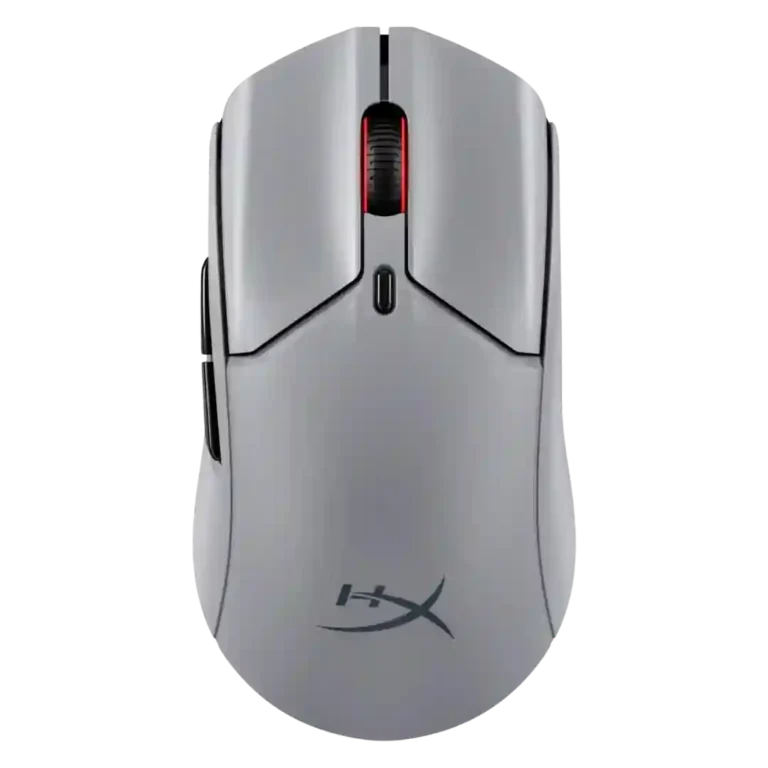
Choose the HyperX Pulsefire Haste 2 Pro if you want a light, precise wireless mouse with strong FPS performance. Skip it if you can save with the regular Haste 2 or need deeper software, bolder RGB, or a safer shape.
Best for competitive FPS players who want a light, precise wireless mouse with crisp optical switches and reliable 2.4GHz performance. It also suits users who value Bluetooth and a cleaner, understated design.
Not ideal for buyers who want the cheapest strong Haste option, prominent RGB, deeper software controls, or a shape guaranteed to suit larger hands and palm grips.
Across the supplied reviews, the HyperX Pulsefire Haste 2 Pro comes across as a fast, lightweight, well-built wireless gaming mouse with especially strong FPS credentials. Reviewers repeatedly praised its 61g body, accurate 26K sensor, crisp optical switches, reliable wireless performance, and long battery life at 1,000Hz. The tradeoff is that its headline 4K polling rate is not equally valuable to everyone: some reviewers felt the extra smoothness in shooters, while others called the benefit subtle and not worth the battery hit or price premium over the standard Haste 2. Comfort also depends on hand size and grip style, with small-hand and claw users faring better than some palm or large-hand users. The result is a capable but somewhat safe high-end mouse.
Compared with other Gaming Mice, this product is above average in click noise, cable flexibility, Bluetooth support, near average in scroll wheel quality, long-session comfort, below average in palm grip comfort, skate durability, cross-platform compatibility.
| Attribute | This product | Category average | Difference |
|---|---|---|---|
| click noise | 4.8 | 3.5 | +1.3 |
| palm grip comfort | 2.5 | 3.8 | -1.3 |
| cable flexibility | 4.6 | 3.6 | +1.0 |
| skate durability | 2.8 | 3.6 | -0.9 |
| Bluetooth support | 4.4 | 3.6 | +0.8 |
| materials quality | 4.6 | 3.9 | +0.7 |
| cross-platform compatibility | 3.3 | 3.9 | -0.7 |
| weight | 4.6 | 4.1 | +0.5 |
Choose ASUS ROG Keris II Ace. It scores 4.8 vs 3.3 for cross-platform compatibility, with a 4.2 overall score.
Choose ASUS ROG Harpe Ace Aim Lab. It scores 4.8 vs 3.5 for portability, with a 4.1 overall score.
Choose Corsair Darkstar RGB. It scores 4.8 vs 4.2 for long-session comfort, with a 3.9 overall score.
Choose Corsair Katar Elite Wireless. It scores 5.0 vs 2.5 for software stability, with a 4.0 overall score.
Compared with HyperX Pulsefire Haste 2 Pro
Yes. Reviewers praised it in shooters for accurate tracking, low latency, crisp clicks, and the smoother feel of 4K polling, especially in competitive play.
It depends on the player. Some reviewers felt a clear responsiveness boost in FPS games, while others said only elite competitive players will notice enough difference to justify the battery hit.
Battery life was generally praised at 1,000Hz, with reviewers finding the 90-hour claim believable or impressive. At 4K polling, reviews repeatedly noted the runtime drops to about 30 hours.
No. Several reviewers liked the shape, especially for small hands or claw grip, but others warned that large hands or palm grip users may find the low-profile shape less comfortable.
NGENUITY was considered easy for basics like DPI, polling, macros, RGB, and button assignments. Reviewers also criticized its limited advanced options, missing rebinding layers, and Windows-only availability.
No. Reviews describe the RGB as minimal, limited to the scroll wheel, and generally tasteful, though one reviewer found RGB control annoying until changing a Windows lighting setting.
Reviewers were divided. Some called the Pro competitively priced versus rivals, but several said the regular Haste 2 is the better buy unless 4K wireless polling is important.
These are a few of the reviews included in our analysis.

Choose the ROG Harpe II Ace for ultralight FPS play, precise tracking, smooth glide, and web-based tuning. Skip it if you need palm-grip support, MMO buttons, onboard profiles, or long...
Pros: glide smoothness, weight
Cons: handedness options

Excellent tracking, comfortable right-handed ergonomics and a versatile scroll wheel make the Basilisk V3 a strong gaming and productivity mouse. Its substantial weight, fixed cable and sometimes over-sensitive automatic scrolling...
Pros: scroll wheel quality, RGB features
Cons: weight, handedness options

The L7 Pro delivers remarkably light handling, precise aiming and a grippy shell at a budget price. Stock skates are less impressive, and conflicting click-latency measurements warrant caution for latency-sensitive...
Pros: value for money, weight
Cons: wired connectivity

Best for ultra-light, competition-focused speed, precise tracking, stable wireless, and long battery life. Skip it if you need quieter clicks, left-handed support, Bluetooth, more buttons, or better value for casual...
Pros: value for money, weight
Cons: click noise, RGB features