
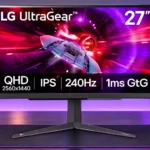
LG 27GR83Q-B Feature Scores
Explore all 67 feature scores for LG 27GR83Q-B, organized into pros and cons.
Scores by Feature
Summary
67 reviewed features-
Very positive 4.5-5.029 (43%)
-
Positive 3.5-4.424 (36%)
-
Neutral 2.5-3.44 (6%)
-
Negative 1.5-2.48 (12%)
-
Very negative below 1.52 (3%)
Pros
Sort
-
Its 240Hz operation is a major draw, noticeably smoothing fast games compared with 144Hz or 165Hz displays when the PC can supply enough frames.
-
Full-bandwidth HDMI 2.1 inputs are a standout at this price, providing high-refresh compatibility beyond what many rival 1440p monitors offer.
-
A dependable, fast 1440p gaming monitor that earns broad approval for responsive play. The limited HDR image and changing sale prices are its recurring qualifications.
-
Controls feel immediate, and measured processing delay is consistently very low. That makes fast reactions one of the monitor's most convincing strengths.
-
240Hz, low latency, and good motion tuning are particularly persuasive for esports and fast shooters. Running close to 240fps makes the most of it.
-
FreeSync and G-SYNC compatibility work well across differing frame rates, giving gamers tear-free play without major reported disruptions.
-
Variable refresh runs smoothly with both major GPU ecosystems; testers report few flicker or tearing issues.
-
Fast-moving objects remain clear and fluid at high refresh rates, with a few testers noting OLED or premium strobed LCD alternatives can look sharper.
-
PS5 and Xbox owners benefit from strong HDMI compatibility, 120Hz support, VRR, and useful 4K-input downscaling. HDR quality remains the main console caveat.
-
1440p is a satisfying middle ground between crisp detail and attainable high frame rates, especially on a 27-inch screen.
-
Bright SDR output is a real asset in sunny rooms, although the impressive headline luminance cannot compensate for weak HDR contrast.
-
This is a strong fit for modern PC gaming, especially fast titles with capable graphics hardware and DisplayPort or HDMI 2.1 output.
-
Pixel transitions generally keep pace well with fast play, although technical tests find the claimed 1ms figure optimistic and tuning less ideal at the refresh-rate extremes.
-
Wide-gamut coverage brings vivid color, with sRGB limiting available when accuracy matters more than saturation.
-
Construction receives positive comments for solid plastics and a stable-feeling build, rather than flashy materials.
-
A quick joystick and responsive menus make changing picture modes, overdrive, and inputs relatively painless.
-
Games and text look crisp at the 27-inch QHD pixel density, making the step up from 1080p worthwhile.
-
Two HDMI 2.1 connections, DisplayPort, USB-A, and audio output cover gaming essentials well, but the missing USB-C dock-style input restricts work use.
-
Standard 100×100mm mounting and a positive firsthand arm-mounting account make it straightforward to free up desk space.
-
An adjustable sRGB mode, unlocked RGB controls, and hardware calibration support are unusually useful for a midrange gaming display.
-
The IPS panel holds its image well from the sides, making shared viewing more comfortable than on many VA competitors.
-
The Fast overdrive mode contains inverse ghosting well, but maximum settings can introduce visible overshoot.
-
Fast generally works best at medium and high refresh rates, while Normal is preferable around 60Hz; the most aggressive setting sacrifices visual cleanliness.
-
Muted gray styling looks tidy on a desk and avoids aggressive lighting; the industrial rear housing is still distinctly gaming-oriented.
-
The pixel density is noticeably finer than a comparably sized 1080p monitor, improving text and small in-game details.
-
Height, tilt, and portrait pivot are useful, but swivel is absent; one assessment describes broader adjustments, so physical flexibility is not completely agreed upon.
-
The value rises sharply when discounted into the roughly $300–$400 range. Several testers consider its original $500 positioning hard to justify against newer, less expensive rivals.
-
Colors are often good to very good after modest adjustments, while factory oversaturation and differing white points prevent universal out-of-box precision.
-
Accepting a 4K/120Hz console signal and scaling it to QHD is an appreciated compatibility convenience.
-
Testing reports clean VRR behavior without noticeable flicker, including with adaptive sync engaged.
-
The IPS panel gives pleasing speed, bright SDR output, and broad viewing angles, at the cost of OLED-like blacks and contrast.
-
Gamma is broadly near target in tested modes, with the adjustable sRGB preset helping achieve better tonal accuracy.
-
SDR picture quality is attractive and sharp for the price, especially in bright games, with the expected IPS limitations in dark material.
-
The standard base feels secure despite its broad legs, with testers generally describing sound construction.
-
Fast menu response and reliable PC-to-console input changes are strengths, aided by configuration options for sleep behavior.
-
With sRGB adjustments or calibration, colors can become accurate enough for serious photo work even though it is primarily a gaming screen.
-
Crosshairs, a frame-rate counter, and black stabilizer cover the common gaming extras, though the selection is not especially expansive.
-
The black stabilizer can lift shadow visibility to make opponents easier to spot, a practical gaming adjustment rather than a cure for poor native contrast.
-
Its headphone connection supports DTS Headphone:X and can be useful with compatible headsets; the enhanced spatial experience depends on the headphones.
-
Two USB-A downstream ports serve simple peripherals, but the upstream connection is USB-B and there is no convenient USB-C docking solution.
-
Measured power use is low for a bright 240Hz IPS screen, minimizing the monitor's energy penalty.
-
Sturdy materials and restrained styling make the screen feel better finished than its utilitarian feature set might suggest.
-
Flicker-free backlight operation is a welcome characteristic for people who notice screen flicker.
-
A light matte finish suppresses reflections effectively without making the picture overly grainy.
-
The matte coating helps in brighter surroundings while leaving the image reasonably clean and clear.
-
DisplayPort offers a reliable route to high-refresh QHD PC play alongside the two well-equipped HDMI inputs.
-
The 27-inch panel offers a comfortable desktop footprint and room for several windows, without matching the canvas of a larger editing display.
-
1440p is easier to drive than 4K, but approaching 240fps in demanding games still calls for a capable graphics processor and CPU.
-
Flicker-free backlighting and a low-blue-light setting provide basic comfort controls.
-
Some HDR content benefits from the supported color depth, which can make transitions look smoother than SDR.
-
DTS Headphone:X can enhance positional sound and movie immersion when used with compatible headphones.
-
Thin framing helps the understated look, though another tester finds the bezels slightly larger than on some other LG 27-inch displays.
-
Rear connections are easy to find but not always convenient for frequently unplugged accessories, resulting in mixed assessments.
Cons
Sort
-
HDR input is supported, but the display lacks the contrast and local dimming needed for convincing bright highlights against dark scenes.
-
With no meaningful local-dimming system, bright objects cannot pop against deep blacks the way they can on mini-LED or OLED screens.
-
The absence of strobing is a disappointment for gamers wanting the sharpest possible moving images at 240Hz.
-
Blacks are relatively shallow compared with VA, mini-LED, and OLED displays; dim scenes may look gray rather than deep black.
-
Limited highlight headroom can clip bright information and reduce separation in high-contrast scenes.
-
There are no internal speakers, so a headset or separate audio setup is needed for sound.
-
The FPS and RTS presets are seen as gimmicky by one owner, who prefers choosing settings manually.
-
HDR color and tone presentation need work, even apart from the more fundamental missing local dimming.
-
Fast gaming is clearly its priority; office-oriented rivals can offer more convenient connectivity and switching options.
-
Story-driven games can still look good in SDR, but dark-scene contrast and weak HDR blunt their cinematic impact.
-
Contrast is acceptable for an edge-lit IPS panel, yet the limited separation between bright and dark elements is conspicuous in cinematic scenes.
-
The V-shaped stand can take more desk depth than compact alternatives, although one tester finds the legs less intrusive than expected.
-
The advertised 1ms pixel response should not be taken literally in normal operation, though most other stated specifications hold up.
-
Uniformity is reasonable rather than exceptional, with some edge falloff that may vary from unit to unit.
Use Cases
Best for
Sort
-
Its strong SDR brightness and anti-glare characteristics make the image comfortable even with significant daylight.
-
Portrait pivot is available and useful for vertical secondary screens, with sufficient height adjustment for flexible placement.
-
Discounted prices can make 240Hz QHD gaming unusually attainable, while the original higher price is less compelling.
-
Careful calibration can deliver accurate SDR color, but strict professional workflows should not assume factory perfection or dependable HDR mastering.
-
Resolution and respectable color performance support everyday editing, but the limited workspace and calibration needs temper its appeal for demanding projects.
-
Casual games benefit from sharp 1440p graphics and smooth output, even if the full 240Hz potential is most relevant to competitive titles.
-
The affordable price and common panel size make matched multi-screen arrangements more approachable than with expensive OLEDs.
-
Its gaming speed pairs with usable color and desktop clarity, making it workable for a mixed setup even though dedicated productivity features are sparse.
-
The color range and usable image quality suit typical creator and streaming setups, though this is not a complete production hub.
-
A uniform three-screen arrangement is financially plausible, with a central landscape display and vertical side monitors.
-
Bright scenes and colors look pleasant for casual viewing, but dark movies and cinematic HDR are less impressive than on stronger-contrast screens.
-
Broad viewing angles keep colors reasonably consistent for someone off to the side, although a non-swiveling stand makes repositioning less convenient.
Conditional or not ideal for
Sort
-
HDR gamingThis is chiefly an SDR gaming display; HDR games lack the highlight impact, dark-scene depth, and consistent color balance enthusiasts expect.
-
HDR color gradingHDR grading is a poor match because HDR imagery looks inconsistent and lacks the range needed to judge highlights reliably.
-
Dark-room viewingLow IPS contrast makes dark scenes less convincing, although the minimum backlight level is tolerable for ordinary nighttime use.
-
Desktop productivityBasic multitasking works, but a lack of office-focused features and limited ergonomics make other monitors more versatile for work.