
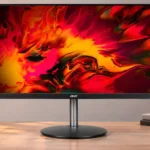
Acer Nitro XF243Y Pbmiiprx Feature Scores
Explore all 63 feature scores for Acer Nitro XF243Y Pbmiiprx, organized into pros and cons.
Scores by Feature
Summary
63 reviewed features-
Very positive 4.5-5.016 (25%)
-
Positive 3.5-4.420 (32%)
-
Neutral 2.5-3.49 (14%)
-
Negative 1.5-2.413 (21%)
-
Very negative below 1.55 (8%)
Pros
Sort
-
The 165Hz panel, sharp motion, and minimal input delay deliver the speed expected for competitive PC games.
-
Short pixel transitions keep moving objects clear and make the monitor especially convincing for fast gaming.
-
FreeSync and G-SYNC compatibility reduce tearing and offer welcome flexibility when choosing an AMD or NVIDIA graphics card.
-
Rapid pixel transitions, exceptionally low lag, and FreeSync/G-SYNC support make PC gaming the monitor’s strongest use.
-
The 165Hz maximum refresh rate is repeatedly praised for fluid, highly responsive gaming, with some configurations using overclocking.
-
Consistently praised fast transitions deliver a crisp, smooth image with little distracting trail behind moving objects.
-
Fast movement stays largely smear-free in real games and tests, especially with overdrive left off.
-
Measured lag was extremely low, including at 60Hz, giving fast games a particularly immediate feel.
-
The consensus is favorable for value-oriented gaming, with compromises concentrated in HDR, dark scenes, speakers, and convenience features.
-
The adjustable stand earns much praise for height, swivel, and rotation, although one tester found it less versatile than fully ergonomic alternatives.
-
Its quick 165Hz IPS performance makes a strong budget case, especially on sale; at full price, cheaper rivals may offer a better bargain.
-
Several testers found excellent out-of-box sRGB accuracy, although another owner wanted more pleasing color reproduction without tweaking.
-
Strong horizontal and vertical off-axis viewing preserves color for nearby players and people sharing the screen.
-
AMD FreeSync and NVIDIA G-SYNC Compatible operation cover many gaming PCs, although NVIDIA VRR requires DisplayPort and PS5 VRR is unsupported.
-
Thin, understated borders make the display look cleaner and minimize peripheral distraction, although one reviewer disliked the glossy chin logo.
-
Stand adjustments are quick and the joystick makes display settings much easier to navigate.
-
Strong default color and simple stand positioning mean gamers can start with a good image without compulsory calibration.
-
The stand generally feels secure and supportive, with one owner especially appreciating its metal arm over flimsy all-plastic alternatives.
-
The matte coating handles glare well, although at least one compared monitor manages reflections even better.
-
Accurate SDR color, decent sharpness, and wide viewing angles are strengths, while weak contrast and flat HDR reduce overall image impact.
-
Text and games look reasonably clear at 24-inch Full HD, though close inspection reveals limited pixel density and some missing fine detail.
-
Excellent factory accuracy can be improved further with a colorimeter, though the calibration hardware may cost more than the monitor.
-
The modest Full HD resolution makes high frame rates more attainable without an especially powerful graphics card.
-
The rear joystick makes it easier to change settings than typical button-only budget monitor controls.
-
Weighing under twelve pounds made the display easy enough to take to LAN parties or move between spaces.
-
IPS delivers unusually accommodating viewing angles, but familiar IPS limitations include grayish blacks in dim lighting.
-
Full HD looks reasonably sharp at this diagonal and is easy for most PCs to drive, but it is not especially expansive or detailed.
-
The nearly borderless black-and-gray design blends into an office, though a logo-heavy chin and thick rear housing drew criticism.
-
Black-frame insertion helps sharpen motion between roughly 119Hz and 165Hz, but it cannot operate alongside VRR.
-
Reviewers praised the concentration of fast refresh, low lag, and dual VRR support in an inexpensive gaming monitor, even if extras are scarce.
-
Seven selectable color modes provide some flexibility to find a preferred look, though one owner still struggled to love the colors.
-
An audio output allows headphone sound to pass through the monitor, a small but useful connection option.
-
The hazy anti-glare finish reduces reflections without adding substantial grain to text or detail.
-
A VESA arm can free desk space and make multi-screen arrangements more manageable than the stock round base.
-
Motion is already very clean with overdrive off; stronger settings may introduce overshoot instead of improving the experience.
-
The 23.8-inch panel is good for tracking a full game interface and ordinary use, but may feel tight for multitasking or immersion.
Cons
Sort
-
This is not an impactful HDR display: poor wide-gamut coverage, insufficient highlight brightness, and weak contrast curb the effect.
-
Native IPS contrast is one of the clearest weaknesses; dim scenes look washed out instead of deeply shaded.
-
There are no USB ports or built-in hub, which removes a useful cable and peripheral convenience.
-
Tester units showed visible edge light leakage and clouding that becomes particularly distracting against dark game scenes.
-
Dark blacks often appear gray because of weak IPS contrast and sometimes uneven backlighting.
-
Muffled sound, essentially no bass, and low output make external speakers or headphones preferable.
-
The integrated audio has effectively no bass, making the speakers poor substitutes for external sound.
-
The absence of HDMI 2.1 is an important drawback for shoppers expecting full modern-console VRR support.
-
High minimum brightness was called out as troublesome for sensitive eyes, and maximum output was considered too bright for prolonged use.
-
Bright HDR accents lack the intensity required to stand apart convincingly from ordinary SDR imagery.
-
Standard sRGB coverage is respectable, but the limited DCI-P3 and Rec. 2020 range seriously hurts HDR color.
-
The rear cable clip is small and was judged insufficiently useful for organizing connections.
-
A 6-bit-plus-FRC implementation was criticized as insufficient for convincing true HDR, even though routine SDR images fare better.
-
One tester found the physical buttons loose-feeling, which contributes to an inexpensive impression.
-
No local-dimming capability is available to deepen shadows or boost local contrast in challenging scenes.
-
Flexible plastic and loose-feeling buttons make the construction feel cheaper than premium monitors.
-
The relatively small canvas restricts comfortable side-by-side document or window work.
-
An embedded customer comment reported difficulty finding this exact model, so shoppers may need to check that the suffix matches.
-
Basic 1080p HDMI use is convenient, but the inability to accept PS5 1440p and HDMI Forum VRR limits newer console features.
-
The small panel fits ordinary desks, but reports conflict on stand size: its circular base can protrude and the chassis feels chunky from the side.
-
Regular full-screen brightness can be even, but poor black uniformity and corner flashlighting make dark screens more problematic.
-
Speakers are a convenient backup at this price, but their weak sound prevents them from being a convincing primary audio solution.
-
Experiences vary: one owner praised the sturdy metal-supported stand, while another found flexing plastic and loose-feeling buttons.
-
1080p at 23.8 inches is comfortable for basic text and games, but not as crisp as higher-resolution alternatives.
-
Two HDMI inputs and a DisplayPort cover core video needs, but reviewers noted the sparse selection of extra connectivity.
-
Color is accurate overall, though the gamma curve is not perfectly on target.
-
There is ample SDR output for glare-filled rooms, but HDR highlights are unremarkable and some users may find even lower brightness settings too bright.
Use Cases
Best for
Sort
-
Its quick 1080p gaming performance is compelling at a discounted price. At higher asking prices, competing 144Hz models narrow the value gap.
-
The unusually wide viewing angles make it easier for two nearby players to see a consistent picture, while generous stand movement helps position the screen.
-
Accurate sRGB color, balanced imagery, and fast motion make standard dynamic range gaming a standout strength.
-
IPS viewing angles maintain colors and legibility from the side, making it easy to show someone else the same display.
-
Narrow bezels and restrained styling avoid flashy gaming accents and keep attention on the content.
-
Strong SDR brightness and effective glare diffusion keep games readable in most well-lit rooms; it is also brighter than one older LG competitor.
-
The compact screen keeps the entire game interface in easy view, a useful advantage when every glance matters.
-
Its relatively low weight makes it practical to carry to LAN events while retaining fast 165Hz gaming performance.
-
The stand is easy to rotate between horizontal and vertical orientations, which adds flexibility for desk tasks.
-
The fast refresh and prompt response suit FPS titles and competitive online play.
-
The high refresh rate and fast response provide a noticeable step up from an ordinary low-refresh desktop display.
-
A neutral office-friendly appearance, readable text, and adjustable stand make it useful beyond gaming, though screen space remains modest.
-
Calibrated sRGB accuracy can approach more expensive displays, but limited wide-gamut coverage makes it a conditional choice for color-sensitive work.
-
An affordable first computer display is a natural fit, particularly beside an entry-level gaming PC.
-
Regular Full HD movies look clear enough on the 24-inch screen, but it is not built for cinematic scale or deep dark scenes.
-
Two HDMI inputs alongside DisplayPort make it convenient to leave a PC and two consoles connected, within the limits of its 1080p capabilities.
Conditional or not ideal for
Sort
-
HDR gamingLimited gamut, mediocre contrast, and weak highlight punch make this a poor pick for gamers who prioritize HDR effects.
-
Dark-room viewingGrayish blacks, weak native contrast, and visible clouding mean dark games and movies lose much of their intended depth.
-
Dual-monitor setupsAn arm can help, but the stock circular base is awkward for closely arranged multiple displays.
-
Compact workspace ergonomicsThe monitor itself is compact, but its large circular stand base occupies a surprising amount of desk depth.
-
Desktop productivityText is legible and the setup is comfortable for basic work, but the 24-inch 1080p workspace gets cramped with multiple windows.