
Overall: 3.9/5
The motion smoothing stays consistent in frame pacing and can reduce stutter with restrained settings.
Pros: gaming performance, overall satisfaction
Cons: sound quality, value for money

Overall: 3.9/5
The motion smoothing stays consistent in frame pacing and can reduce stutter with restrained settings.
Pros: gaming performance, overall satisfaction
Cons: sound quality, value for money

Overall: 3.7/5
Frame interpolation smooths 24fps pans effectively and keeps motion consistently paced.
Pros: picture quality, maximum volume
Cons: sound quality, bass performance
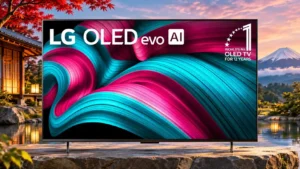
Overall: 4.0/5
Cinematic Movement can smooth troublesome pans without a heavy soap-opera look, although default smoothing is sometimes aggressive.
Pros: value for money, overall satisfaction
Cons: Remote control usability, sound quality

Overall: 4.0/5
Optional smoothing can make pans fluid without an exaggerated soap-opera look at restrained settings; high settings may add artifacts.
Pros: color accuracy, picture quality
Cons: HDR brightness, peak brightness
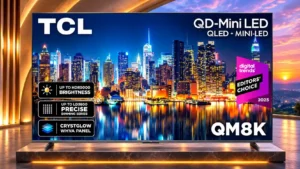
Overall: 4.0/5
Motion smoothing can reduce judder with conservative settings, but high settings introduce artifacts and lost detail.
Pros: peak brightness, picture quality
Cons: HDMI 2.1 port count, reflection handling

Overall: 4.0/5
Smoothing reduces the pronounced 24fps stutter of OLED playback and offers useful adjustment options.
Pros: overall satisfaction, picture quality
Cons: size options, value for money

Overall: 3.8/5
Optional interpolation can reduce movie stutter, but stronger settings can alter the intended cinematic appearance.
Pros: picture quality, 4K at 144 Hz support
Cons: sound quality, value for money

Overall: 3.9/5
Sony’s interpolation is unusually subtle, smoothing pans while preserving a cinematic look better than many aggressive motion systems.
Pros: gaming performance, peak brightness
Cons: HDMI 2.1 support, HDMI 2.1 port count

Overall: 3.9/5
Motion interpolation can tame judder and stutter without necessarily adding much lag, but settings require adjustment and results can be inconsistent.
Pros: peak brightness, overall satisfaction
Cons: value for money, shadow detail

Overall: 3.9/5
Smoothing can make lower-frame-rate material more fluid, though aggressive settings risk visible processing mistakes.
Pros: peak brightness, value for money
Cons: reflection handling, glare resistance

Overall: 3.6/5
Motionflow can smooth lower-frame-rate video effectively, but people sensitive to an artificial soap-opera look may prefer to disable it.
Pros: picture quality, overall satisfaction
Cons: sound quality, reliability

Overall: 3.4/5
Interpolation can smooth camera pans effectively, but some find motion processing artificial or blurry and prefer it off.
Pros: picture quality, value for money
Cons: viewing angles, HDR performance

Overall: 4.2/5
Interpolation can tame judder for sports or slower content, but occasional cadence errors and a processed movie look remain concerns.
Pros: picture quality, glare resistance
Cons: value for money, bass performance

Overall: 3.8/5
Interpolation smooths many scenes and can reduce judder. Aggressive AI smoothing can introduce an obvious soap-opera look.
Pros: glare resistance, overall satisfaction
Cons: input lag, value for money

Overall: 4.0/5
True Cinema and conservative settings can help films, but stronger smoothing introduces artifacts or a soap-opera look.
Pros: picture quality, black levels
Cons: HDR brightness, value for money

Overall: 4.2/5
Optional processing smooths sports and some film movement, but slower pans may still show stutter and artifacts.
Pros: value for money, color accuracy
Cons: HDR brightness, reflection handling
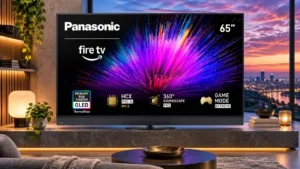
Overall: 4.3/5
Gentle settings can ease 24p stutter, but aggressive interpolation introduces artificial motion or processing errors.
Pros: picture quality, color accuracy
Cons: bass performance, HDMI 2.1 port count

Overall: 4.1/5
Judder-reduction settings help some scenes but can add artifacts or a soap-opera appearance when pushed too far.
Pros: peak brightness, HDR brightness
Cons: sound quality, viewing angles
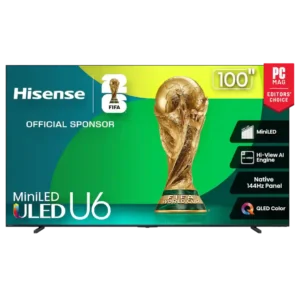
Overall: 4.2/5
Motion interpolation is highly adjustable, which some viewers will appreciate. One reviewer strongly dislikes the default soap-opera effect, while another praises the flexibility to tune judder and smoothness.
Pros: overall satisfaction, value for money
Cons: smart TV platform, blooming control

Overall: 3.9/5
Smoothing is useful for selected content, but some low-frame-rate films remain choppy and aggressive settings can look artificial.
Pros: value for money, overall satisfaction
Cons: Dolby Vision support, sound quality

Overall: 3.8/5
Smoothing can reduce stutter, but extra blur limits how convincingly it cleans up movies.
Pros: Wireless One Connect compatibility, art display mode
Cons: value for money, input lag

Overall: 4.2/5
Optional smoothing can make low-frame-rate footage noticeably more fluid. The default strength often introduces halos, artificial movement or other distracting artifacts.
Pros: high-refresh-rate gaming, gaming performance
Cons: value for money, bass performance

Overall: 3.3/5
Motion adjustment can improve judder on some samples, but other testing finds interpolation inconsistent or ineffective.
Pros: color accuracy, upscaling quality
Cons: picture quality, sound quality

Overall: 3.9/5
Motion smoothing can reduce some judder, but it is not especially effective at hiding OLED stutter and needs tuning to avoid an unnatural look.
Pros: color volume, black levels
Cons: Inconsistent panel and coating by size, sound quality

Overall: 4.0/5
Motion smoothing can help sports or low-frame-rate content, but settings often involve uneven cadence or a soap-opera look.
Pros: reflection handling, overall satisfaction
Cons: Dolby Vision support, bass performance

Overall: 3.6/5
Adjustable smoothing can make some 24fps material look fluid, but consistency is poor and certain settings create obvious jerks.
Pros: black levels, picture quality
Cons: HDR performance, blooming control
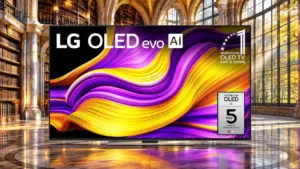
Overall: 4.2/5
Interpolation can reduce some 24fps judder but does not fully smooth slow camera pans, and stronger settings may compromise cinematic authenticity.
Pros: overall satisfaction, picture quality
Cons: banding control, remote control quality

Overall: 4.0/5
Motion interpolation can smooth video, but stronger settings may introduce artifacts, skipped frames, or an artificial look that some reviewers disliked intensely.
Pros: overall satisfaction, picture quality
Cons: reliability, build quality
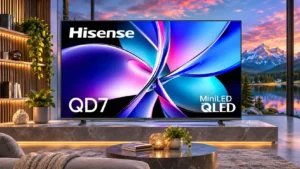
Overall: 3.9/5
Smoothing can help choppiness in some clips, but on other content it adds artifacts or makes motion look less natural.
Pros: picture quality, contrast ratio
Cons: HDR performance, motion handling
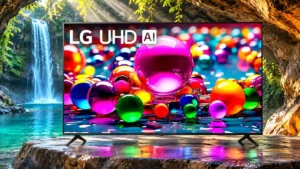
Overall: 3.0/5
TruMotion can look smoother in hands-on use, but technical testing finds inconsistent results and little improvement in stutter.
Pros: viewing angles, smart TV platform
Cons: overall satisfaction, refresh rate

Overall: 3.8/5
Interpolation offers some adjustments, yet tests found limited improvements and visible artifacts in challenging movement.
Pros: overall satisfaction, picture quality
Cons: value for money, local dimming performance

Overall: 3.0/5
Interpolation sometimes helps modestly, yet lab testing found uneven frame pacing that can make slow pans look worse.
Pros: color gamut, smart TV platform
Cons: value for money, overall satisfaction

Overall: 3.0/5
Interpolation can reduce judder or stutter in some passages, but inconsistent timing produces distracting movement in others.
Pros: picture quality, smart TV platform
Cons: value for money, refresh rate
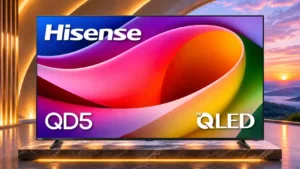
Overall: 3.9/5
Motion smoothing creates distracting artifacts and halos around moving people and backgrounds.
Pros: overall satisfaction, picture quality
Cons: Weight and handling, black levels
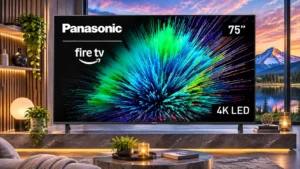
Overall: 3.3/5
Motion interpolation helps very little with stutter and can produce uneven pacing rather than smoother movement.
Pros: picture quality, motion handling
Cons: HDR performance, HDR brightness