
Overall: 4.4/5
AMD FreeSync support is consistently praised as part of the G6’s complete adaptive-sync package.
Pros: picture quality, peak brightness
Cons: value for money, sound quality

Overall: 4.4/5
AMD FreeSync support is consistently praised as part of the G6’s complete adaptive-sync package.
Pros: picture quality, peak brightness
Cons: value for money, sound quality

Overall: 4.1/5
FreeSync support gives AMD hardware smooth, tear-reduced playback alongside the other VRR standards.
Pros: gaming performance, HDR brightness
Cons: reflection handling, glare resistance

Overall: 4.5/5
FreeSync support is a clear plus for AMD-based gaming, helping deliver stable, tear-reduced play at variable frame rates.
Pros: glare resistance, black levels
Cons: Dolby Vision support, color gamut

Overall: 4.2/5
AMD FreeSync Premium Pro adds a valuable adaptive-refresh option for compatible gaming equipment.
Pros: overall satisfaction, glare resistance
Cons: motion handling, viewing angles

Overall: 4.1/5
AMD FreeSync Premium works as part of a comprehensive VRR package, supporting smooth PC and console play.
Pros: picture quality, gaming performance
Cons: value for money, sound quality

Overall: 4.0/5
Xbox compatibility includes FreeSync Premium Pro, giving current consoles a full set of variable-refresh features.
Pros: peak brightness, picture quality
Cons: value for money, viewing angles
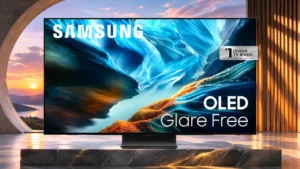
Overall: 4.1/5
Supported FreeSync sources can run with very little tearing, including when frame rates dip.
Pros: black levels, contrast ratio
Cons: Dolby Vision support, stutter handling

Overall: 3.1/5
FreeSync works across a broad frame-rate range to reduce tearing from compatible consoles and PCs.
Pros: gaming performance, color accuracy
Cons: value for money, overall satisfaction

Overall: 3.8/5
AMD FreeSync works across the supported refresh range and helps keep variable-frame-rate gaming free of tearing.
Pros: overall satisfaction, color gamut
Cons: value for money, local dimming performance

Overall: 4.2/5
FreeSync integration makes supported PCs and consoles smoother, with less tearing and fewer distractions.
Pros: picture quality, overall satisfaction
Cons: design and appearance, Dolby Vision support

Overall: 3.5/5
FreeSync works alongside other VRR formats and helps games stay nearly tear-free over a broad frame-rate range.
Pros: art display mode, design and appearance
Cons: overall satisfaction, HDMI port accessibility

Overall: 3.8/5
FreeSync and other VRR standards keep games nearly tear-free across supported frame rates.
Pros: cable management, design and appearance
Cons: value for money, Dolby Vision support

Overall: 3.9/5
FreeSync Premium Pro is part of a gaming package described as checking nearly every important box.
Pros: peak brightness, picture quality
Cons: color accuracy, viewing angles
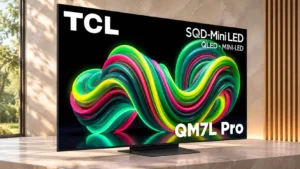
Overall: 4.1/5
Variable refresh works well with AMD graphics hardware and compatible consoles, reducing visible tearing as frame rates vary.
Pros: picture quality, black levels
Cons: viewing angles, motion clarity

Overall: 4.4/5
FreeSync Premium Pro adds a strong adaptive-sync option for compatible PCs and consoles.
Pros: picture quality, value for money
Cons: stand quality, judder handling

Overall: 4.1/5
FreeSync Premium Pro and variable refresh support can reduce tearing when game frame rates fluctuate, a valued feature at the price.
Pros: overall satisfaction, value for money
Cons: Smart TV platform, advertising intrusiveness

Overall: 4.0/5
FreeSync provides tear-free play.
Pros: black levels, picture quality
Cons: glare resistance, reflection handling

Overall: 4.0/5
AMD FreeSync support contributes to the broad, smooth variable-refresh gaming package.
Pros: contrast ratio, black levels
Cons: reflection handling, color accuracy

Overall: 4.1/5
FreeSync and VRR help prevent tearing when a compatible console or graphics card varies its frame rate.
Pros: peak brightness, picture quality
Cons: value for money, color accuracy

Overall: 3.8/5
FreeSync helps keep supported games free from tearing as frame rates change, although the 50-inch UK variant is missing some advanced features.
Pros: picture quality, contrast ratio
Cons: blooming control, glare resistance

Overall: 3.8/5
FreeSync support joins HDMI Forum VRR to help keep fluctuating game frame rates free of visible tearing.
Pros: HDMI 2.1 port count, overall satisfaction
Cons: HDR performance, bass performance

Overall: 3.8/5
AMD variable refresh works well across a useful range and helps prevent tearing in compatible games.
Pros: picture quality, color accuracy
Cons: HDR performance, sound quality

Overall: 4.3/5
Variable-refresh compatibility complements the high-refresh panel and helps keep supported gaming displays free of tearing.
Pros: picture quality, black levels
Cons: bass performance, HDR brightness
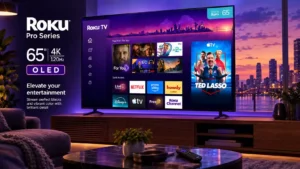
Overall: 4.1/5
FreeSync Premium contributes to smooth gaming and helps reduce distracting tearing.
Pros: contrast ratio, value for money
Cons: peak brightness, HDR brightness

Overall: 3.8/5
Broad variable-refresh support helps reduce screen tearing and works with low-frame-rate compensation for smoother games.
Pros: picture quality, overall satisfaction
Cons: color crosstalk, value for money

Overall: 3.7/5
FreeSync support helps compatible graphics hardware deliver smooth, nearly tear-free play.
Pros: color volume, overall satisfaction
Cons: value for money, color accuracy
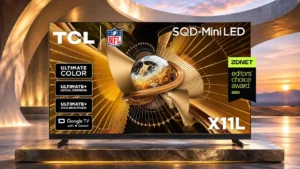
Overall: 4.0/5
The freesync support is a strong point, contributing to the TV’s premium everyday experience.
Pros: peak brightness, blooming control
Cons: value for money, motion clarity

Overall: 2.9/5
Variable-refresh support can suppress tearing at 1080p, but its limited behavior and compatibility have drawn conflicting assessments.
Pros: value for money, picture quality
Cons: account requirements, gaming performance
Overall: 4.2/5
FreeSync is missing, which is a drawback for gamers who specifically rely on AMD’s branded VRR implementation.
Pros: overall satisfaction, picture quality
Cons: HDMI 2.1 port count, reflection handling
Overall: 3.8/5
HDMI Forum VRR and G-SYNC work well, but lack of FreeSync excludes VRR on certain older AMD graphics cards. Check PC graphics compatibility before relying on tear-free play.
Pros: HDMI 2.1 port count, Video input versatility
Cons: value for money, overall satisfaction