
Overall: 4.1/5
The active cooling fan runs quietly enough to go unnoticed even by someone sensitive to noise. Operating sound should rarely distract from work or play.
Pros: Resolution, overall satisfaction
Cons: value for money, GPU demands

Overall: 4.1/5
The active cooling fan runs quietly enough to go unnoticed even by someone sensitive to noise. Operating sound should rarely distract from work or play.
Pros: Resolution, overall satisfaction
Cons: value for money, GPU demands

Overall: 4.2/5
A small internal fan remains effectively inaudible in ordinary operation.
Pros: refresh rate, HDR performance
Cons: reflection handling, Text fringing

Overall: 4.2/5
Noisy operation was not a significant concern in the supported assessment, making the experience unobtrusive.
Pros: overall satisfaction, black levels
Cons: reflection handling, Color brightness

Overall: 4.4/5
Fanless operation keeps the monitor silent, avoiding a distraction found on some actively cooled displays.
Pros: sharpness, overall satisfaction
Cons: value for money, VRR flicker

Overall: 4.2/5
No coil whine was audible from either the screen or power brick in a quiet workspace.
Pros: HDR performance, overall satisfaction
Cons: HDR highlight detail, color accuracy

Overall: 3.6/5
The internal fan was effectively inaudible during ordinary use. Cooling noise should not be a distraction in a typical setup.
Pros: refresh rate, Dual-mode versatility
Cons: motion clarity, black levels

Overall: 4.2/5
A fanless cooling approach is appreciated for avoiding active-cooling noise, though it is not a substitute for burn-in precautions.
Pros: HDR performance, DisplayPort connectivity
Cons: value for money, brightness

Overall: 4.2/5
The fanless approach is effectively silent during use, avoiding a common concern with complex gaming displays. It preserves immersion during quiet scenes.
Pros: reflection handling, color gamut
Cons: value for money, brightness

Overall: 4.0/5
The passive design avoids the distraction of an audible cooling fan.
Pros: brightness, contrast
Cons: Text fringing, speaker quality

Overall: 4.1/5
Reports conflict: one editing-focused test praises the quiet fanless operation, while another owner complains of a noticeable hum.
Pros: value for money, Resolution
Cons: HDR performance, refresh rate

Overall: 4.2/5
A faint power-supply whine was reported under unusual electrical conditions, though it was barely noticeable in normal use.
Pros: port selection, USB hub functionality
Cons: competitive gaming suitability, motion clarity
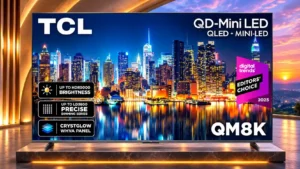
Overall: 4.0/5
At extreme brightness settings, one 98-inch unit produced an audible fan hum. Lowering brightness eliminated it, at the expense of maximum output.
Pros: peak brightness, picture quality
Cons: HDMI 2.1 port count, reflection handling

Overall: 4.2/5
A quiet electrical buzz can appear when large white or light-grey screens are displayed at higher brightness, particularly distracting for office work.
Pros: overall picture quality, overall satisfaction
Cons: port selection, brightness

Overall: 3.9/5
One large sample exhibited an intrusive constant buzz, audible during quiet viewing regardless of picture settings; other assessments did not report this problem.
Pros: peak brightness, overall satisfaction
Cons: value for money, shadow detail