
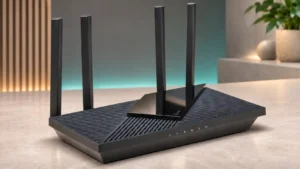
TP-Link Archer AX55 Feature Scores
Overall Scorata score: 4.0/5
Based on 20 analyzed reviews · View source samples
Explore all 113 feature scores for TP-Link Archer AX55, organized into pros and cons.
Scores by Feature
Summary
113 reviewed features-
Very positive 4.5-5.048 (42%)
-
Positive 3.5-4.445 (40%)
-
Neutral 2.5-3.49 (8%)
-
Negative 1.5-2.410 (9%)
-
Very negative below 1.51 (1%)
Pros
Sort
-
Strong everyday speed, useful controls and inexpensive hardware make this a compelling value, provided premium subscriptions or higher-speed ports are unnecessary.
-
Setup is consistently praised for being quick and approachable, even when small connection or button mishaps occur.
-
Tether makes initial discovery and configuration particularly straightforward.
-
The router handles numerous connected devices and simultaneous streaming or work tasks well for its class.
-
Tether is widely liked for its clean, useful interface, though some settings require deeper navigation.
-
Stable performance over weeks of use and demanding traffic is a recurring strength.
-
Ventilation and heatsinks generally keep the router cool even under sustained traffic, though some users report warmth at peak usage.
-
Fast local transfers and strong nearby Wi-Fi are recurring strengths, especially considering the router’s low price.
-
Connections generally stay reliable across simultaneous streams and ordinary household devices.
-
Same-room throughput can approach gigabit speeds, though close-range 2.4 GHz results are less impressive in some tests.
-
Installation typically takes only minutes, with guided setup keeping the process manageable.
-
Concurrent streaming and large transfers generally run smoothly even under substantial network load.
-
Step-by-step instructions and clear visuals make getting connected easy.
-
Wireless performance is solid for everyday home networking and competitive at this price, although premium models can be faster.
-
Range is impressive for an inexpensive standalone router, but distant rooms and challenging layouts can expose its limits.
-
Wi-Fi 6 delivers useful speeds and better handling of concurrent devices at a modest price.
-
Basic parental controls are useful and easy to navigate, while advanced profiles, limits and reports may require payment.
-
Content filtering offers flexible website categories and customizable blocking rules.
-
Device priority settings help protect work traffic and other important connections.
-
Prioritizing important traffic helps protect simultaneous work, streaming and other demanding connections.
-
Responsiveness is generally good for calls and gaming, with some tests finding exceptionally low ping.
-
USB 3.0 adds useful storage and media-sharing options uncommon on some similarly priced routers.
-
Downloads remain strong across typical rooms, and some installations can make full use of their broadband connection.
-
USB file sharing is surprisingly capable for an affordable router, though it is not a dedicated NAS replacement.
-
Advanced browser options and app controls provide good configurability, though some rivals offer deeper settings and certain features are app-only.
-
Four gigabit LAN ports provide useful room for wired devices without an external switch.
-
QoS is useful for prioritizing devices, but app-only configuration frustrates some users and accounts differ on paid access.
-
Upgrading from older equipment can improve stability, cooling and performance under simultaneous traffic.
-
Network maps and connected-device overviews make it easy to see what is happening on the network.
-
Settings are generally organized logically, although some mobile options are buried in deeper menus.
-
A single unit can cover many typical homes, although very large houses may retain dead spots.
-
Through-wall performance is often quite good, but thick walls and longer paths can significantly reduce throughput.
-
The black design is compact and functional; some like its finish, while others find it visually uninspiring.
-
Wired testing showed speeds close to the full gigabit internet plan.
-
Managing and blocking clients is straightforward, with useful app controls.
-
160 MHz channels are a useful speed advantage when compatible clients and available channels allow them.
-
The 5 GHz band generally delivers fast, dependable throughput, particularly when clients connect directly to it.
-
The browser interface offers extensive adjustments and is easy to navigate, but some HomeShield functions require the app.
-
Expansion is affordable and practical, though compatibility varies by hardware revision and some rivals offer stronger scalability.
-
The two-year warranty compares favorably with some competitors’ shorter coverage.
-
The included guide is straightforward and works well alongside the app’s visual instructions.
-
Local uploads are fast, with results depending on the client and internet plan.
-
The router can eliminate weak spots left by older equipment, and compatible extenders can help where a single unit falls short.
-
Outdoor reach can be surprisingly good, although garden speeds may drop and results depend on obstacles.
-
Adjustable antennas offer useful flexibility for directing coverage toward the rooms where Wi-Fi is needed.
-
The chassis feels sturdy, with good internal heatspreader construction and little flex.
-
Dozens of devices can connect successfully, making capacity a useful strength for ordinary households.
-
Routine security scans provide helpful visibility into potential network issues.
-
Straightforward setup and generally intuitive controls make the router accessible to ordinary users.
-
The interface is described as responsive and free of distracting bugs.
-
Compatible mesh devices can share a network name and allow smooth movement between coverage areas.
-
Mesh expansion is attractive for maintaining connectivity while moving between the router and extender.
-
The troubleshooting guide and in-app help can resolve common setup difficulties.
-
The power button and clear labels are useful, though the WPS and reset buttons can be confused during setup.
-
The compact chassis is easy to place at home, though considerably bulkier than a dedicated travel router.
-
Scheduling and time limits are useful, but some expanded scheduling options sit behind paid plans.
-
Blocking unwanted or restricted clients is straightforward.
-
HomeShield provides useful device protection, especially against malicious sites, although full protection may require a paid plan.
-
Adding compatible access points allows the network to grow without replacing the main router.
-
A guest network is useful for providing internet access without sharing the main household password.
-
Jitter is adequate for ordinary use and exceptionally low in one open-space range test.
-
Compatible mesh devices can form a unified network, making expansion practical when a single router is insufficient.
-
HomeShield offers useful malware and network threat defenses, with the full toolset dependent on the plan.
-
Built-in mounting slots make wall placement convenient.
-
Browser setup offers a useful, guided alternative to installing the mobile app.
-
Some homes maintain strong speeds across floors, while others experience pronounced downstairs slowdowns.
-
Loaded-network testing showed a major advantage over older Wi-Fi 5 equipment.
-
Online tutorials, a thorough manual and live or email assistance offer useful support options.
-
Gigabit wired connections achieved excellent speeds in testing, close to the maximum broadband speed.
-
Adding a compatible extender can dramatically improve speeds in a formerly weak bedroom.
-
Measured power consumption is low, making continuous operation inexpensive in the cited test.
-
Low measured power draw helps keep running costs modest.
-
OFDMA improves concurrent traffic handling, although access-point defaults may require adjustment.
-
Speeds fall with distance, sometimes sharply in far bedrooms; other tests found usable throughput even at substantial distances.
-
The 2.4 GHz band excelled in one comparison, though another found it could use more speed.
-
VPN client functionality is available, but the exact capabilities trail more specialized alternatives.
-
VPN server support is useful, although a dedicated travel rival offers more flexibility.
-
Security tools are useful, but basic protection is less comprehensive than some rivals and advanced features can cost extra.
-
Beamforming and external antennas are credited with reaching areas that older equipment missed.
-
The device-identification tool helps users spot unwanted connections.
-
The firmware is described as stable and user-friendly.
-
The router was described as compatible with several Malaysian fiber providers; requirements depend on the actual ISP.
-
Time Machine compatibility makes network backups convenient for Mac users.
-
Blocking malicious sites is a useful part of the upgraded HomeShield service.
-
Quiet operation makes it unobtrusive in ordinary living spaces.
-
Remote app access lets owners manage settings even when away from their home network.
-
LED scheduling is useful for turning off distracting status lights at night.
-
WPA3 is valued for stronger password protection on compatible devices.
-
Mid-distance results vary considerably: some tests found excellent 35-foot performance, while others found a pronounced slowdown farther away.
-
The included cable, manual and power adapter provide the essentials for installation.
-
Channel recommendations are useful, but selecting or forcing a desired wide channel may be difficult.
-
Multiple-stream technology helps manage traffic, but the two-stream 5 GHz radio offers limited headroom for higher-end clients.
-
Wider channels can raise local speeds substantially, but client support and channel availability affect results.
Cons
Sort
-
The absence of multi-gigabit Ethernet is a clear limitation for faster internet and local wired networking.
-
The standard AX55 lacks 2.5 GbE, limiting its usefulness with faster wired networks and internet plans.
-
The lack of a 6 GHz band limits the appeal for owners of newer devices seeking extra throughput.
-
Wi-Fi 7 clients miss newer capabilities, although ordinary Wi-Fi 6 networking remains useful.
-
USB printer control is unavailable, a frustrating limitation for buyers hoping to share a printer.
-
The same model name covers multiple hardware revisions with different features and support details, making exact version identification important.
-
Newer Wi-Fi 6E devices cannot use their additional band with this router.
-
The lack of separate bandwidth controls disappoints users who want more than device prioritization.
-
Users cannot aggregate Ethernet ports for higher link speeds.
-
Smart Connect may leave capable devices on the slower 2.4 GHz band; separating the bands can help.
-
QoS does not replace dedicated per-device bandwidth limits for users who need fine-grained speed control.
-
The AX3000 figure is an aggregate theoretical radio rating, not a promised single-device internet speed.
-
The gigabit WAN port is adequate for typical broadband but becomes a bottleneck for faster plans.
-
Basic tools are available without payment, but advanced security and parental features can significantly increase ownership costs.
-
Firmware updates need to match the exact regional hardware revision, making version checks important.
-
An embedded customer account describes an unexpected restart, although the main reviewer did not encounter it.
-
WireGuard availability depends on hardware revision, so confirm the exact version if this is a requirement.
-
Packaging protects the router adequately, but antenna wrapping can be frustrating to remove and the presentation is basic.
-
Support and firmware information depend on hardware revision; verify the specific unit rather than relying on the model name alone.
-
Detailed activity reports are valuable for parents, although access to advanced reporting can depend on the subscription.
Use Cases
Best for
Sort
-
Budget-conscious buyers get strong everyday speeds and useful features without paying premium hardware prices, though subscriptions can erode savings.
-
Ordinary gigabit-or-slower home networks are a good match for the router’s performance and port selection.
-
Parents get useful profiles, filters and scheduling, with more advanced monitoring and restrictions often requiring a subscription.
-
Busy households benefit from solid traffic handling across dozens of devices and simultaneous streams.
-
Compatible mesh extenders can provide affordable additional coverage; verify the actual hardware revision and mesh compatibility first.
-
Multiple streams, including 4K playback, generally run smoothly when the router provides adequate coverage.
-
New router owners benefit from a quick guided setup and clear app instructions.
-
Small homes and apartments are particularly good fits because nearby speeds are strong and a single router can cover the space economically.
-
The router is a good match for ordinary broadband up to one gigabit, with wired speeds near the plan maximum and good everyday wireless performance.
-
USB storage works well for basic file sharing, media playback and backups, but demanding users may prefer a dedicated NAS.
-
Strong everyday speeds and device prioritization make shared remote work practical, provided the office has adequate coverage.
-
Online gaming is practical with a good signal and low latency, especially close to the router.
-
Video calls are responsive in ordinary conditions, including some distant rooms with adequate signal.
-
Home VPN use is practical, but available protocols and flexibility depend on revision and configuration needs.
-
Strong 2.4 GHz support and backward compatibility make ordinary older devices practical to keep connected.
-
There is substantial room for advanced configuration, although specialized networking ecosystems offer more depth.
-
Low cost and useful management features make the router appealing for long-term value, but comparable multi-year failure data is lacking.
-
The small chassis is easy to fit on a crowded desktop or bookshelf.
-
Mac users can take advantage of shared storage and Time Machine backup support.
-
Ordinary smart-home networking is a reasonable fit when client compatibility and required security features are confirmed.
-
Latency is adequate for casual gaming, particularly with a good Wi-Fi signal.
Conditional or not ideal for
Sort
-
Large or multi-story homesSome multi-story homes get excellent coverage, but larger or thick-walled layouts may need extra mesh units or another system.
-
Multi-gigabit internetBroadband plans exceeding one gigabit will be limited by the WAN port; faster equipment is preferable for full plan speeds.
-
Internet plans above 2.5 GbpsPlans above 2.5 Gbps cannot be fully utilized through the gigabit WAN connection.
-
Wired multi-gigabit networkingGigabit ports are inadequate for buyers who specifically need faster wired connections.
-
TravelDedicated pocket-sized travel routers are easier to carry and better suited to temporary hotel networking.
-
Wi-Fi 7 device householdsHouseholds buying Wi-Fi 7 devices will miss the newer standard’s advantages with this router.
-
Access point modeAccess-point mode is useful but may require manual adjustments to enable performance-enhancing features.