Best for network monitoring
Fritz!Box 5690 Pro
5.0 attribute score
Highest scored product for this attribute based on supporting review evidence.

Highest scored product for this attribute based on supporting review evidence.
Balances the attribute score, supporting reviews, and overall product strength.
Has the broadest review evidence for this attribute.
Strongest overall product among items with scored evidence for this attribute.
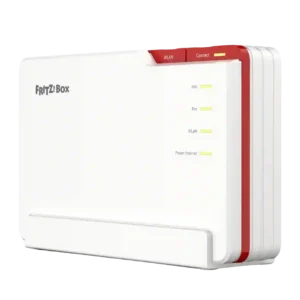
Overall: 4.0/5
Monitoring tools are a strength, offering detailed traffic visibility while making it easier to identify high-usage devices and understand the network.
Pros: telephony features, value for money
Cons: LAN port speed, wall-mounting support

Overall: 4.1/5
The touchscreen makes live client counts and CPU and memory usage easy to monitor without opening a separate interface.
Pros: wireless performance, Wi-Fi speed
Cons: value for money, size and footprint

Overall: 4.3/5
The dashboard provides useful live device, bandwidth and network-status information.
Pros: value for money, Wi-Fi speed
Cons: subscription requirements, WAN port speed

Overall: 3.7/5
The app makes it easy to see connected devices and bandwidth usage, although detailed historical insights may require a subscription.
Pros: setup ease, value for money
Cons: Ethernet port count, Wi-Fi speed

Overall: 4.2/5
Network maps, client information, speed tests and traffic visibility make it easy to check how the mesh is performing.
Pros: value for money, Wi-Fi speed
Cons: subscription requirements, long-range speed

Overall: 4.5/5
Monitoring is useful and accessible through dashboards and the touchscreen, including real-time speeds and AdGuard blocking statistics. Some display metrics depend on acceleration settings.
Pros: VPN client support, value for money
Cons: 6 GHz performance, USB storage sharing

Overall: 4.8/5
Continuous network analysis lets the router adjust settings proactively rather than waiting for the user to diagnose performance problems.
Pros: Wi-Fi 7 support, Wi-Fi speed

Overall: 4.3/5
Coverage analysis and connected-device information make it easier to understand and manage the network.
Pros: value for money, design and appearance
Cons: node pairing ease, outdoor coverage

Overall: 4.0/5
Network maps and connected-device overviews make it easy to see what is happening on the network.
Pros: value for money, parental controls
Cons: subscription requirements, multi-gig Ethernet support

Overall: 4.1/5
Useful traffic, connection and device statistics are available, though the network map could show more details at a glance.
Pros: value for money, Wi-Fi speed
Cons: 6 GHz performance, subscription requirements
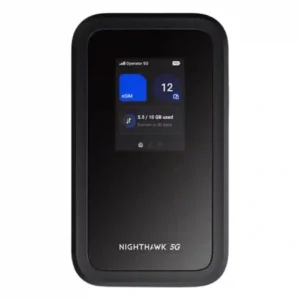
Overall: 4.1/5
Data and device visibility are useful, though physical-SIM usage reporting may be less accurate than Netgear eSIM reporting.
Pros: eSIM flexibility, cellular connectivity
Cons: interface responsiveness, Ethernet port count

Overall: 4.4/5
Client tracking is useful, but hardware acceleration can prevent traffic statistics from working correctly.
Pros: setup ease, configuration flexibility
Cons: Wi-Fi 7 support, USB storage sharing