Best for content filtering
TP-Link Archer AX55
4.6 attribute score
Highest scored product for this attribute based on supporting review evidence.

Highest scored product for this attribute based on supporting review evidence.
Balances the attribute score, supporting reviews, and overall product strength.
Has the broadest review evidence for this attribute.
Strongest overall product among items with scored evidence for this attribute.

Overall: 4.0/5
Content filtering offers flexible website categories and customizable blocking rules.
Pros: value for money, parental controls
Cons: subscription requirements, multi-gig Ethernet support

Overall: 4.5/5
AdGuard Home provides basic adult-content filtering at the DNS level across connected devices. It is useful and free, though not a full-featured parental-control platform.
Pros: VPN client support, value for money
Cons: 6 GHz performance, USB storage sharing
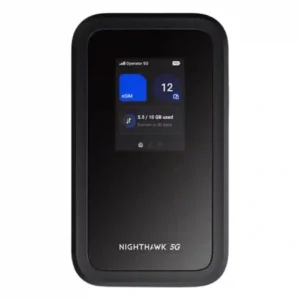
Overall: 4.1/5
URL filtering adds another layer of control when the M7 is being used as a private gateway on top of public Wi-Fi.
Pros: eSIM flexibility, cellular connectivity
Cons: interface responsiveness, Ethernet port count

Overall: 4.3/5
Content and website filtering provide useful basic controls for families.
Pros: value for money, Wi-Fi speed
Cons: subscription requirements, WAN port speed

Overall: 4.4/5
Network-level filtering removes many ads, although it cannot catch everything and may occasionally break legitimate services.
Pros: setup ease, configuration flexibility
Cons: Wi-Fi 7 support, USB storage sharing

Overall: 4.2/5
Free age-appropriate and device-specific filtering is useful for managing children's internet access.
Pros: value for money, Wi-Fi speed
Cons: subscription requirements, long-range speed

Overall: 4.1/5
Basic website blocking is useful, but more extensive filtering can be subscription-dependent.
Pros: value for money, Wi-Fi speed
Cons: 6 GHz performance, subscription requirements

Overall: 4.1/5
Basic website filtering is available, but more advanced app filtering requires a paid plan.
Pros: wireless performance, Wi-Fi speed
Cons: value for money, size and footprint

Overall: 3.7/5
Website and keyword blocking provide elementary filtering; sophisticated age-based categories are not consistently available.
Pros: Overall satisfaction, value for money
Cons: USB port support, 160 MHz support
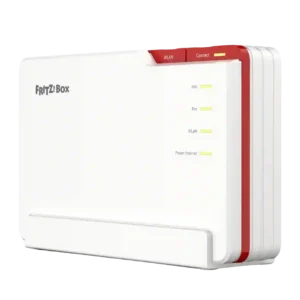
Overall: 4.0/5
Filtering supports specific sites, apps and usage profiles, but one reviewer criticizes the lack of category-based web filtering found on some competitors.
Pros: telephony features, value for money
Cons: LAN port speed, wall-mounting support

Overall: 4.3/5
Content controls cover broad categories and family use cases, but one reviewer wanted finer domain-level control.
Pros: value for money, design and appearance
Cons: node pairing ease, outdoor coverage

Overall: 3.7/5
Content filtering can be useful, but advanced options typically require a subscription rather than being included at no extra charge.
Pros: setup ease, value for money
Cons: Ethernet port count, Wi-Fi speed

Overall: 4.3/5
Adult content filtering missed some websites during testing.
Pros: Wi-Fi speed, Ethernet port count
Cons: 10 GbE support, WAN port speed

Overall: 4.8/5
The filtering tools are a weak point because unsuitable sites must be entered manually and there are no preset category filters.
Pros: Wi-Fi 7 support, Wi-Fi speed