Best for setup ease
GL.iNet GL-BE3600 Slate 7
4.9 attribute score
Highest scored product for this attribute based on supporting review evidence.

Highest scored product for this attribute based on supporting review evidence.
Balances the attribute score, supporting reviews, and overall product strength.
Has the broadest review evidence for this attribute.
Strongest overall product among items with scored evidence for this attribute.

Overall: 4.5/5
Basic setup is a consistent strength, with guided flows, QR codes and straightforward Wi‑Fi configuration making the router quick to deploy. Even fairly advanced travel setups can be brought online...
Pros: VPN client support, value for money
Cons: 6 GHz performance, USB storage sharing
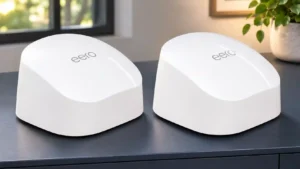
Overall: 3.7/5
Installation is a standout strength: the app guides users through connecting the gateway and adding nodes. Occasional setup bugs and individual node registration can add some time.
Pros: setup ease, value for money
Cons: Ethernet port count, Wi-Fi speed

Overall: 4.1/5
Setup is consistently described as quick and straightforward, often taking only five or six minutes. A few ISP-specific settings can confuse beginners.
Pros: value for money, Wi-Fi speed
Cons: 6 GHz performance, subscription requirements
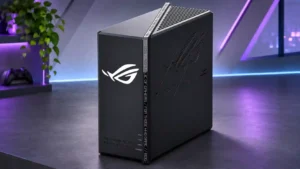
Overall: 4.3/5
Setup is generally straightforward and often takes around five minutes, though one ISP configuration caused difficulty.
Pros: Wi-Fi speed, Ethernet port count
Cons: 10 GbE support, WAN port speed

Overall: 4.8/5
QR-led onboarding and the Aquila app make initial setup quick and refreshingly straightforward.
Pros: Wi-Fi 7 support, Wi-Fi speed
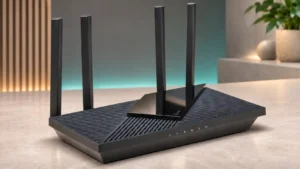
Overall: 4.0/5
Setup is consistently praised for being quick and approachable, even when small connection or button mishaps occur.
Pros: value for money, parental controls
Cons: subscription requirements, multi-gig Ethernet support

Overall: 4.3/5
Setup is usually quick and easy with Tether, although some users encounter initial connection problems or separate SSID requirements.
Pros: value for money, Wi-Fi speed
Cons: subscription requirements, WAN port speed
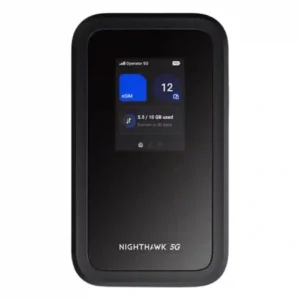
Overall: 4.1/5
Getting online is consistently quick and uncomplicated, with QR-code onboarding and SIM activation often taking only minutes.
Pros: eSIM flexibility, cellular connectivity
Cons: interface responsiveness, Ethernet port count

Overall: 4.1/5
Initial setup is consistently described as quick and straightforward.
Pros: wireless performance, Wi-Fi speed
Cons: value for money, size and footprint

Overall: 4.2/5
Most installations are quick and straightforward, with nodes joining automatically. Some users needed repeated modem resets before the first unit connected.
Pros: value for money, Wi-Fi speed
Cons: subscription requirements, long-range speed
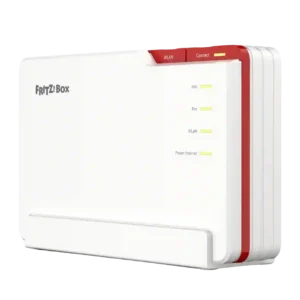
Overall: 4.0/5
Setup feedback is mixed by user type: basic installation can be fast and beginner-friendly, while advanced fibre, telephony and smart-home configuration demands more networking knowledge.
Pros: telephony features, value for money
Cons: LAN port speed, wall-mounting support

Overall: 4.3/5
Several reviewers found setup quick and straightforward, but others encountered pairing, login, and platform-specific problems.
Pros: value for money, design and appearance
Cons: node pairing ease, outdoor coverage

Overall: 4.4/5
Basic setup is often quick, but advanced settings and alternative firmware introduce a learning curve.
Pros: setup ease, configuration flexibility
Cons: Wi-Fi 7 support, USB storage sharing