Best for Ethernet port count
ASUS ROG Strix GS-BE18000
5.0 attribute score
Highest scored product for this attribute based on supporting review evidence.

Highest scored product for this attribute based on supporting review evidence.
Balances the attribute score, supporting reviews, and overall product strength.
Has the broadest review evidence for this attribute.
Strongest overall product among items with scored evidence for this attribute.
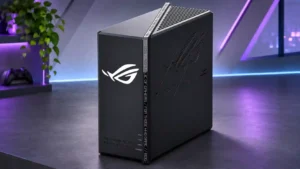
Overall: 4.3/5
The unusually generous seven LAN ports plus a WAN port are one of the router's biggest selling points.
Pros: Wi-Fi speed, Ethernet port count
Cons: 10 GbE support, WAN port speed
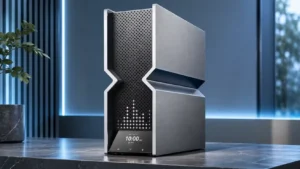
Overall: 4.1/5
The extensive Ethernet selection accommodates many wired devices and may eliminate the need for a separate switch.
Pros: wireless performance, Wi-Fi speed
Cons: value for money, size and footprint

Overall: 4.4/5
Six Ethernet ports give wired devices ample connection options.
Pros: setup ease, configuration flexibility
Cons: Wi-Fi 7 support, USB storage sharing

Overall: 4.8/5
Three 2.5Gb LAN ports provide enough high-speed wired connections for devices such as a gaming PC and NAS.
Pros: Wi-Fi 7 support, Wi-Fi speed
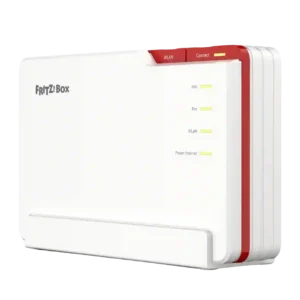
Overall: 4.0/5
The four extra gigabit LAN ports are genuinely useful for NAS boxes, adapters and other wired gear, even though their individual speeds are conservative.
Pros: telephony features, value for money
Cons: LAN port speed, wall-mounting support

Overall: 4.5/5
Having two Ethernet ports, both at 2.5GbE, is unusually generous for a travel router. It lets the Slate 7 maintain a fast wired WAN and a fast local wired device...
Pros: VPN client support, value for money
Cons: 6 GHz performance, USB storage sharing

Overall: 4.3/5
Multiple Ethernet ports allow several wired clients to connect without immediately needing a switch.
Pros: value for money, Wi-Fi speed
Cons: subscription requirements, WAN port speed

Overall: 4.2/5
Four fast Ethernet ports per unit provide unusual wired flexibility for a mesh kit. Using one for WAN leaves three for other devices on the main node.
Pros: value for money, Wi-Fi speed
Cons: subscription requirements, long-range speed

Overall: 4.1/5
Five Ethernet ports are generous for typical home equipment, although only one of the LAN ports is multi-gigabit.
Pros: value for money, Wi-Fi speed
Cons: 6 GHz performance, subscription requirements

Overall: 4.3/5
The generous Ethernet selection on both nodes stood out, giving users room for multiple wired devices at both mesh locations.
Pros: value for money, design and appearance
Cons: node pairing ease, outdoor coverage
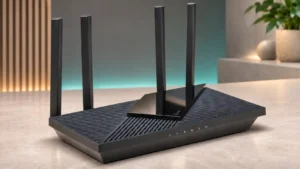
Overall: 4.0/5
Four gigabit LAN ports provide useful room for wired devices without an external switch.
Pros: value for money, parental controls
Cons: subscription requirements, multi-gig Ethernet support
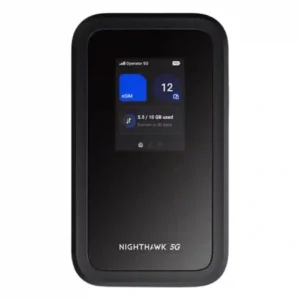
Overall: 4.1/5
There is no built-in Ethernet jack, so wired networking requires a USB-C adapter or cradle. That keeps the body compact but adds cost and accessories.
Pros: eSIM flexibility, cellular connectivity
Cons: interface responsiveness, Ethernet port count

Overall: 3.7/5
The router leaves only one spare Ethernet port after connecting a modem, and the bundled extenders have none. A switch or extra router units may be needed.
Pros: setup ease, value for money
Cons: Ethernet port count, Wi-Fi speed