Best for mobile app quality
GL.iNet GL-BE3600 Slate 7
4.8 attribute score
Highest scored product for this attribute based on supporting review evidence.

Highest scored product for this attribute based on supporting review evidence.
Balances the attribute score, supporting reviews, and overall product strength.
Has the broadest review evidence for this attribute.
Strongest overall product among items with scored evidence for this attribute.

Overall: 4.5/5
The companion app is useful for joining public networks and changing common settings without opening the full browser interface. Its accessible controls make travel setup easier.
Pros: VPN client support, value for money
Cons: 6 GHz performance, USB storage sharing

Overall: 4.3/5
Tether is widely liked for its clear layout, accessible controls and network overview.
Pros: value for money, Wi-Fi speed
Cons: subscription requirements, WAN port speed
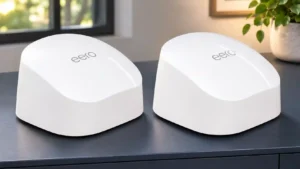
Overall: 3.7/5
The app is attractive, intuitive and easy to navigate, though a few users encountered bugs or wanted more options.
Pros: setup ease, value for money
Cons: Ethernet port count, Wi-Fi speed
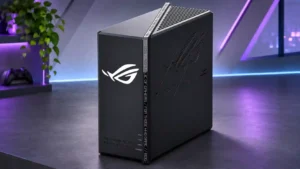
Overall: 4.3/5
The mobile app is convenient and feature-rich, though deeper settings can become complicated.
Pros: Wi-Fi speed, Ethernet port count
Cons: 10 GbE support, WAN port speed

Overall: 4.2/5
The polished Deco app makes everyday monitoring and configuration approachable. It has useful options without offering the depth of a full desktop administration interface.
Pros: value for money, Wi-Fi speed
Cons: subscription requirements, long-range speed

Overall: 4.0/5
Tether is widely liked for its clean, useful interface, though some settings require deeper navigation.
Pros: value for money, parental controls
Cons: subscription requirements, multi-gig Ethernet support

Overall: 4.1/5
The Tether app is clear, convenient and covers most common adjustments, with deeper settings available elsewhere.
Pros: wireless performance, Wi-Fi speed
Cons: value for money, size and footprint

Overall: 4.8/5
The app is well designed for onboarding and offers a useful collection of family, guest, and network-reporting tools.
Pros: Wi-Fi 7 support, Wi-Fi speed

Overall: 4.3/5
The app is feature-rich and intuitive when stable, but crashes and login problems made it unreliable for at least one reviewer.
Pros: value for money, design and appearance
Cons: node pairing ease, outdoor coverage

Overall: 4.1/5
Tether is polished, approachable and convenient for everyday management. An online account, promotional prompts and settings available only through a browser are drawbacks.
Pros: value for money, Wi-Fi speed
Cons: 6 GHz performance, subscription requirements
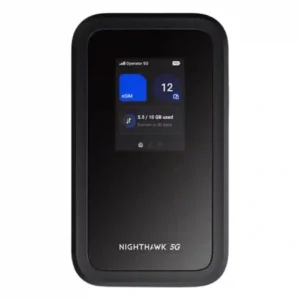
Overall: 4.1/5
The Netgear app is mostly clean, capable, and easy to use, especially for SIM management. A few menu quirks, account requirements, and app-only tasks keep it from feeling flawless.
Pros: eSIM flexibility, cellular connectivity
Cons: interface responsiveness, Ethernet port count

Overall: 4.4/5
The app can manage the router remotely after GoodCloud setup, but logging in on an additional phone proved frustrating.
Pros: setup ease, configuration flexibility
Cons: Wi-Fi 7 support, USB storage sharing