Best for installation process
GL.iNet GL-BE3600 Slate 7
5.0 attribute score
Highest scored product for this attribute based on supporting review evidence.

Highest scored product for this attribute based on supporting review evidence.
Balances the attribute score, supporting reviews, and overall product strength.
Has the broadest review evidence for this attribute.
Strongest overall product among items with scored evidence for this attribute.
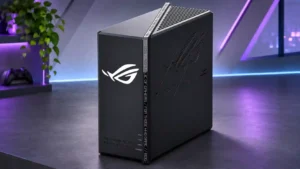
Overall: 4.3/5
Initial installation can be completed in about five minutes, including optimization and rebooting.
Pros: Wi-Fi speed, Ethernet port count
Cons: 10 GbE support, WAN port speed

Overall: 4.4/5
Physical installation and initial connection are straightforward.
Pros: setup ease, configuration flexibility
Cons: Wi-Fi 7 support, USB storage sharing

Overall: 4.5/5
Initial installation is quick: power up, join the router, set credentials and choose an internet source. The basic path can be completed in minutes.
Pros: VPN client support, value for money
Cons: 6 GHz performance, USB storage sharing

Overall: 4.1/5
Installation is generally close to plug-and-play, with clear guidance and quick connection to the modem.
Pros: value for money, Wi-Fi speed
Cons: 6 GHz performance, subscription requirements
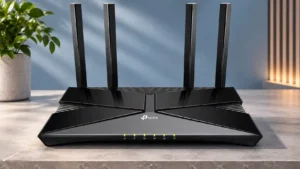
Overall: 3.7/5
Installation is generally quick and uncomplicated.
Pros: Overall satisfaction, value for money
Cons: USB port support, 160 MHz support

Overall: 4.8/5
The installation flow is app-based and simple, with reviewers highlighting the speed and clarity of getting online.
Pros: Wi-Fi 7 support, Wi-Fi speed
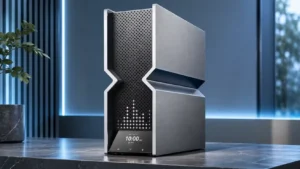
Overall: 4.1/5
Getting the router running is quick, particularly through Tether's step-by-step setup.
Pros: wireless performance, Wi-Fi speed
Cons: value for money, size and footprint
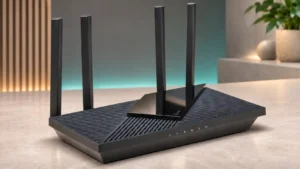
Overall: 4.0/5
Installation typically takes only minutes, with guided setup keeping the process manageable.
Pros: value for money, parental controls
Cons: subscription requirements, multi-gig Ethernet support

Overall: 4.2/5
Installation is generally quick with an app-guided process and automatic satellite pairing, although modem resets sometimes delay the first connection.
Pros: value for money, Wi-Fi speed
Cons: subscription requirements, long-range speed
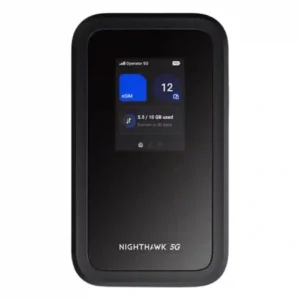
Overall: 4.1/5
Physical SIM installation is refreshingly simple and feels much like inserting a SIM into a smartphone.
Pros: eSIM flexibility, cellular connectivity
Cons: interface responsiveness, Ethernet port count

Overall: 4.3/5
Installation is generally completed within minutes; initial modem connectivity occasionally requires troubleshooting.
Pros: value for money, Wi-Fi speed
Cons: subscription requirements, WAN port speed