
If you want better bandwidth controls
Choose TP-Link Archer BE550. It scores 5.0 vs 1.5 for bandwidth controls, with a 4.3 overall score.

The Archer AX55 delivers fast everyday Wi-Fi, straightforward setup and useful expansion options at a modest price. Its gigabit ports, inconsistent distant-room speeds and paid advanced controls are the main tradeoffs.
Budget-conscious buyers with small or medium homes, ordinary broadband and multiple streaming or work devices benefit from fast nearby Wi-Fi and simple setup. It is also appealing for first-time router owners and households needing basic parental controls.
Buyers with multi-gigabit internet, Wi-Fi 7 devices they want to fully exploit, or demanding wired networking should look elsewhere. Large or difficult multi-story homes may need a compatible extender or a dedicated mesh system.
The TP-Link Archer AX55 is a compelling budget router for ordinary gigabit-or-slower home networks. Hands-on tests frequently praise its nearby speeds, reliable simultaneous connections and straightforward Tether setup. It also offers useful browser settings, four wired LAN ports and USB file sharing. Coverage is less predictable: some multi-story homes see strong results, while others experience substantial slowdowns in distant rooms. Compatible mesh extenders can help, but hardware revisions differ in supported features, so check the version before buying additional equipment. Basic parental controls and security tools are useful, although advanced features may require a subscription. The gigabit WAN connection also limits faster internet plans. For apartments and typical homes that do not need multi-gigabit networking, the AX55 offers substantial capability without a premium hardware price.
Compared with other Routers, this product is above average in 160 MHz support, firmware stability, customer support, near average in value for money, configuration flexibility, below average in 2.5 GbE support, bandwidth controls, multi-gig Ethernet support.
| Attribute | This product | Category average | Difference |
|---|---|---|---|
| 2.5 GbE support | 2.1 | 4.8 | -2.7 |
| bandwidth controls | 1.5 | 4.3 | -2.8 |
| multi-gig Ethernet support | 2.1 | 4.5 | -2.4 |
| per-device speed limits | 2.0 | 4.0 | -2.0 |
| 160 MHz support | 4.3 | 2.5 | +1.8 |
| 6 GHz performance | 2.0 | 3.8 | -1.8 |
| Packaging quality and presentation | 3.3 | 5.0 | -1.8 |
| Wi-Fi 7 support | 2.3 | 3.9 | -1.7 |
Choose TP-Link Archer BE550. It scores 5.0 vs 1.5 for bandwidth controls, with a 4.3 overall score.
Choose TP-Link Deco 7 Pro BE63. It scores 5.0 vs 2.1 for 2.5 GbE support, with a 4.2 overall score.
Choose GL.iNet Flint 2 (GL-MT6000). It scores 4.5 vs 2.1 for multi-gig Ethernet support, with a 4.4 overall score.
Choose GL.iNet GL-BE3600 Slate 7. It scores 4.5 vs 1.0 for printer sharing, with a 4.5 overall score.
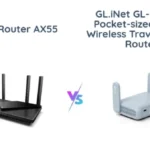
Compared with TP-Link Archer AX55
Yes, wired tests approached gigabit plan speeds and nearby wireless speeds were often strong. Its 1 Gbps WAN port prevents full use of faster internet plans.
Results vary: several tests found good multi-floor coverage, but other homes experienced substantial speed drops in distant rooms. Compatible mesh extenders can help.
Basic security scans and parental controls are available without a subscription. Advanced filtering, reporting and real-time protection can require payment; confirm the specific plan and hardware revision.
It generally handles simultaneous streams and ordinary online gaming well with a good signal. A distant or obstructed room can reduce performance.
Yes, compatible extenders or access points can improve weak areas. Confirm the hardware revision and OneMesh or EasyMesh compatibility before buying expansion equipment.
The USB port supports shared files, media and backups, and testing found good transfer speeds for the price. It is not a full replacement for a dedicated NAS.
Different revisions may support different mesh and VPN features or have different firmware and lifecycle information. Check the version and region on the unit before buying or installing updates.
These are a few of the reviews included in our analysis.




We tested the TP-Link Archer AX55 Wi‑Fi 6 router for speed, range and performance.
My product assessment of the Archer AX55 Wi-Fi 6 router: placement, gigabit ports, firmware, subscriptions and why AX3000 is not an internet...
The clearest mainstream value pick, with unusually strong measured speed and range for a budget AX3000 router.
Evaluate the TP-Link Archer AX55 for everyday home Wi-Fi, including gigabit limits, hardware revisions, mesh support, software, and who...
A dual-band AX3000 router with gigabit ports, 160 MHz channels, and a free HomeShield tier, sold at about $100 through Amazon because...

Choose the R95 for a busy home that needs fast Wi-Fi 7, strong range, multi-gig ports, and low-lag gaming. Skip it for a small, lightly connected space or if advanced...
Pros: Wi-Fi 7 support, Wi-Fi speed

Best for frequent travel, fast VPNs, dual 2.5GbE and resilient multi-WAN. Skip it if you need full 6GHz/320MHz Wi‑Fi 7, mesh, or desktop-class USB storage and long-range indoor coverage.
Pros: VPN client support, value for money
Cons: 6 GHz performance, USB storage sharing

Exceptional VPN speeds, strong Wi-Fi 6 coverage and extensive OpenWrt controls make the Flint 2 a compelling value. Its advanced setup, missing 6GHz band and firmware-specific caveats matter if you...
Pros: setup ease, configuration flexibility
Cons: Wi-Fi 7 support, USB storage sharing

Best for affordable tri-band Wi-Fi 7, abundant 2.5GbE ports, and deep free controls. Skip it if you need consistently strong garden coverage, foolproof app setup, or proven top-tier speeds across...
Pros: value for money, design and appearance
Cons: node pairing ease, outdoor coverage